Please REGISTER or RENEW your account on RAPiDGATOR.net and support us by doing through all RAPiDGATOR working download links on main posts...
June 17

Operant Peak Spectroscopy 4.00.557

Description: Power Tools for Optical Spectroscopy since 2006. Mid IR, Near IR, FTIR, Raman, fluorescence, LIBS, XRF, UV-VIS, Raman and EELS. Peak is the next generation of the popular Essential FTIR software.

Peak can read your Data
Peak can read data from over 70 spectral file types.

Spectral File Conversions
Batch-convert files from closed proprietary formats.

21 CFR Part 11
Peak is 21 CFR Part 11 Compliant

See who's using Peak
Peak is used world-wide in industry, education, government and military

Library Search
Peak has complete and powerful spectral library search

Turn Data Into Information
Smoothing, Baseline Correction, Line Out, Normalization, Subtraction and more…

Release Name: Operant Peak Spectroscopy 4.00.557
Size: 99.4 MB
Links: HOMEPAGE – NFO – Torrent Search

Download: RAPiDGATOR

7 Comments
June 17

Lucen Timeline Expert 14.19.00.00

Description: Office Timeline is now called Lucen Timeline, part of Lucen Software! The #1 PowerPoint Timeline Maker for Windows and Office. Create PowerPoint timelines or roadmaps as fast as clients and executives need them. Simple but powerful PowerPoint add-in that anyone can use to quickly make and manage impressive timelines.

Beauty trumps complexity.
Build stunning PowerPoint timelines without the effort and cost.

Free yourself from manually building and managing visual project plans.
Office Timeline helps you make timelines, Gantt charts and Swimlanes in PowerPoint almost instantly. Customize them with just a few clicks to create clear, elegant high-level presentations that everyone will understand.

User-friendly PowerPoint timeline generator. Works the way clients and colleagues do.
Office Timeline works with all versions of PowerPoint. Give them stunning PowerPoint slides that can be viewed, edited and shared by anyone who has Microsoft Office.

Manage and change data with ease.
The plugin’s powerful Data wizard and drag & drop Visual Editor make timeline management agile and intuitive. Updating timelines when projects and plans change is quick and easy.

PowerPoint timelines made easy.
No complex steps. No learning curve. No hassle!

Start from scratch or pick a template.
The timeline wizard was designed to make it simple. It all starts by selecting the type of timeline you want to make.

Enter your data and click Create.
Once you’ve selected a timeline template, enter or import your key milestones and tasks. Set their dates, click the Create button, and voilà ! Timeline created.

Arrange and style to impress.
Use Drag & Drop to instantly rearrange or update your visual. Then customize it your way â colors, shapes, date formats, task duration, percent complete⦠change any detail, anyway you want.

Enjoy more freedom with Plus Edition.
While the Free edition is fully functional, Office Timeline Plus brings more! Plus Edition unlocks predesigned templates and gives you the freedom to add as much data as needed, so you can create detailed, unique PowerPoint timelines and Gantt charts.

See the power of Pro Edition.
Office Timeline Pro gives you everything you get with the Plus add-in, but adds powerful extra features. Pro Edition creates impressive Swimlanes and roadmaps, so you can manage complex projects with big-picture visuals that anyone can understand.

System Requirements
- Microsoft Windows 10 (64-bit version; LTSB, CBB and CB), Windows 11
- The following 64-bit versions of Microsoft Office are supported: Microsoft 365, Office 2021, Office 2019
- .NET Framework 4.8.

Release Name: Lucen Timeline Expert 14.19.00.00
Size: 148.9 MB
Links: HOMEPAGE – NFO – Torrent Search

Download: RAPiDGATOR

5 Comments
June 17

By Click Downloader 2.4.32

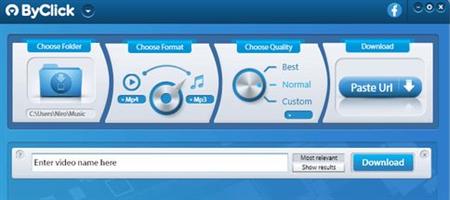
Description: Backup your videos from any platform! Backup videos from: YouTube, Dailymotion, Vimeo, Facebook and +40 sites.. in HD, MP3, MP4, AVI and all other formats using our software.

Support all sites
Download from YouTube, Facebook, Instagram, Twitter, Vimeo, Dailymotion, YouKu and many more!

Download YouTube Playlists
Download entire YouTube Playlists and channels. Download entire Instagram pages. All at once within 1 click!

HD & 4K quality
Download videos in 720p, 1080p, 4K and 8K. Convert to MP3, MP4, AVI, FLV, WMV, 3GP, WEBM, MKV, WAV, AAC and M4A.

Release Name: By Click Downloader 2.4.32
Size: 46.4 MB
Links: HOMEPAGE – NFO – Torrent Search

Download: RAPiDGATOR

5 Comments
June 17

XYplorer 28.30.0900

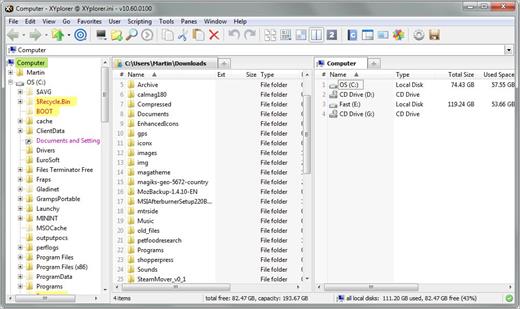
Description: XYplorer is a file manager for Windows. It features tabbed browsing, a powerful file search, a versatile preview, a highly customizable interface, optional dual pane, and a large array of unique ways to efficiently automate frequently recurring tasks.

It's Tabbed
Tabs let you switch between folders most easily. Drag them around, hide them, lock them, name them, or drop files onto them. The tabs remember their configuration individually and across sessions. On top of this you get tabsets and dual pane.

t's Functional
XYplorer has been designed to make you faster. Numerous usability enhancements in an attractive interface help to streamline your workflow and increase your efficiency. You will definitely save a lot of time.

It's Scriptable
Yes, you can program this app. Individual solutions for individual tasks. No plugins needed, scripts run out-of-the-box. Even beginners can benefit from this feature since many ready-to-use scripts are available in the forum.

It's Fast
Speed has always been a major design goal with XYplorer. The code is constantly optimized for performance, zero tolerance for slowness. On top of that the app uses very little RAM, the executable is light (7 MB), and it loads almost instantly.

It's Reliable and Robust
You can trust XYplorer. It works as intended and expected, and is very hard to destroy. Any issues are immediately attended and usually fixed within hours. A large community is closely watching the development and permanently testing the frequent beta versions.

It's Customizable
You can fine-tune the app to look and behave exactly as you want it. This ranges from fonts and colors to custom toolbar buttons and even file icons and program associations. And every bit of it is fully portable. Even the dark mode.

It's Responsive
Your customer voice is listened to and taken seriously, most of the time you get instant feedback, and your wish might actually get implemented sooner than you'd think.

Operating System:
Windows 11, Windows 10, Server 2019, Server 2016, 8.1, 8, Server 2012, 7, Server 2008, Vista, XP, Server 2003; 32-bit and 64-bit versions.

Release Name: XYplorer 28.30.0900
Size: 11.4 MB
Links: HOMEPAGE – NFO – Torrent Search

Download: RAPiDGATOR

6 Comments
June 17

Disk Drill Enterprise 6.3.1397

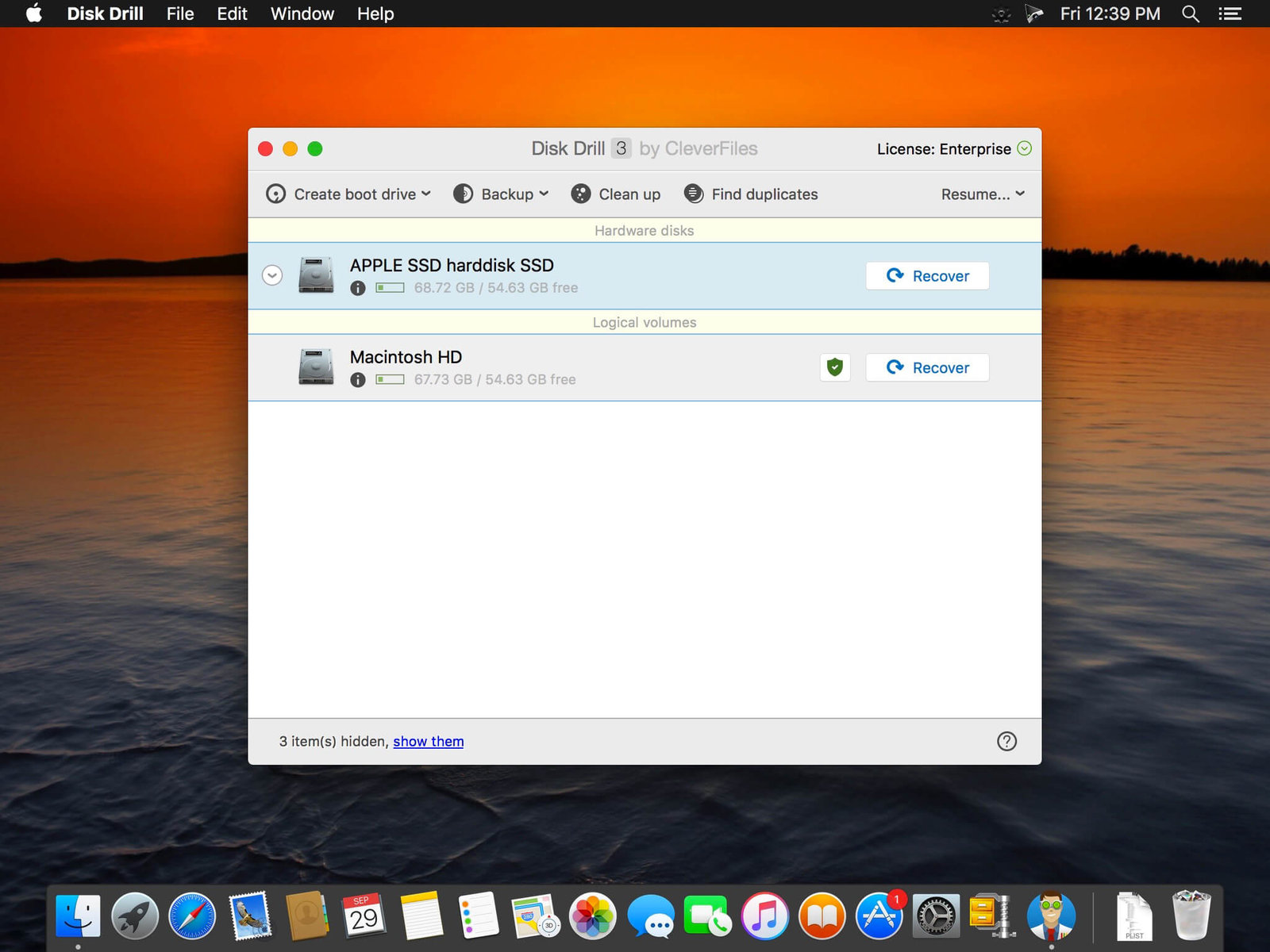
Description: Recover your deleted files on Windows, including Office documents, archives, and media files, quickly and easily. Disk Drill for Windows is a simple free data recovery software that restores deleted files from hard disks (HDD), external USB drives, or any kind of storage media.

The Most Reliable Windows Data Recovery Software
If you have lost or deleted important data from your device, this free data recovery software for Windows can get it back fast. Its intuitive user interface makes it easy to recover your lost files. Some of its features include:
Free data recovery of up to 500 MB
Free data protection with Recovery Vault
Free byte-level backups of your storage media
Preview lost files before performing a recovery
Easily predict successful recoverability of your files

Recover Data From a Variety of Devices
Using Disk Drill data recovery software for Windows 10 & 11 you can recover deleted data from virtually any storage device. The list of supported ones includes your computer’s internal hard disk, external USB drives, SD and CF cards, other memory cards, digital cameras, solid state drives (SSD), flash drives, virtual hard drives, RAID arrays, disk images, etc.

Recover All File Types
Disk Drill, a professional Windows data recovery solution, can restore all file types that have been deleted or lost on virtually any of your devices. Its powerful and sophisticated scanning algorithms can identify and reconstruct hundreds of different file types including all of the popular video, audio, photo and document formats.

Operating Systems: Windows 10 64-bit/11 64-bit

Release Name: Disk Drill Enterprise 6.3.1397
Size: 64.3 MB
Links: HOMEPAGE – NFO – Torrent Search

Download: RAPiDGATOR

5 Comments
June 17

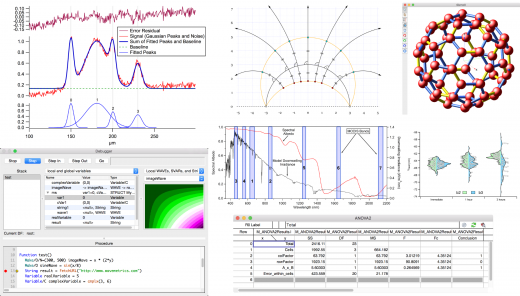
WaveMetrics Igor Pro 10.03.30115

Description: Igor Pro is an interactive software environment for experimentation with scientific and engineering data and for the production of publication-quality graphs and page layouts. Igor has been used by tens of thousands of technical professionals since its introduction in 1989. Here are a few highlights of the newly released Igor Pro 10.

Features:
Igor Pro 10 runs on Windows 10 and later
Produces and exports high-resolution, journal quality scientific graphs in SVG, EPS, PDF, and PNG
Handles large data sets very quickly
Includes a wide range of capabilities for scientific and engineering analysis and simulation
Contains a built-in programming environment that makes it easy to automate applications and extend internal tools
Completely programmable via a built-in programming environment and can be extended by external code (XOPs) written in C
Igor Pro has special support for time-series or other evenly-spaced data
Includes extensive image processing tools for image filtering, manipulation and graphing
Python integration allows you to directly execute Python code and exchange data between Igor and Python
Imports data in many formats and can acquire data from hardware devices
Uses unicode to support foreign languages and mathematical symbols
Active user-to-user support and collaboration forum
Responsive, user-acclaimed technical support
Includes Igor Filter Design Laboratory for interactive design of FIR and IIR digital filters

Release Name: WaveMetrics Igor Pro 10.03.30115
Size: 247.7 MB
Links: HOMEPAGE – NFO – Torrent Search

Download: RAPiDGATOR

6 Comments
June 17

Disk Sorter 18.2.34

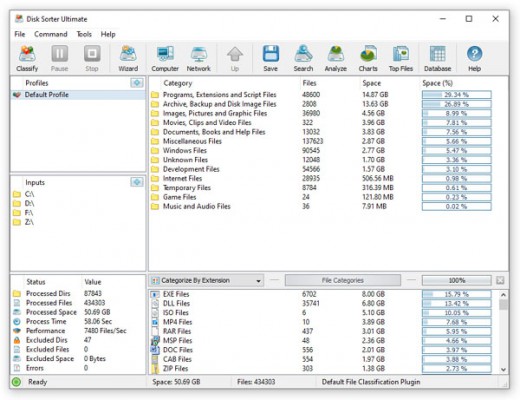
Description: DiskSorter is a file classification solution allowing one to classify files in local disks, network shares, NAS devices and enterprise storage systems. Users are provided with the ability to gain an in-depth visibility into which types of files are using most of the disk space, save reports and perform file management operations on categories of files.

DiskSorter provides a number of built-in file classification plugins capable of recognizing more than 3,000 types of files and allowing one to classify files by the file type, extension, user name, creation, last modification and last access dates, etc. Users are provided with the ability to generate various types of pie charts, categorize and filter file classification results and save file classification reports into a number of standard formats including HTML, PDF, Excel, text, CSV, XML and the DiskSorter native report format.

IT and storage administrators are provided with the ability to submit file classification reports from multiple servers and NAS storage devices to a centralized SQL database and analyze disk space usage history trends for one or more file categories per server and/or per user across the entire enterprise.

Classifying Files in Network Servers and NAS Storage Devices
DiskSorter allows one to scan the network, discover network servers and NAS storage devices, automatically detect all accessible network shares and classify files in hundreds of network servers and NAS storage devices. In addition, the user is provided with the ability to export the list of detected servers and NAS storage devices (including lists of network shares for each server) into HTML, PDF, text and Excel CSV reports.

In order to classify files in one or more servers or NAS storage devices, press the 'Network' button located on the main toolbar and wait while DiskSorter will scan the network and show a list of detected network servers and NAS storage devices. On the network servers and NAS storage devices dialog, select the required servers and press the 'Classify' button.

DiskSorter will show all network shares hosted on the selected servers and NAS storage devices allowing one to classify files and save various types of file classification charts and reports. In addition, DiskSorter provides a large number of advanced file classification options allowing one to tune and customize file classification operations for user specific needs and hardware configurations.

DiskSorter Command Line Utility
In addition to the desktop GUI application, DiskSorter Ultimate and DiskSorter Server provide a command line utility allowing one to perform file classification operations, save various types of file classification reports, export file classification results to an SQL database and control one or more DiskSorter Servers locally or via the network.

DiskSorter Server
Enterprise customers are provided with DiskSorter Server, which runs in the background as a service and allows one to perform multiple, parallel file classification operations, schedule periodic file classification operations and provides advanced file classification capabilities optimized for servers and NAS storage devices.

DiskSorter Server may be controlled using a full-scale client GUI application, which provides all features available in the desktop product version and additional capabilities allowing one to schedule periodic file classification operations and perform multiple-parallel file classification operations on a number of servers and/or NAS storage devices.

In addition to the client GUI application, DiskSorter Enterprise provides a web-based management interface allowing one to control one or more servers using a regular web browser locally or via the network.

Batch File Classification Operations
DiskSorter Server and DiskSorter Enterprise provide the ability to scan the network, detect all network servers and NAS storage devices, execute one or more pre-configured file classification commands on hundreds of network servers and NAS storage devices and generate an individual file classification report for each network server, NAS storage device or network share.

In the simplest case, just press the 'Network' button located on the main toolbar, search all network servers and NAS storage devices on the network, select one or more servers, press the right mouse button and select the 'Batch File Classification' menu item. DiskSorter will show a list of pre-configured file classification commands allowing one to select one or more commands to be executed on all selected network servers and NAS storage devices.

Depending on the selected configuration, DiskSorter will save in the built-in reports database an individual file classification report for each network server, NAS storage device or network share. Once the batch file classification operation is completed, the user will be provided with the ability to open saved file classification reports, review file classification results, generate various types of pie charts and export reports to a number of standard formats including HTML, PDF, Excel, text, CSV and XML.

Release Name: Disk Sorter 18.2.34
Size: 71.5 MB
Links: HOMEPAGE – NFO – Torrent Search

Download: RAPiDGATOR

5 Comments
June 17

ExamDiff 17.0.1.3

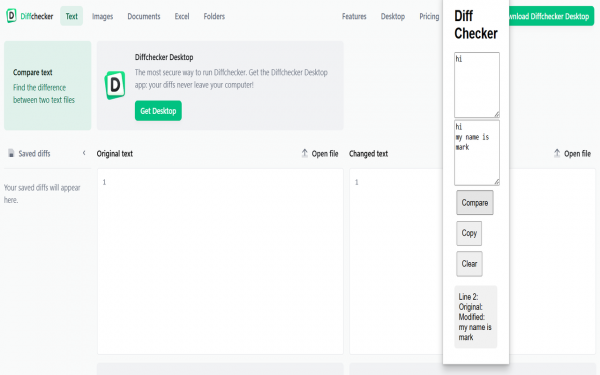
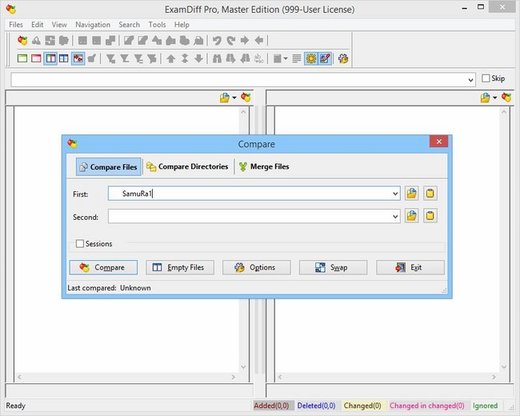
Description: ExamDiff Pro is a powerful yet intuitive and easy to use visual file and directory comparison tool for Windows. It features unique functionality that distinguishes ExamDiff Pro from other comparison programs. If you’ve been frustrated with other comparison utilities, you will find that ExamDiff Pro offers a much more efficient and user-friendly way to compare files and folders.

Features: 


  • Compares text files, binary files, and directories.
  • Performs two-way and three-way diff and merge.
  • Highlights differences down to the level of lines, words or characters.
  • Highlights document syntax.
  • Fuzzy line matching.
  • Ability to recognize moved text blocks.
  • Automated directory synchronization.
  • Line Inspector panel for easy recognition of differences within lines.
  • Can perform full file comparison in a background task in directory comparison.
  • Ability to add manual synchronization points to text file comparison.
  • Compares directly from Windows Explorer.
  • Allows file editing within file comparison panes.
  • Allows copying, renaming, and deleting files or directories.
  • Saves the file differences in a standard UNIX DIFF file or to a dynamic HTML web page.
  • Prints and print previews diff reports.
  • Easy navigation through the differences.
  • Advanced Search features.
  • Drag and drop support.
  • Advanced Ignore options, for ignoring capitalization, white space, programming-language comments, and more.
  • Word wrapping.
  • Plug-in support.
  • Drag and drop support.
  • Can create directory snapshots for later comparison.
  • Includes full Unicode support.
  • Fully customizable.
Release Name: ExamDiff 17.0.1.3
Size: 46.6 MB
Links: HOMEPAGE – NFO – Torrent Search

Download: RAPiDGATOR

6 Comments
June 17

Internet Download Manager 6.43 Build 1

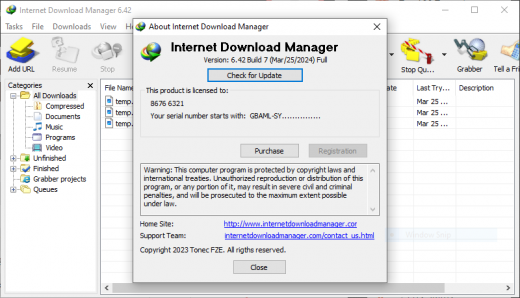
Description: Internet Download Manager has a smart download logic accelerator that features intelligent dynamic file segmentation and safe multipart downloading technology to accelerate your downloads. Unlike other download accelerators and managers that segment files before downloading starts, Internet Download Manager segments downloaded files dynamically during download process.
Features
- All popular browsers and applications are supported!
Internet Download Manager has been tested with the following browsers: Internet Explorer, MSN Explorer, AOL, Netscape Communicator, Netscape 6, Netscape 7, Mozilla, Mozilla Firefox, Mozilla Firebird, Opera, NetCaptor, UltraBrowser, Slim Browser, Avant Browser, MyIE2, Optimal Desktop, Ace Explorer, Advanced Browser, 27 Tools-in-1 Wichio Browser, WindowSurfer, 550 Access Browser, FineBrowser Freeware, Kopassa Browser, Fast Browser Pro, Enigma Browser, GoSuRF, K-Meleon, Smart Explorer, The Off By One Web Browser, Smartalec Voyager, CrystalPort AppCapture, The Family Browser, XANA Web Browser, Bluto, AutoSurf, 32bit Web Browser, BrowseMan, WrestlingBrowser, Eminem Browser, UltraBrowser, Cygsoft LDAP Browser, and Net M@nager. Internet Download Manager supports all versions of popular browsers, and can be integrated into any 3rd party Internet applications.

- Easy downloading with one click.
When you click on a download link in a browser, IDM will take over the download and accelerate it. IDM supports HTTP, FTP, HTTPS and MMS protocols.

- Download Speed Acceleration.
Internet Download Manager can accelerate downloads by up to 5 times due to its intelligent dynamic file segmentation technology. Unlike other download managers and accelerators Internet Download Manager segments downloaded files dynamically during download process and reuses available connections without additional connect and login stages to achieve best acceleration performance.

- Download Resume.
Internet Download Manager will resume unfinished download from the place where they left off.

- YouTube grabber.
Internet Download Manager can grab FLV videos from popular sites like YouTube, MySpaceTV, and Google Video.

- Simple installation wizard.
Quick and easy installation program will make necessary settings for you, and check your connection at the end to ensure trouble free installation of Internet Download Manager

- Drag and Drop.
You may simply drag and drop links to IDM, and drag and drop downloaded files out of Internet Download Manager.

- Automatic Antivirus checking.
Antivirus checking makes your downloads free from viruses and trojans.

- Advanced Browser Integration.
When enabled, the feature can be used to catch any download from any application. None of download managers have this feature.

- Built-in Scheduler.
Internet Download Manager can connect to the Internet at a set time, download the files you want, disconnect, or shut down your computer when it's done.

- IDM includes web site spider and grabber.
IDM downloads all required files that are specified with filters from web sites, for example all pictures from a web site, or subsets of web sites, or complete web sites for offline browsing. It's possible to schedule multiple grabber projects to run them once at a specified time, stop them at a specified time, or run periodically to synchronize changes.

- IDM supports many types of proxy servers.
For example, IDM works with Microsoft ISA, and FTP proxy servers.

- IDM supports main authentication protocols
Basic, Negotiate, NTLM, and Keberos. Thus IDM can access many Internet and proxy servers using login name and password.

- Download All feature.
IDM can add all downloads linked to the current page. It's easy to download multiple files with this feature.

- Customizable Interface.
You may choose the order, and what buttons and columns appear on the main IDM window.

- Download Categories.
Internet Download Manager can be used to organize downloads automatically using defined download categories.

- Quick Update Feature.
Quick update may check for new versions of IDM and update IDM once per week.

- Download limits.
Progressive downloading with quotas feature. The feature is useful for connections that use some kind of fair access policy (or FAP) like Direcway, Direct PC, Hughes, etc.

- IDM is multilingual.
IDM is translated to Albanian, Arabic, Azerbaijan, Bosnian, Bulgarian, Chinese, Croatian, Czech, Danish, Dutch, Farsi, French, German, Greek, Hebrew, Hungarian, Italian, Japanese, Korean, Lithuanian, Macedonian, Norwegian, Polish, Portuguese, Romanian, Russian, Serbian, Slovak, Slovenian, Spanish, Thai, Turkish, and Uzbek languages.

Release Name: Internet Download Manager 6.43 Build 1
Size: 23.9 MB
Links: HOMEPAGE – NFO – Torrent Search

Download: RAPiDGATOR

7 Comments