Please REGISTER or RENEW your account on RAPiDGATOR.net and support us by doing through all RAPiDGATOR working download links on main posts...
June 17

OmniFocus Pro 4.8.12

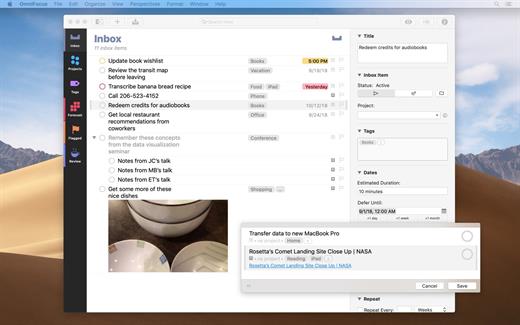
OmniFocus is an organizer app. It uses projects to organize tasks naturally, and then add tags to organize across projects. Easily enter tasks when you’re on the go, and process them when you have time. Tap the Forecast view – which shows both tasks and calendar events – to get a handle on your day. Use the Review perspective to keep your projects and tasks on track.

Use OmniFocus to accomplish more every day. Create projects and tasks, organize them with tags, focus on what you can do right now – and get stuff done. Then let our free syncing system make sure you data is the same on every Mac. (And on OmniFocus for iOS, available separately.) Because your data is encrypted, it’s safe in the cloud.

What’s New

Version 4.8.12:


  • Release notes were unavailable when this listing was updated.
Compatibility

macOS 11.0.0 or later
Apple Silicon or Intel Core processor


Release Name: OmniFocus Pro 4.8.12
Size: 49.7 MB
Links: HOMEPAGE – NFO – Torrent Search

Download: RAPiDGATOR

5 Comments
June 17

DxO FilmPack 8.6.0 Build 814

DxO Film Pack lets you rediscover the magic of analog film. Give your digital photos greater emotional impact with this creative image-processing software.

Rediscover the style, the colors, and the grain of more than 80 legendary analog films, faithfully reconstituted thanks to DxO’s exclusive calibration process. Combine many original renderings with filter, vignetting, blur, texture, frame, or light-leak effects to give your photos a unique look. It even allows you to preserve the quality of your digital images thanks to support for RAW format, benefitting from DxO’s unsurpassed powerful processing.

Features

  • More than 120 styles, 80 of which are legendary
  • Creative styles such as frames, textures, light leaks, creative vignetting, and blur
  • Exceptional black-and-white conversion
  • Support for RAW, JPEG, and TIFF formats
  • Designer presets: a touch of madness for your images
What’s New

Version 8.6.0:


  • Release notes were unavailable when this listing was updated.
Compatibility

macOS 10.14 or later


Release Name: DxO FilmPack 8.6.0 Build 814
Size: 1.6 GB
Links: HOMEPAGE – NFO – Torrent Search

Download: RAPiDGATOR

3 Comments
June 17

DxO PhotoLab 9.8.0

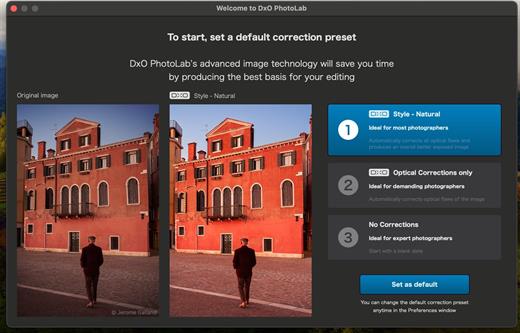
DxO PhotoLab provides a complete set of smart assisted corrections that you can manually fine-tune at any time. Take control on every aspect of your photos: effectively remove noise, get rid of light constraints, recover color details, apply sophisticated optical corrections, and enhance details.

Reducing digital noise in RAW images is an ongoing challenge for most photo-editing software. But with DxO DeepPRIME we are breaking new ground. The first artificial intelligence-based (AI) technology of its kind, DeepPRIME enables you to demosaic and denoise images simultaneously. Try it out – the results speak for themselves.

What’s New

Version 9.8.0:


  • Release notes were unavailable when this listing was updated.
Compatibility

macOS 13.6 or later


Release Name: DxO PhotoLab 9.8.0
Size: 2.3 GB
Links: HOMEPAGE – NFO – Torrent Search

Download: RAPiDGATOR

2 Comments
June 17

Subtitle Studio 1.5.11

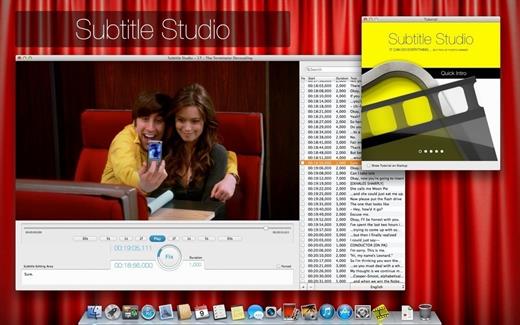
Subtitle Studio is the only subtitle solution you will ever need: find, adjust, edit, create, embed. Everything in one app — and we are just getting started.

It’s great to watch movies in their original language. Subtitles help everybody enjoy the movie. With Subtitle Studio, it’s as easy as 1-2-3, or maybe even easier.

Easy to use:


  • Just drop your movie onto Subtitle Studio
  • Subtitle Studio will auto-search for missing subtitles
  • Sync subtitle with a single big button
Features:

  • Support M4V, MOV, AVI, MKV and many more
  • Movie conversion to M4V
  • Embed your subtitles into a new fully optimized M4V file, for AppleTV, iPhone, iPad and all other typical players
  • Save to SRT
  • Read from srt, sub, txt, (zip when using internal web search)
  • Import SubRip, SubViewer, MicroDVD files
  • Add multiple languages
  • Add multiple versions of the same language
  • Subtitle Studio organizes your subtitle files for you
  • Direct search on Open Subtitle
  • Search a catalog of many sites on the build in WebBrowser
  • Create your subtitle from scratch
  • Fix the first and last line, Subtitle Studio does the rest
  • Alternatively fix single subtitles
  • Direct subtitle text edit
  • Search subtitle texts
  • Easy Search and Replace function
  • Remove unwanted lines
  • Add subtitle lines (think about a missing scene, etc.)
  • Add any number of subtitle language
What’s New

Version 1.5.11:


  • Release notes were unavailable when this listing was updated.
Compatibility

macOS 10.13 or later


Release Name: Subtitle Studio 1.5.11
Size: 33.2 MB
Links: HOMEPAGE – NFO – Torrent Search

Download: RAPiDGATOR

2 Comments
June 17

VueScan Professional 9.8.55

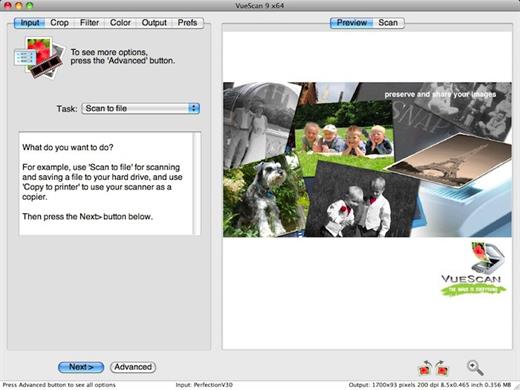
VueScan is a scanning program that works with most high-quality flatbed and film scanners to produce scans that have excellent color fidelity and color balance. VueScan is easy to use, and has advanced features for restoring faded colors, batch scanning and other features used by professional photographers.

Why should you use VueScan?


  • Easy to use – just run VueScan, press Preview, adjust the cropping, then press Scan.
  • Accurate colors – uses ICC profiles and IT8 calibration.
  • Powerful – dozens of advanced options.
  • Faster workflow – can edit one image while the next image is being scanned (most scanner software won’t let you work with one image while another is being scanned).
  • Simple to install – installing VueScan changes nothing on your system, installs nothing in your operating system and all other scanner software will continue to function.
What’s New

Version 9.8.55:


  • Release notes were unavailable when this listing was updated.
Compatibility

macOS 10.11 or later


Release Name: VueScan Professional 9.8.55
Size: 331.5 MB
Links: HOMEPAGE – NFO – Torrent Search

Download: RAPiDGATOR

5 Comments
June 17

Typora 1.13.8

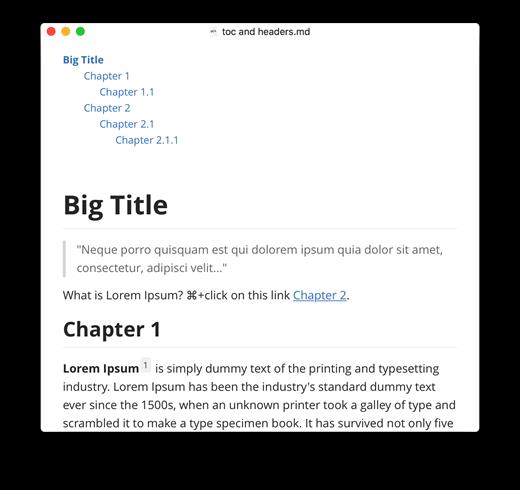
Typora gives you a seamless experience as both a reader and a writer. It removes the preview window, mode switcher, syntax symbols of markdown source code, and all other unnecessary distractions, replacing them with a real-time preview to help you concentrate on the content itself.

Features:


  • Markdown support including tables, code fences with syntax highlight, LaTeX, table of contents
  • Cross-platform
  • The real-time preview and WYSIWYG features
  • Beautiful interface and custom CSS theme support
  • Easy export
What’s New

Version 1.13.8:


  • Release notes were unavailable when this listing was updated.
Compatibility

macOS 10.13.0 or later, 64-bit processor


Release Name: Typora 1.13.8
Size: 19 MB
Links: HOMEPAGE – NFO – Torrent Search

Download: RAPiDGATOR

5 Comments
June 17

Shredo 1.2.8.6

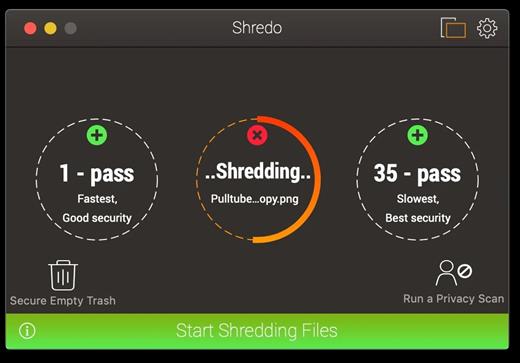
Shredo is a beautiful, functional file-shredding utility. It permanently shreds files, folders, and external volumes’ contents to keep information secure and impossible for anyone to retrieve. Depending on security level and data-erase speed, you have 3 shredding methods at your disposal:


  1. 1-pass – Offers good security and quickest erase of data. It deletes access information to your files and writes random bytes over the data once.
  2. 7-pass – Slower speed, but better security than 1-pass. Writes over data 7 times, based on US Department of Defence (DoD) 5220-20 M standard algorithms.
  3. 35-pass – Slowest, but offers the best security. Erases file access info and writes over the data 35 times, based on the Gutmann method for deletion.

What’s New

Version 1.2.8.6:


  • Fixed title bar height for latest OS release
  • Privacy scan now reorders browser list by putting installed browsers on top of the list
  • Use Esc key should close windows that overlay the main
  • Support Dvorak and Zwerty keyboard layouts
  • Fixed a bug when sometimes shredding task failed for lists with over 4000 files
Compatibility

macOS 10.11 or later


Release Name: Shredo 1.2.8.6
Size: 13.2 MB
Links: HOMEPAGE – NFO – Torrent Search

Download: RAPiDGATOR

5 Comments
June 17

Affinity 3.2.2

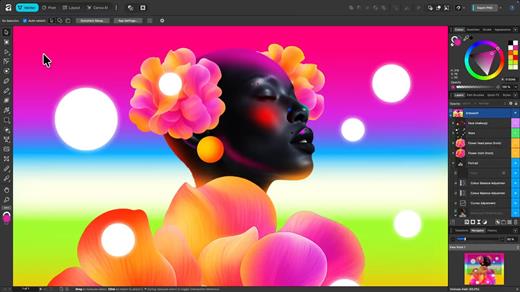
An app that adapts to you, not the other way around. Affinity comes with built-in Vector, Pixel, and Layout studios, but you’re not locked in. Rearrange panels and mix and match your favorite tools to build custom studios. You can save multiple setups, switch between them in a click, and even share with others or download theirs.

It’s customization that flexes to your workflow.

Powerful tools. Easy to learn.

Learn by doing with step-by-step lessons, templates, and real-world examples.

Enrich your designs with tailored content

Make your designs stand out with world-class photos, graphics, videos, audio, fonts, charts, and more. Explore our vast content libraries featuring top brands like Disney, Artlist, and pocstock.

Design with others

Canva makes collaboration easy. Tag teammates in comments and assign tasks on Docs, Presentations, Whiteboards, and more. Canva empowers businesses of all sizes to stay organized and reach your goals faster.

Design and print in one place

Turn your memories into photo albums, your designs into T-shirts, and your branding into business cards, flyers or invites. Get all your printing done right here with free delivery to your doorstep.

Plans that get down to business

Empower your whole team or business to design together with one of our workplace plans

AI-powered efficiency

Leverage AI to create on-brand copy, templates and video-editing.

Bring your brand in house

Set up Brand Kits and templates for your team to design with.

Beautiful approval flows

Easily control individual permissions, assign tasks and share your work.

What’s New

Version 3.2.2:


  • Release notes were unavailable when this listing was updated.
Compatibility

macOS 10.15 or later


Release Name: Affinity 3.2.2
Size: 975.1 MB
Links: HOMEPAGE – NFO – Torrent Search

Download: RAPiDGATOR

6 Comments
June 17

Microsoft Office 2024 v16.110

Office LTSC 2024 offers a locked-in-time version of familiar productivity tools, updated with a subset of the features that have been added to Microsoft 365 Apps for enterprise over the last three years. New features for this release include Dynamic Charts and more than a dozen new text and array functions in Excel, enhanced search and meeting creation options in Outlook, and improvements to performance, security, and accessibility.
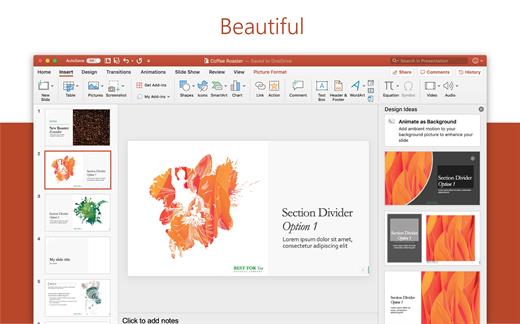
That same Office, especially for Mac

The new, modern versions of Word, Excel, PowerPoint, Outlook, OneNote, and OneDrive for Mac feature a familiar interface and the unique, beloved features of a Mac, so you can get started quickly.

Microsoft Word

Word is a robust application that lets you create, edit, view, and share text documents (even email attachments). It’s ideal for anyone who works with documents: bloggers, writers, journalists, reviewers, students, or project managers.

Microsoft Excel

The powerful Excel application makes it quick and easy to create, view, edit, and share spreadsheet files. New charts and Ideas provide visualization of data and trends. No matter where you are, you can confidently use this application to collaborate in accounting, auditing, or finance.

Microsoft PowerPoint

PowerPoint is the smart app you know and love that helps you communicate your ideas vividly and visually with beautiful layouts, animations, moving camera effects, 3D models, and icons. Save time and create engaging presentations that are up-to-date with the latest trends.

Microsoft Outlook

With Outlook, you have all your email accounts and calendars at your fingertips. Manage your messages and plan in detail—it has everything you need to organize your workflow efficiently.

Microsoft OneNote

Whether you need to streamline the tedious planning process or quickly jot down a brilliant idea, OneNote, your digital notebook, is your go-to. It’s indispensable when you need to prepare for a big event or when you need to make sure you don’t miss any important tasks that you can’t trust to someone else.

Microsoft OneDrive

OneDrive keeps all your Microsoft 365 files at your fingertips. Share and collaborate in real time across Word, Excel, and PowerPoint on your desktop, web, and mobile — all conveniently and securely

Note: If it doesn’t work, uninstall the old version of Office completely and reinstall it. For uninstallation method, please use Google search.

What’s New

Version 16.110:


  • Release notes were unavailable when this listing was updated.
Compatibility

macOS 12.0 or later


Release Name: Microsoft Office 2024 v16.110
Size: 3.1 GB
Links: HOMEPAGE – NFO – Torrent Search

Download: RAPiDGATOR

2 Comments
June 17

MouseBoost Pro 5.1.0

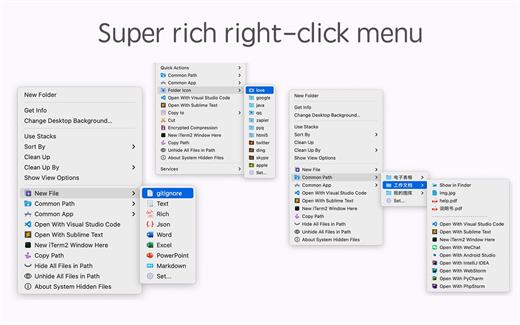
MouseBoost Pro integrates more than 30 kinds of small tools, and the operation way is very simple, as long as you click the right mouse button, you can activate all kinds of functions you want, so that your work efficiency is greatly improved.

You can create any file type you want, open any APP you want, self-sorting, fully customized!

*** Main Features ***
– All menus support custom sorting.
– Quickly create all kinds of commonly used files, and supports custom creation of various file types you want.
– Quickly open your terminal, iTerm2, and go to the directory you want.
– Quickly open VSCode, Sublime Text and Emacs, and customize the various apps you want to open.
– Quickly copy the current path power.
– Complete files deletion is supported.
– Supports files moving, copying and cutting.
– Supports files encrypted compression.
– Quickly open your favorite directory.
– Quickly get file MD5,SHA1,SHA256 and other information.
– Supports hiding and displaying of specified files.
– Supports modify folder icon.

What’s New

Version 5.1.0:


  • Release notes were unavailable when this listing was updated.
Compatibility

macOS 10.11 or later


Release Name: MouseBoost Pro 5.1.0
Size: 19.9 MB
Links: HOMEPAGE – NFO – Torrent Search

Download: RAPiDGATOR

5 Comments