Please REGISTER or RENEW your account on RAPiDGATOR.net and support us by doing through all RAPiDGATOR working download links on main posts...
June 1

Movist Pro 2.15.5

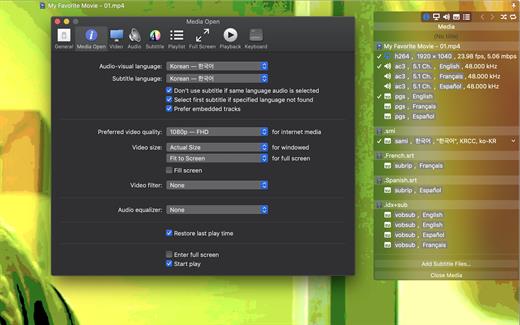
Movist is a movie player based on QuickTime and FFmpeg.

Features:


  • Supports QuickTime and FFmpeg
  • Customizable high quality caption
  • Supports smi, srt format captions
  • Playlist support
  • Media playback control
  • Full screen control panel
  • Simple user interface
  • Universal binary
Additional features for Movist Pro

  • Safari, Chrome Browser Extension
  • Supports Web Meida such as YouTube, Ted and so on
  • Picture in Picture 기능
  • Open URL
  • Default Application Setting
  • No Access Folder Permissions Required
  • Supports Networm Server such as FTP, SFTP, WebDAV and SMB (to be added)
  • Supports Media Keys (to be added)
  • Supports AirPlay (to be added)
What’s New

Version 2.15.5:


  • Release notes were unavailable when this listing was updated.
Compatibility

macOS 10.13 or later
Apple Silicon or Intel Core processor


Release Name: Movist Pro 2.15.5
Size: 61.8 MB
Links: HOMEPAGE – NFO – Torrent Search

Download: RAPiDGATOR

4 Comments
May 31

PowerPhotos 3.3.5

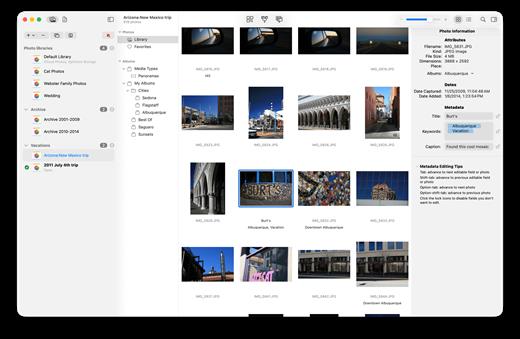
PowerPhotos allows you to break up your Photos.app images among multiple Photos libraries, rather than having to store all of them in one giant library. You can easily switch between libraries, or just browse the photos in your libraries directly from PowerPhotos, without having to open each library in Photos.

PowerPhotos also supports searching across all your libraries at once to help track down a particular photo. If you use iCloud Photo Library to sync photos with your other devices, splitting up your library can help save on iCloud storage costs. Use a single library to hold a smaller collection that you sync with iCloud, while keeping the bulk of your photos in separate libraries so they don’t take up space on iCloud. PowerPhotos can analyze your libraries for duplicate photos, showing them to you side-by-side and letting you get rid of extra copies of photos that you no longer need.

What’s New

Version 3.3.5:


  • Release notes were unavailable when this listing was updated.
Compatibility

macOS 11.0 or later


Release Name: PowerPhotos 3.3.5
Size: 39.9 MB
Links: HOMEPAGE – NFO – Torrent Search

Download: RAPiDGATOR

6 Comments
May 31

Ableton Live Suite 12.4.1

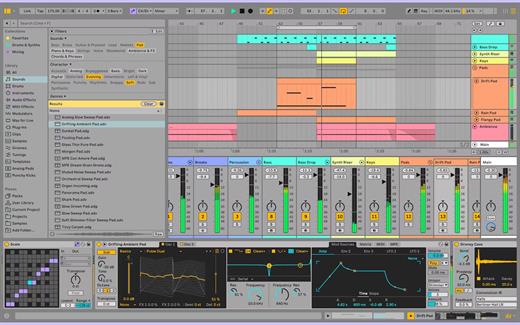
Ableton Live lets you create and record music on your Mac. Use digital instruments, pre-recorded sounds, and sampled loops to arrange, produce, and perform your music like never before. Ableton Live is an all-in-one production suite.

Find your sound


  • Start in Arrangement View. Create and edit multitrack recordings in a straightforward linear view.
  • Go further in Session View. Switch to this one-of-a-kind interface to improvise and experiment with countless sounds and loops.
  • Access an endless palette of sounds. With 5 built-in synths, 3 samplers, 390 drum kits, and 4000 loops, the possibilities are endless.

SIze: 5.1 GB

What’s New

Version 12.4.1:


  • Release notes were unavailable when this listing was updated.
Compatibility

macOS 11.0 or later
Apple Silicon or Intel Core processor


Release Name: Ableton Live Suite 12.4.1
Size: 5.2 GB
Links: HOMEPAGE – NFO – Torrent Search

Download: RAPiDGATOR

1 Comments
May 30

Parallels Desktop 26.3.3-57507

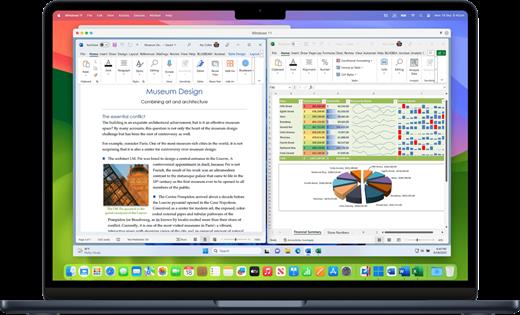
Parallels Desktop allows you to run Windows and Mac applications side by side. Choose your view to make Windows invisible while still using its applications, or keep the familiar Windows background and controls on your Mac.

Works with Boot Camp®


  • Reuse your existing Boot Camp installation. Converting a virtual machine from Boot Camp is now much easier and more intuitive than ever.
Not just for Windows

  • Run a wide array of operating systems including OS X, Windows 10, 8.1 & 7, Linux, and Google ChromeTM. You can run just about anything on your Mac!
One-click tuning

  • Select productivity, games, design, or development, and Parallels Desktop 11 for Mac will optimize your virtual machine settings and performance for you.
Robust Performance

  • Parallels Desktop Pro Edition gives your virtual machines more processing power. Up to 64 GB vRAM and 16 vCPUs per virtual machine lets you run even the most demanding applications with ease.
Business Class Software

  • Keep IT in control of end user licenses and Windows virtual machines with a Unified Volume License Key, centralized license management, and advanced security features available in Parallels Desktop Business Edition.

If the version you are using does not have bugs. No reinstallation is required.

What’s New

Version 26.3.3:


  • Release notes were unavailable when this listing was updated.
Compatibility

macOS 12 or later


Release Name: Parallels Desktop 26.3.3-57507
Size: 210.6 MB
Links: HOMEPAGE – NFO – Torrent Search

Download: RAPiDGATOR

6 Comments
May 30

Moom 4.5

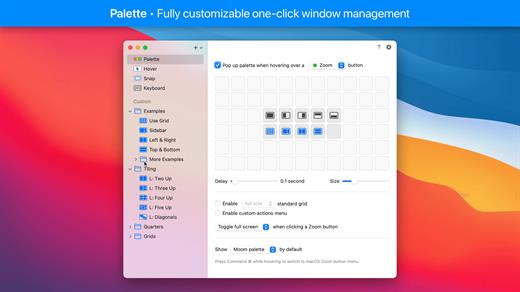
Moom allows you to move and zoom windows – using either the mouse or the keyboard – to predefined locations and sizes, or to full screen mode.

When used via the mouse, all you need to do is hover over a green resize button, and Moom’s interface appears. When used via the keyboard, press your defined shortcut, and the Moom keyboard bezel appears; you can then move windows using the arrow keys and modifier keys.

Moom can be run as a traditional application, a menu bar application, or a completely faceless background application.

What’s New

Version 4.5:


  • Adjusted the settings window and its various controls to macOS 26's new look. This required a lot of small changes that all apply conditionally, depending on which macOS version Moom is running on. (At the risk of editorializing a little: Regardless of how much anyone likes said new look, we think there's value in native apps at least making an honest attempt at being consistent with the system and its bundled apps.)
  • Improved window highlighting on macOS 26. The highlight now matches the highlighted window's radius (which can vary depending on factors such as whether the window has a toolbar), at least for apps that interpret macOS 26's fondness of concentric circles correctly.
  • Fixed a rare issue where tiny windows made Moom crash. (Hat tip to Andreas S.)
  • Improved the settings window's accessibility support.
  • Moom's app icon now supports macOS 26's light, dark, and clear/tinted app icon looks.
  • Adapted to a change in Google Chrome, which affected window matching for layouts.
  • Worked around Cluely's invisible overlay window.(Hat tip to pkubigjoe on Discord.
  • Worked around an issue where weird things happened on macOS 26 when launching Moom by opening a *.moom file.
Compatibility

macOS 10.13 or later
Apple Silicon or Intel Core processor


Release Name: Moom 4.5
Size: 12.5 MB
Links: HOMEPAGE – NFO – Torrent Search

Download: RAPiDGATOR

5 Comments
May 30

Keka 1.6.5

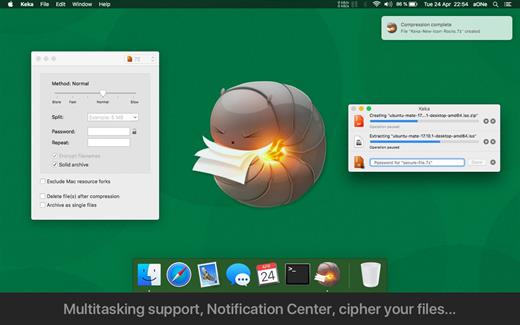
Keka is a file archiver for OS X. It is available for free, but donations are requested to further the project. Similar to making a donation, you can also purchase Keka on the Mac App Store for $1.99 USD.

Supported compression formats:


  • 7z
  • Zip
  • Tar
  • Gzip
  • Bzip2

Supported extraction formats:


  • RAR
  • 7z
  • Lzma
  • Zip
  • Tar
  • Gzip
  • Bzip2
  • ISO
  • EXE
  • CAB,
  • PAX
  • ACE
What’s New

Version 1.6.5:


  • Fixed possible crash when setting as the default uncompressor for macOS 26.4+
Compatibility

macOS 10.10 or later.
Apple Silicon or Intel Core processor


Release Name: Keka 1.6.5
Size: 35.7 MB
Links: HOMEPAGE – NFO – Torrent Search

Download: RAPiDGATOR

6 Comments
May 30

Camtasia 2026.1.2

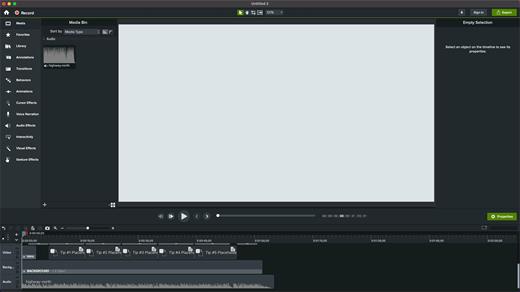
Camtasia for remarkable screencasts made easy. Create eye-catching training, presentation, and demo videos…the easy way. Camtasia screen-recording software is streamlined, intuitive, and makes you look like a pro.

Easily record onscreen activity, Keynote slides, camera video, microphone, or system audio – all with sparkling clarity. Record in front of a live audience or at your desk. Edit to perfection. Turn it into a stunning, HD-quality video at the perfect size to share on popular video sites, Apple devices, your website, blog, or anywhere you like. Make them wonder how you did it.

What’s New

Version 2026.1.2:


  • Release notes were unavailable when this listing was updated.
Compatibility

macOS 13.0 or later
Apple Silicon or Intel Core processor


Release Name: Camtasia 2026.1.2
Size: 413.9 MB
Links: HOMEPAGE – NFO – Torrent Search

Download: RAPiDGATOR

7 Comments
May 30

Shottr 1.9.1

Shottr is a small, fast screenshot app that helps designers and UI developers to explore their pixels.
Scrolling Screenshots on Mac

Take a screenshot of a long web page or capture conversation in a chat. Shottr is probably the only free Scrolling Screenshot app for Mac.

Pixelate or remove objects

Hide parts of your screen behind pixelated curtain, or remove sensitive information as if it was never there.

Markup screenshots

Add text annotations to your screenshots, draw lines, arrows, and simple shapes.

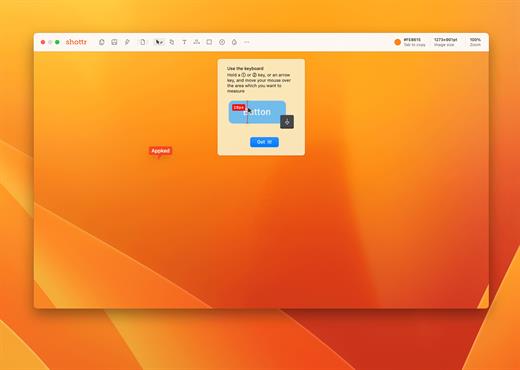
Use it as a Screen Ruler

Press ↑ or ↓ key and move your mouse to measure vertical size, ← or → for horizontal size. Click to imprint the measurement on the screenshot.

Unclutter your desktop

Select a dedicated folder to save screenshots on ⌘ S. Great for purchase receipts, reminders, archive items, random images, etc.

Zoom in on your pixels

Think of Shottr as your digital magnifying glass. If you need to have a closer look at something, take a screenshot and zoom in.

Text recognition (OCR)

Came by a text that won’t select? Press a hotkey and select an area – Shottr will parse the text and copy it to the clipboard.

Proven performance

Shottr is a tiny (1.2mb) native app optimized for M1. It takes only 17ms to grab a screenshot, and ~165ms to show it to you. You can take a screenshot, press Cmd+S and save it before the default macOS preview box would even show up.

Color picker

Take a screenshot, zoom in, move your mouse over the pixel and press the TAB key to copy color under the cursor.

Note:  restart if it’s not activated on the first launch

What’s New

Version 1.9.1:


  • Release notes were unavailable when this listing was updated.
Compatibility

macOS 10.15 or later
Apple Silicon or Intel Core processor


Release Name: Shottr 1.9.1
Size: 2.4 MB
Links: HOMEPAGE – NFO – Torrent Search

Download: RAPiDGATOR

7 Comments
May 30

getIRC – Best IRC Client 1.7

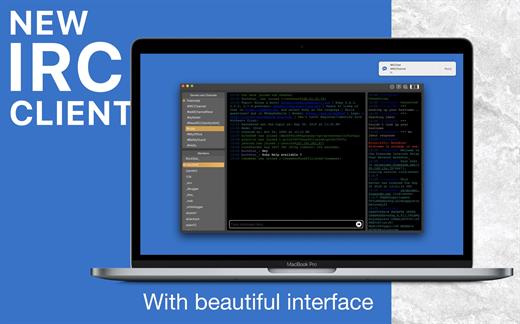
Internet Relay Chat (IRC) chatrooms on macOS:


  • Featured IRC Client
  • Powerful
  • Beautiful interface

IRC provides a way of communicating in real-time with people from all over the world. It consists of various separate networks (or “nets”) of IRC servers, machines that allow users to connect to IRC.

Features:

  • One window for multiple servers
  • Modern and beautiful user interface
  • Multi-channel search and selection
  • Auto-Completion for nicknames, commands, and channels
  • Rich keyboard shortcuts for your comfortable operations
  • Powerful yet simple IRC Client ever for the power user.
  • The Custom server adding/removing option
  • Dark/light mode support
  • Text resize.
  • And much more.
What’s New

Version 1.7:


  • Release notes were unavailable when this listing was updated.
Compatibility

macOS v10.10 or later
Apple Silicon or Intel Core processor


Release Name: getIRC – Best IRC Client 1.7
Size: 11.7 MB
Links: HOMEPAGE – NFO – Torrent Search

Download: RAPiDGATOR

6 Comments
May 30

TransData – Internet Data Speed 3.4

TransData is the perfect solution to control and supervise your network usage.

≈ Features: ≈

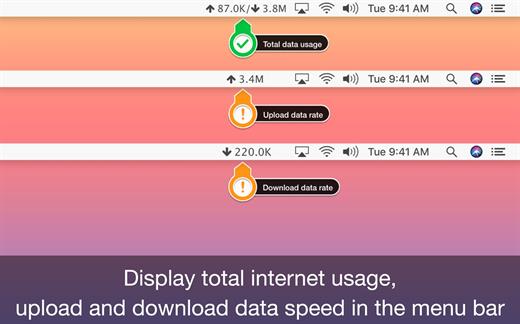
◉ Shows network data transfer rate in Kbps/Mbps with up/down speed on your menu bar.
◉ Display the total data used by Mac from the start of the session.
◉ Monitor and reset Internet data usage.
◉ Displays connected WiFi network in the menu.
◉ A Beautiful widget or graph that shows upload & download internet speed per second.
◉ Display refresh rate can be set in preferences.
◉ Internet data can be displayed in two formats either KB/s(Bytes) or kb/s(bits).
◉ Dark/Light mode for all macOS versions.

TransData works with MacBook Air(M1), MacBook Pro(M1), iMac, MacBook, MacPro, Mac Mini.

≈ Basics: ≈

◎ Up/Down Speed: Upload/Download internet transfer rate per second (Kbps/Mbps)
◎ Up/Down Data: Total Upload & Download internet date used over a period of time.
◎ Micro View: Floating widget on the desktop with Up/Down internet data transfer rate.
◎ Macro View: Graph which shows internet data transfer rate in detail.

≈ Menubar Preferences: ≈

◎ Total Internet data used: Display total of data sent and received.
◎ Upload speed: Display only upload internet speed.
◎ Download Speed: Display only download internet speed.
◎ Up & Down Speed: Show both upload and download speed.
◎ Active Speed: Shows upload or download, whichever is highest.

What’s New

Version 3.4:


  • Release notes were unavailable when this listing was updated.
Compatibility

macOS 10.10 or later


Release Name: TransData – Internet Data Speed 3.4
Size: 6.1 MB
Links: HOMEPAGE – NFO – Torrent Search

Download: RAPiDGATOR

6 Comments