Please REGISTER or RENEW your account on RAPiDGATOR.net and support us by doing through all RAPiDGATOR working download links on main posts...
July 22

IDimager Photo Supreme 2026.3.1.9405

Description: Photo Supreme v2026 is a thoughtful and forward-looking release. This update has focused on smarter discovery, faster performance, and modern workflow expectations, especially around large catalogs, mobile integration, searches, and team environments.
Import and Select
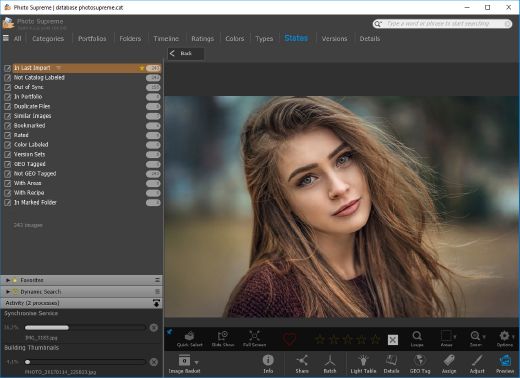
One of the standout additions in Photo Supreme v2026 is the new multi-pass Import and Select workflow. This allows users to review and refine image selections in multiple stages instead of making all decisions in one pass. It’s especially useful for large shoots, letting photographers cull images more deliberately and with less pressure. In addition, the Import and Select feature now loads images faster than ever. Mac users will also appreciate direct iOS device importing, which makes it possible to bring photos straight from an iPhone or iPad into the catalog without relying on intermediary software. This significantly streamlines mobile-first workflows.

Powerful Searches
Photo Supreme now supports natural language searching, allowing users to find images using plain, conversational phrases rather than rigid metadata queries. This feature is powered by AI services such as OpenAI, Google Gemini, or local models with Ollama. This gives users flexibility in how advanced features are enabled. In addition, a new classification system enhances search accuracy by grouping images into meaningful categories upon import, making it easier to surface relevant results in large or complex catalogs.

Video & Media Handling
For users working with video, Photo Supreme v2026 introduces hover-based video previews. Simply hovering over a video thumbnail now reveals a short animated preview, making it much faster to identify clips without opening them individually. Support for modern formats has also been expanded, ensuring the software keeps pace with current media standards.

Sharing with ZIP
Exporting images is more flexible in v2026 thanks to ZIP output support in transfer profiles. This makes it easy to bundle images into a single archive for delivery, backup, or client sharing, all directly from within Photo Supreme. These enhancements simplify distribution workflows and reduce the need for external tools.

GEO Maps
GEOgraphic-Mapping features can now generate maps using not only Google Maps, but also OpenFreeMap with OpenStreetMaps. This removes the need for API keys while still delivering rich, interactive map displays. This update makes location-based browsing easier to configure and more accessible for all users.

Performance and Refinements
Photo Supreme v2026 delivers notable performance enhancements, resulting in faster browsing and a more responsive overall experience. Response times are improved by up to 10%, with especially noticeable gains for large libraries containing many catalog labels.
Catalogs with numerous stacks also see significant performance improvements, particularly when displayed in stacked views.
v2026 includes a wide range of refinements, such as: "Visually similar" stack detection, numerous stability fixes and workflow enhancements, polished UI behavior in collections, searches, and metadata handling

Wait, there's more, a lot more…
New "RAW Files" and "Video Files" catalog states
Added support for Google Gemini as an AI service
Added support for OpenAI GPT-5.2 as an AI Service
Added support for Ministral3 model with Ollama
Added file management support for ACR sidecar files
Update HTTP Server with Photo Supreme Online (Server Edition)
Faster face recognition
Added "AI-Estimated GEO Location" to the AI Panel
Faster result display in the Collection Viewer
"Cascade Metadata" from image to Stack or Version Set is now a background process
A highlighted stroke has been added to the active tabs, improving navigation
Now you can display metadata charts and graphs across multiple tabs
Added support for Ctrl/Cmd+Z functionality in text and memo fields
Defined the new Affinity v3 .AF and .AVIF file format as a supported "other file format"
Switching the collection viewer's view style is faster (eg from Basic to Grid to Clean to Custom Thumb Info)
Advanced Search now has an option to search by "File Size" and "File Size MB"
Finetuned the check for "need to compact" on PostgreSQL (Server Edition)
Bookmark keyboard shortcuts are now a "toggle", similar to ratings and color labels
Expanding nodes in the Catalog Tree is ~25% faster
When using the "Dump Full to Catalog File" feature, there's now the option to create either a "catalog dump" file, or a "catalog with thumbs" dump files
Added a XMP Storage Location for "original file AND non-standard sidecar file"
In "Stacked View", you can now select a specific item from the stack to show
Support for PostgreSQL 18.
And more…

Highlights for v2026
Multi-Pass "Import and Select": Seamlessly transition through passes with a fast-culling system that optimizes your workflow.
Direct iOS Image Import on macOS: Import images directly from your iOS devices with ease.
Video Thumbnail Preview: Hover over a video thumbnail or open the Quick View to view a live video preview.
Natural Language Search Powered by AI: Search your content using plain language, with smart integration through OpenAI, Google Gemini, or Ollama models.
Transfer Profiles can now create ZIP output files: Copy or send sets of images as a single ZIP file for easier sharing.
Maps with OpenFreeMap: Display images on interactive maps using OpenFreeMap/OpenStreetMaps with no API key needed.
Server Edition Thumbnail Caching: Enjoy faster performance with local thumbnail caching, automatic cleanup, and customizable settings for retention and cache size.
Classifications: Enhance search accuracy with an automatic image classification mechanism on import.

Release Name: IDimager Photo Supreme 2026.3.1.9405
Size: 162.7 MB
Links: HOMEPAGE – NFO – Torrent Search

Download: RAPiDGATOR

5 Comments
July 22

Movavi Video Editor 26.20.0

Description: Movavi Video Editor 2026 - create awesome videos easily. Auto subtitles with one click, ready-made templates. Easy editing: cut, crop, adjust colors, change speed, and more. Hundreds of drag-and-drop filters, transitions, titles, and overlays.

What’s New in Movavi Video Editor

One-click automatic subtitles
Let AI quickly turn your speech into text and automatically create captions for your videos in almost any language. Just choose the font, text color, position – and you’re all set!

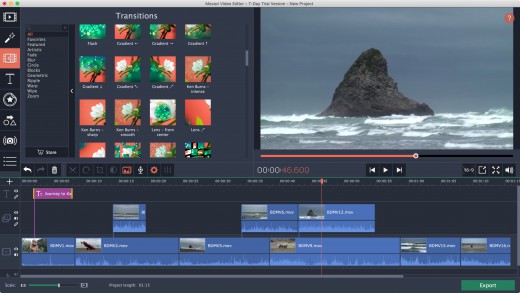
Mouse-over effects preview
Picking titles, transitions, and filters has never been easier! Simply hover your mouse over any effect to see it in action. You can also view your project files in the same way.

Movie-like effects for your videos
Pack a ton of action into your videos in a flash! Add fire, lightning, or other ready-to-use animated overlays – capture your audience’s attention right from the start.

Blending modes for any content
Overlay your videos, photos, and even frames effortlessly to produce different looks. Create stylish vlogs, cinematic highlight reels, or vibrant clips in just a couple of clicks.

Revamped timeline for easier editing
The new timeline is now clearer and more streamlined. Get your projects done faster and have more fun with anything – from short vids for socials to longer family movies.

Frame-precise cuts in a click
Give your videos a sharper look with the new video-cutting tool. Easily make precise cuts and create eye-catching montages like your favorite bloggers.

AI motion tracking
Enhance reality in your videos with additional moving graphics. Just click, and AI will quickly attach any photos, videos, emojis, or memes to objects in your footage.

AI background removal
The built-in AI will quickly remove a background from your video, even without a green screen. Change it to anything – from a solid color to outer space – and stun your viewers with out-of-this-world videos.

AI noise removal
Automatically remove car, wind, and other uncool sounds from your clips with our AI-driven audio denoiser. Create videos with crisp sound that viewers are sure to appreciate.

Pro-quality color correction
Get next-level color correction with the same simplicity. Boost colors in a snap and make more viewers fall in love with your videos.

Perfect-match overlay effects
Now each overlay effect has 13 blending modes to choose from. Try each of them with the press of a button and pick the one that fits your video perfectly.

Our best effects – at your fingertips
Create awesome videos in any style with our huge collection of professionally designed effects. Now you can try them all right in the video editor.

System Requirements
- Microsoft® Windows® 7/8/10/11 64-bit with up-to-date patches and service packs installed
- Processor : Intel®, AMD®, or compatible dual-core processor, 1.5 GHz
- Graphics card: Intel® HD Graphics 2000, NVIDIA® GeForce® series 8 and 8M, Quadro FX 4800, Quadro FX 5600, AMD Radeon™ R600, Mobility Radeon™ HD 4330, Mobility FirePro™ series, Radeon™ R5 M230 or higher graphics card with up-to-date drivers
- Display: 1280 × 768 screen resolution, 32-bit color
- RAM: 2 GB

Release Name: Movavi Video Editor 26.20.0
Size: 117.4 MB
Links: HOMEPAGE – NFO – Torrent Search

Download: RAPiDGATOR
5 Comments
July 22

Blackmagic Design DaVinci Resolve Studio 21.0.3

Description: DaVinci Resolve is the world’s only solution that combines editing, color correction, visual effects, motion graphics and audio post production all in one software tool! Its elegant, modern interface is fast to learn and easy for new users, yet powerful for professionals. DaVinci Resolve lets you work faster and at a higher quality because you don’t have to learn multiple apps or switch software for different tasks.

That means you can work with camera original quality images throughout the entire process. It’s like having your own post production studio in a single app! Best of all, by learning DaVinci Resolve, you’re learning how to use the exact same tools used by Hollywood professionals!

Hollywood's #1 Post Solution
High end professionals working on feature films and television shows use DaVinci Resolve more than any other solution! That’s because it’s known for incredible quality and creative tools that are light years beyond the competition. You get DaVinci’s Emmy™ award winning image technology with 32-bit float processing, patented YRGB color science and a massive wide gamut color space for the latest HDR workflows. You also get the legendary quality of Fairlight audio processing for the best sound in the industry! With DaVinci Resolve, you get the same tools professional colorists, editors, VFX artists and sound engineers use every day to finish your favorite films and streaming television shows!

What’s New in DaVinci Resolve 20
DaVinci Resolve 20 introduces more than 100 new features including powerful AI tools designed to assist you with all stages of your workflow. Use AI IntelliScript to create timelines based on a text script, AI Animated Subtitles to animate words as they are spoken, and AI Multicam SmartSwitch to assemble a timeline with camera angles based on speaker detection. The cut and edit pages introduce a dedicated keyframe editor and voiceover palettes, and AI Audio Assistant analyzes your audio and intelligently creates a professional audio mix. In Fusion, explore advanced multi layer compositing workflows. The Color Warper now includes Chroma Warp, plus Magic Mask and Depth Map have huge updates.

Multi User Collaboration
DaVinci Resolve is the only solution that lets you grow and build your own multi user post production studio! The project libraries are built for real time local and remote collaboration. While the Blackmagic Cloud website lets you host and access your projects and media from anywhere in the world. Now you can collaborate with editors, colorists, visual effects artists, and sound engineers all working together at the same time. Best of all, you no longer have to import and export files, translate projects, lose work, or conform and manage changes. DaVinci Resolve is the only application in the world that lets everyone work together in parallel on the same project and at the same time!

All In One Solution for Post Production
DaVinci Resolve is divided into "pages," each of which gives you a dedicated workspace and tools for a specific task. Editing is done on the cut and edit pages, visual effects and motion graphics on the Fusion page, color correction on the color page, audio on the Fairlight page, and media organization and output on the media and deliver pages. All it takes is a single click to switch between tasks!

Edit
The world's fastest and most advanced professional NLE
The edit page is the world’s most advanced professional non-linear editor. The familiar track layout, dual monitor design and traditional workflow makes it easy for new users to learn while still being powerful enough for professional editors. It’s perfect for larger projects such as feature films, television shows, streaming, commercials, documentaries and more. The edit page features drag and drop editing, context sensitive automatic trimming tools, fully customizable keyboard shortcuts so you can work faster, and a library full of hundreds of titles, transitions, and effects that you can add and animate. You also get complete media management, organization and timeline management tools.

Cut
Designed for editors to turn around work fast!
The cut page is perfect for projects with tight deadlines that you have to turn around quickly. The cut page has a streamlined interface that’s fast to learn and designed for speed. Features such as source tape, dual timelines, fast review, and smart editing tools help you work faster than ever. The sync bin and source overwrite tools let you quickly edit multicam programs. It’s also great for documentaries and now live broadcast editing and replay. Multi Source is the fastest way to see your cameras and edit to the timeline while the cameras are still recording! Everything on the cut page is action based so every click does something. That means you’ll spend more time editing and less time hunting for commands.

Color
Hollywood’s favorite color corrector!
The DaVinci Resolve color page is Hollywood’s most advanced color corrector and has been used to color and finish more high end feature films and television shows than any other system! It’s also approachable with features designed to make it easier for new users to get great results while they continue to learn the advanced tools. For example, primary control sliders will be familiar to anyone who’s used image editing software, making it easy to adjust contrast, temperature, midtone detail, saturation and more. The color page has an incredible range of primary and secondary color grading features including PowerWindows™, qualifiers, tracking, advanced HDR grading tools and more!

Fusion
Cinematic quality visual effects and motion graphics!
The Fusion page lets you create cinematic visual effects and broadcast quality motion graphics right inside of DaVinci Resolve! Fusion features a node based workflow that makes it faster and easier to create sophisticated effects and animations than you could ever create using a layer based approach. You get hundreds of 2D and 3D tools for visual effects and motion graphics, along with advanced animation curve and keyframe editors that allow you to create incredibly organic and realistic animations. Fusion has everything from point, planar and 3D camera tracking to rotoscope and keying tools for creating photorealistic composites, stunning animated titles, 3D particle systems and more!

Fairlight
Professional tools designed for audio post production
The Fairlight page features hundreds of pro tools for audio post production. It’s like having a professional digital audio workstation (DAW) built into your editing and color system! The Fairlight Audio Core lets you work with up to 2,000 tracks at a time with realtime effects, EQ, and dynamics processing! You get sample accurate editing tools, advanced ADR and Foley, and Fairlight FX such as reverb, de-esser, and hum remover, plus AI effects like Voice Isolation and Music Remixer and more. IntelliTrack AI tracking lets you use video to track the Fairlight audio panner and you can mix and master stereo, 5.1, 7.1, and even immersive 3D audio formats including 5th order ambisonics!

Media and Delivery
Incredibly wide format support, finishing and mastering!
The media and delivery pages have everything you need to import, manage and deliver final projects. The media page is a dedicated full screen workspace that lets you prepare footage, sync clips, organize media into bins and add metadata before you start editing. Use the clone palette to ensure every bit of data in the camera media cards is copied during backup. During edit or grading, stream video outputs to a remote client monitor via DeckLink. You can output and upload files to YouTube, Vimeo and X from anywhere page using the quick export tool. The deliver page gives you total control over all encoding options and formats, along with a render queue for exporting multiple jobs!

Resolve FX
DaVinci Resolve Studio 20 features over 100 GPU and CPU accelerated Resolve FX such as blurs, light effects, noise, image restoration, lens flair, stylize and more! Version 19 adds even more plugins such as background defocus for portrait shots and film look creator. Film look creator alters color shading, vibrance, hue and the luminance of an image so you can easily apply many film looks. You can even add film grain! There are improvements to the face refinement box and profile handling, additional controls for skin refinements, smoother sub pixel animation and finer control for directional blur. All Resolve FX effects can be applied and animated in the cut, edit, Fusion and color pages!

Release Name: Blackmagic Design DaVinci Resolve Studio 21.0.3
Size: 9.6 GB
Links: HOMEPAGE – NFO – Torrent Search

Download: RAPiDGATOR
2 Comments
July 22

Emurasoft EmEditor Professional 26.2.3

Description: EmEditor is a fast, lightweight, yet extensible, easy-to-use text editor, code editor, CSV editor, and large file viewer for Windows. Both native 64-bit and 32-bit builds are available, and moreover, the 64-bit includes separate builds for SSE2 (128-bit), AVX-2 (256-bit), and AVX-512 (512-bit) instruction sets.

The text editor supports powerful macros, Unicode, CSV, and very large files. Emurasoft’s timeless mission is to achieve our clients’ needs and wants by listening to them with empathy and expertise. We value timely customer support, and are honored to have distinguished users, including major corporations, educational institutions, institutions of the European Union, ministries of Japan, and governments from all over the world.

Release Name: Emurasoft EmEditor Professional 26.2.3
Size: 109.3 MB
Links: HOMEPAGE – NFO – Torrent Search

Download: RAPiDGATOR

4 Comments
July 22

MobiKin Assistant for Android 5.1.54

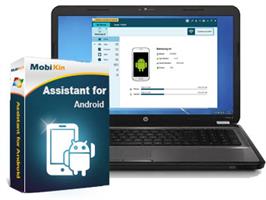
Description: One user friendly tool that simplifies Android device management, enabling efficient data transfer, backup, and restore, making it an essential tool for seamless and secure Android device operations.

Effortlessly Manage Various Media Files
With a burgeoning media library on your phone, MobiKin Assistant for Android stands out as the ideal iTunes substitute, offering flexible management options for your media collection.
Easily export songs and videos from your Android device to computer.
Seamlessly import file or folder of videos or music from computer.
Streamline your Android device by de-duplicating or deleting songs and videos to create more space.

Efficiently Arrange Photos or Photo Albums on Your Computer
Photos hold wonderful memories of our past lives, but an excess of photos can slow down your smartphone. Proper photo management becomes essential.
Transfer camera roll and photo library from Android devices to your computer.
Import pictures from your computer to Android devices.
Easily add, delete, or rearrange Android device albums on your computer, allowing you to move pictures freely between albums.

Securely Manage Android Contacts and SMS
Sending messages and making phone calls are fundamental functions of a mobile phone. Therefore, it's crucial to find a simple way to create, edit, delete, backup, and restore our personal information, including contacts, messages, and call history.
Back up contacts, messages, and call history in readable formats like CSV, HTML, XML, etc., and restore them to any phone whenever needed.
Import vCard and Outlook files to your Android phone.
Synchronize Android contacts with Outlook.
Create/edit contacts, delete unwanted personal information on your computer.
Receive and send SMS on your computer.

Expertly Handle Apps and All Files
MobiKin Assistant for Android effortlessly manages nearly all types of files on your phone. It allows you to swiftly batch install, uninstall, and back up multiple apps. Easily navigate through files by category and quickly locate desired items through keyword searches. Experience the most comprehensive and user-friendly content management ever.

Back Up & Restore Android Data with 1 Click
Tired of accidentally losing files from your Android phone? Put an end to this predicament with MobiKin Assistant for Android. This tool allows you to effortlessly back up all data from your Android device to your computer with just one click, and you can restore the backup files whenever needed.
Back up various data, including contacts, call history, SMS, photos, videos, music, apps, books, etc., from Android to computer. Restore them to Android effortlessly with a single click.
Media files are backed up with 100% quality preservation.
Conveniently save your Android backup files wherever you prefer on your computer or external storage.

Release Name: MobiKin Assistant for Android 5.1.54
Size: 24 MB
Links: HOMEPAGE – NFO – Torrent Search

Download: RAPiDGATOR
4 Comments
July 22

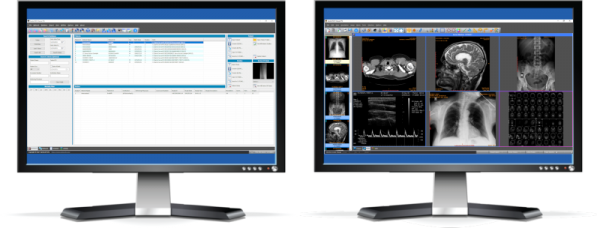
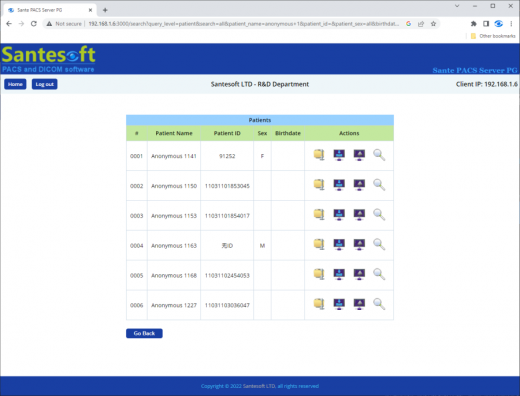
Sante PACS Server PG 4.5.1

Description: Sante PACS Server PG is a DICOM 3.0 compliant PACS server, a Modality Worklist server, an HTTP (web) server for DICOM files and a CD/DVD Burning and Printing server that offers high performance and reliability at an affordable price.

It provides connectivity to all DICOM modalities (CT, MR, US, CR, NM, XA, MG, DX etc.). Reviewing the DICOM images can be done using the Sante PACS Viewer (the Built-in full-featured DICOM viewer of the system). The built-in web server can be used as a free cloud server for DICOM files!

A perfect cloud solution companion
If you have selected a cloud solution for DICOM file archiving, Sante PACS Server PG can be a perfect companion of this solution, not only because it can be used as a local backup server for the whole archive, accessible from the web as well, but furthermore because it can keep locally the older part of the archive that there is no need to be on the cloud. This way Sante PACS Server PG can reduce drastically the monthly cost of the cloud solution.

Features and benefits
Full-featured PACS Server that uses as database engine the Postgres or MySQL database server
It supports all the modalities and all the transfer syntaxes
Full-featured, user configurable, Worklist Server
Built-in Web Server that allows remote access of the studies to physicians and patients
Unlimited number of patients/studies/series, the only limitation is the storage size
Unlimited number of connected medical scanners
Unlimited number of connected users, locally or remotely, physicians or patients
Patients can access their studies with tokens instead of user accounts
Available to remote users two built-in, world class, free DICOM viewers, Sante DICOM Web Viewer and OHIF viewer
The built-in OHIF DICOM Viewer works in client side without installation in any device (desktop, mobile, tablet) and in any OS (Windows, Linux, MacOS, iOS, Android, etc.).
Migration tool that allows easy transfer of data to the new system
Automatic CD/DVD disk burning and label printing in EPSON and PRIMERA robot producers
It works "out of the box", after installation
It works on Windows Server 2022/2019/2016/2012/2008 or Windows 11/10/8.1/8/7/Vista 64-bit

Release Name: Sante PACS Server PG 4.5.1
Size: 535 MB
Links: HOMEPAGE – NFO – Torrent Search

Download: RAPiDGATOR

5 Comments
July 22

Craft Edge Sure Cuts A Lot Pro 6.085

Description: Sure Cuts A Lot Pro is an extremely easy sign making and vinyl cutting software to allow you to cut virtually any shape with your electronic cutting machines, vinyl cutters and plotters. Great for sign making, vinyl cutting, crafts and so much more. With the combination of using your fonts, importing custom artwork and drawing your own shapes, the possibilities are endless!

What's New in Version 6
New effects added, including Cast Shadow, Monogram, Rays, Rhinestone Scatter.
More options to customize Rhinestone designs.
Create Data Source Copies, to easily replace text for different variations of the same design.
Set cut lines to be scored.
More options to choose, select and replace colors.
More path options to Divide overlapping shapes.
Convert square corners to rounded corners.
Text is now imported from SVG and PDF files.
Larger workspace area.
Generate bar codes.
Options to control the cut order.

Features
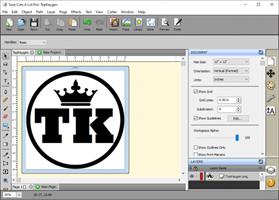
Works with your installed TrueType and OpenType fonts [screenshot]
Works with thousands of free TrueType Fonts including Dingbat/Wingding Fonts
Import various file formats, including SVG, PDF, EPS, AI, STUDIO, MTC, WPC, DXF, PLT, PES, PEC, HUS, JEF, SEW, VIP
Export SVG, PDF, FCM (ScanNCut), PLT, BMP, JPG, PNG, TIFF, NC (G-Code)
Drawing tools to draw and edit shapes
Weld overlapping letters and shapes together [screenshot]
Select styles, including Shadow and Blackout, to change the look of your letters and shapes with just a few clicks.
Image tracing feature to automatically convert images for cutting
Create rhinestone templates [screenshot]
Print & Cut (Contour Cutting) for supported models
Includes over 200 built in shapes, with many more available through the Cutters Market.
WYSIWYG Interface - What you see is what you cut [screenshot]
Available for Windows, MacOS, Chromebook, Linux
Interface can be set to English, Chinese, Dutch, French, German, Italian, Japanese, Portuguese, Spanish, Russian
Free technical support
And much more!

Pro Features
Extended cutting length to cut longer than 72 inches
Weeding options to easily add weeding boxes and lines
Tiling
Duplicate cutting
Cut by color
Color layer alignment
Print & Cut (Contour Cutting)*
3D Extrude
Import DXF, PLT
Create bar codes
Assign cut presets to layers
Options to control the cut order

Release Name: Craft Edge Sure Cuts A Lot Pro 6.085
Size: 88.3 MB
Links: HOMEPAGE – NFO – Torrent Search

Download: RAPiDGATOR
4 Comments
July 22

Driver Easy Professional 7.1.4.5665

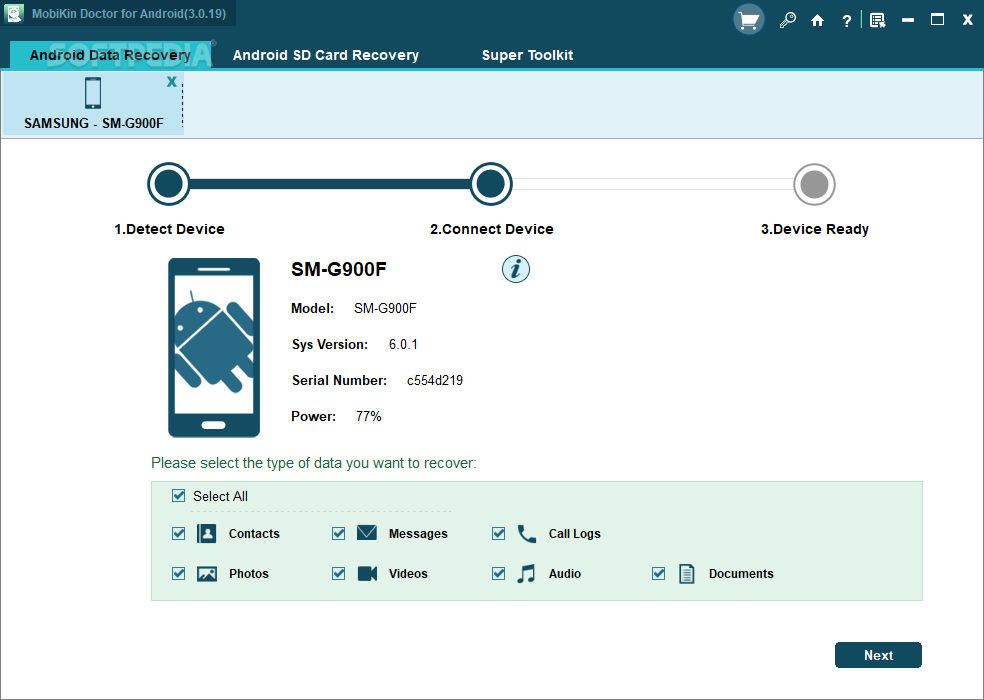
Description: Many computer issues are caused by outdated device drivers. So when you have a computer issue, the first thing you should do is check to see if your drivers are up to date. And if they’re not, update them.

Automatically detect all missing, outdated or problem drivers
29,000,000+ drivers certified, and direct from manufacturer
Update or roll back drivers quickly and safely
Improve computer stability and unlock full potential

More features

Find all devices that need new drivers
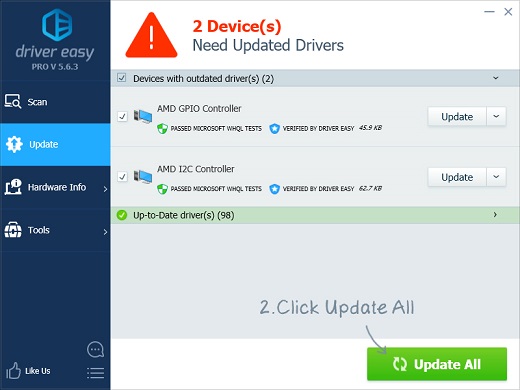
Just click Scan, and Driver Easy will find all the devices on your computer that have missing or outdated drivers.

Works offline
Can’t get online? Just use another PC to download the right network driver, then copy it across. Driver Easy steps you through it.

1-click fix
Driver Easy will download and install all your computer’s missing and outdated drivers with just 1 click.

Driver backup & restore
Roll back to an earlier version of a driver with just a few clicks.

Improve computer performance & stability
Many computer issues are caused by drivers. Driver Easy can get your PC back in shape, and keep it there.

Auto restore point
Easily restore Windows to exactly how it was before you updated your drivers.

Any device
No matter what hardware your PC has inside, or what devices you have plugged in, Driver Easy will install the drivers you need, or your money back.

Scheduled scans
Set and forget. Driver Easy will ensure your drivers are always up to date.

29,000,000+ drivers
Driver Easy has more than 29 million drivers, and we add more every day. All official drivers, straight from the hardware manufacturer, and all certified safe and reliable.

Uninstall drivers for removed devices
Windows loads every driver at startup, even old ones, for devices you no longer use. This can slow your computer down and cause conflicts. With Driver Easy, you can uninstall them.

Supports Windows 11, 10, 8 and 7
Driver Easy supports Windows 11, 10, 8 and 7, desktop, laptop and touchscreen.

Daily updates
We launched Driver Easy way back in 2009, and we’ve updated it every day since, with new drivers, new features and regular improvements to the user experience.

Get hardware info
Get a quick, easy snapshot of all your computer’s internal hardware - RAM, processor, motherboard, video card, network card, motherboard and more...

Release Name: Driver Easy Professional 7.1.4.5665
Size: 9.9 MB
Links: HOMEPAGE – NFO – Torrent Search

Download: RAPiDGATOR
4 Comments
July 22

Microsoft Office 2021 LTSC v2108 Build 14334.20806 (x64) Incl. Activator

Description: Office 365 ProPlus, the cloud-connected version of Office, delivers the most productive and most secure Office experience—with the lowest total cost of ownership for deployment and management. However, for customers who aren’t ready for the cloud, Office 2021 provides new features and updates to the on-premises apps for both users and IT professionals.

Like Windows Long Term Servicing Channel (LTSC) releases, Office 2021 provides a set of valuable enhancements for customers who can’t be cloud-connected or receive regular updates.

The new enhancements in Office 2021 are a subset of a long list of features that have been added to Office 365 ProPlus over the last three years. Office 2021 is a one-time release and won’t receive future feature updates. However, we’ll continue to add new features to Office 365 ProPlus monthly, including innovations in collaboration, artificial intelligence (AI), security, and more. Office 2021 delivers features across apps to help users create amazing content in less time. In PowerPoint 2019, you can create cinematic presentations with new features like Morph and Zoom. And improved inking features across the apps in Windows—like the roaming pencil case, pressure sensitivity, and tilt effects—allow you to naturally create documents.

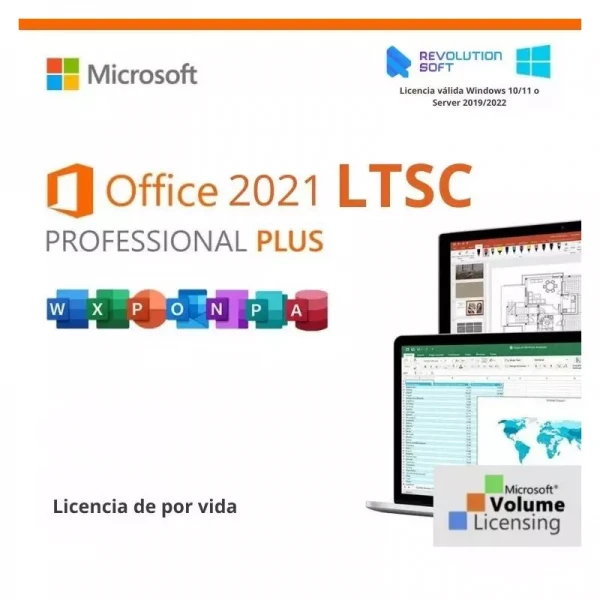
Microsoft Office Volume 2021 Select Edition includes:
Microsoft Office 2021 Professional Plus
Microsoft Access 2021
Microsoft Excel 2021
Microsoft Lync 2021
Microsoft OneNote 2021
Microsoft Outlook 2021
Microsoft PowerPoint 2021
Microsoft Publisher 2021
Microsoft Visio Viewer 2021
Microsoft Word 2021
Microsoft Visio pro 2021
Microsoft Project 2021
Skype for business 2021
OneDrive for Business 2021
Office Shared Features
Profing Tools Only 2021
And many more

Release Name: Microsoft Office 2021 LTSC v2108 Build 14334.20806 (x64) Incl. Activator
Size: 4.2 GB
Links: HOMEPAGE – NFO – Torrent Search

Download: RAPiDGATOR
2 Comments
July 22

Windows 11 Enterprise (x64) 25H2 Build 26200.8875 TPM Bypassed & Pre-Activated July 2026

Description: Windows 11, version 25H2 is an enablement update that builds on the features of 24H2 by enabling new, “continuous innovation” features, rather than introducing entirely new features itself. Key updates include a Braille Viewer for the Narrator, improvements to Click-to-Do (including a new “Convert to Table” feature), support for plug-in credential managers for passkeys, and enhancements to the mobile device companion experience. Microsoft is also implementing IT admin-focused features like the ability to remove pre-installed Store apps and a new Quick Machine Recovery system to reduce downtime.

Features


  • Accessibility
    The Narrator now includes a Braille Viewer, allowing users to see the braille equivalent of on-screen text on a refreshable braille display.
  • Passkeys
    Users can now utilize plug-in credential managers for setting up and using passkeys, offering improved security and management.
  • Time & Language
    Ported settings from the Control Panel to the Settings app, including configuring additional clocks and changing the NTP time server.
  • Mobile Experience
    The mobile device companion has a new, more accessible layout to view calls, messages, photos, and more from your phone.
  • Click-to-Do
    New AI features for Click-to-Do are included, such as a new “Convert to Table” capability for converting text to an Excel table and more flexible selection methods.
  • Quick Machine Recovery
    This new feature in the recovery system aims to reduce downtime and simplifies the process for recovering a system, according to PCMag.
  • Removable Apps
    IT admins can now remove certain pre-installed Microsoft Store apps via Group Policy or MDM CSP on Enterprise/EDU devices.
  • Feature Removals
    25H2 removes older components like PowerShell 2.0 and WMIC for greater security and efficiency.
Release Name: Windows 11 Enterprise (x64) 25H2 Build 26200.8875 TPM Bypassed & Pre-Activated July 2026
Size: 7 GB
Links: HOMEPAGE – NFO – Torrent Search

Download: RAPiDGATOR
2 Comments