Please REGISTER or RENEW your account on RAPiDGATOR.net and support us by doing through all RAPiDGATOR working download links on main posts...
June 30

FinalMesh Professional 6.5.0.714

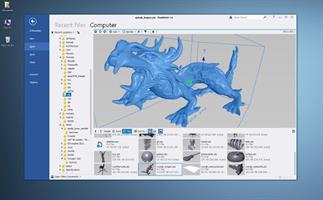
Description: With FinalMesh we implemented an incredible easy and powerful way to create 3D PDF documents or WebGL web pages. With clicking on the regular "Save As" button your 3D model will be converted to a complete WebGL HTML application or PDF with 3D content. Apart from that FinalMesh is a great 3D viewer and converter with fast modern UI and has many useful features.
3D Viewer
View your 3D files, textures, inspect the internals of 3D objects and all this in a modern and fast UI.
Per pixel lighting
Custom render modes
View any node in a new window
Hierarchy tree
List of materials

Converter
Convert 3D model or make final adjustments, save to another file format or render to image file.
Just as an example, Collada can be a good choice for your game engine, while STL file is good format for a 3D printer.

Publisher
Convert and publish 3D models to Adobe PDF document or create HTML application with 3D WebGL content. It is easy to share your 3D data with clients, friends or colleagues over the Internet.
Convert to single 3D PDF document.
Create about WebGL application in few mouse clicks.
Both methods are great, powerful and easy to use in FinalMesh.

PDF
PDF publishing platform integrated into FinalMesh allows to convert sophisticated technical data, 3D models into regular, well known PDF files.
It is easy to select best initial view, render mode, lighting right in PDF Publish mode, all changes are visible right on the screen.
Multiple viewports of the same model are supported, each with it's own settings.
Everything is easy as Save button, but all extra options, like PDF encryption are just one click away.

View
Browse and view your 3D files with thumbnails
View 3D with textures, complex materials
Inspect internal 3D objects topology, apply or change materials
OpenGL and Software renderer for devices with limited Hardware
Fast and modern UI

Convert
Convert 3D content to another 3D format, for instance into STL format for 3D printing
Render 3D model to image using built-in raytracer
Create vector illustrations from 3d file in SVG format
Batch Processing

Geometry
Powerfull geometry engine
Instancing - whole sub-tree tree or just geometry
Meshes with in memory compression technology. Allows to load huge 3D assets
Procedural primitives including splines, cubes, spheres, texts
Modifiers (deformers) including Booleans, Sub-D, Mirror, Extrude and more
Mesh healing, Polygon reduction, Remove Internal Parts
Arrays
NURBS

Markups, Measurements
Callouts, Notes
Point coordinates
Linear Dimensions
Radius, Diameter, Angle
Detail Views

Mesh Editor
Select Faces, Edges and Vertices
Move. Rotate, Scale
Extrude faces
Delete, Create vertices
Combine and divide polygons
Make Chamfer
Reduce Polygon
Optimize and Heal

Animations
Multiple animations
Animation editor
Animation curve editor
Make disassembly and explode animation
Copy Paste animations

Professional Featues
Ambient Occlusion
UV Unwrap
Vector Illustration Output
Make disassembly and explode animation
Geometry Randomizer

Release Name: FinalMesh Professional 6.5.0.714
Size: 16.7 MB
Links: HOMEPAGE – NFO – Torrent Search

Download: RAPiDGATOR

4 Comments
June 30

Adobe Lightroom 9.4.1

Description: Photo editing made for everyone. Lightroom makes it easy to get your images just right. Edit from anywhere you are and take your photography to new places.

Make your images match the moment.
Easy ways to adjust exposure, color, and more let you create photos that capture your vision.

Editing made easy.
Wherever you are, Lightroom lets you make basic edits to brightness, contrast, and more — so you’ve got the perfect shots to share with friends and family.

Preset it and perfect it.
For a consistent look and feel, let Lightroom do the work with presets. Apply filters in a click with premium presets for every style — and add presets to specific areas of your photo for more focused edits.

Edit from anywhere.
Pick up where you left off with Lightroom on mobile, desktop, or web — your projects will sync automatically so you’re always looking at your latest edits.

Level up your skills.
Experience informative step-by-step tutorials right inside Lightroom, and find even more inspiration from the community in Lightroom Discover.

Get down to the last detail.
Fine-tune your photos with maximum control and precision when you edit with Lightroom for desktop.

Instant removal of unwanted objects
New Content-Aware Remove lets you erase anything in seconds. Select an object or blemish and Lightroom will automatically blend it away.

Editing while comparing views
Now you can edit one photo while reviewing another to match edits or compare the two.

More precise ways to edit people
Select People instantly detects the people in your image so you can quickly make edits to facial features, clothing, and more.

Video editing in Lightroom
Trim and edit video clips using your favorite sliders and presets — and give your work a cohesive look and feel.

Ways to remix and share
Put a new spin on images from fellow photographers and inspire others with your edits.

Release Name: Adobe Lightroom 9.4.1
Size: 2.3 GB
Links: HOMEPAGE – NFO – Torrent Search

Download: RAPiDGATOR
3 Comments
June 30

FRITZ 21.1

Description: FRITZ 20 is more than just a chess engine – it is a training revolution for ambitious players and professionals. Whether you are taking your first steps into the world of serious chess training, or already playing at tournament level, FRITZ 20 will help you train more efficiently, intelligently and individually than ever before.

New: playing style simulation at the highest level
FRITZ 20 analyses your next opponent – and plays like them! Use the style analysis in ChessBase 18 to configure whether Fritz should play aggressively, riskily, positionally or or exchange-oriented. This allows you to train specifically for your next game – realistically and practically.

Compete against legends
Compete against the strategies of the greatest players in history: Morphy, Lasker, Capablanca, Tal, Fischer, Karpov – with ELO ratings tailored to you, but in their authentic style. The unique style engine simulates their playing style as convincingly as only FRITZ can. New: the additional playing styles ‘Hypermodern’ and ‘Romantic’.

Play better - even under time pressure
Perfect your reflexes with the new Bullet Training mode: configure the time limit exactly, and learn to keep your nerves under pressure – ideal for blitz and bullet players on online platforms.

AI that understands chess – and speaks
Experience a new dimension of interaction with AI chat and voice output: polished commentary, amusing analyses and subtle hints – spoken in natural language if desired. Fritz commentary at its best. Even stronger. Even more beautiful. Even more direct.

Highlights in Fritz 20
- Fritz with 3,580 ELO – world-class level
- Capablanca, Tal, Kasparov Master as virtual opponents
- Opponent simulation via ChessBase 18 Style Report
- Manual opponent configuration
- New playing styles: ‘Romantic’ and ‘Hypermodern’
- Bullet training, AI chat, new 3D graphics, game controller support, new achievements

Minimum Requirements
Desktop PC or notebook, 4 threads, 8 GB RAM, Windows 10 with 64-bit

Recommended Requirements
PC Intel i7, i9 or Ryzen 7/9, 16 GB RAM, Windows 11 with 64-bit, Windows Media Player, graphics card with 1 GB RAM

Supported Languages
German, English, Spanish, French, Italian

Release Name: FRITZ 21.1
Size: 621.2 MB
Links: HOMEPAGE – NFO – Torrent Search

Download: RAPiDGATOR

6 Comments
June 30

ChessBase 26.8

Description: ChessBase is a personal, stand-alone chess database that has become the standard throughout the world. Everyone uses ChessBase, from the World Champion to the amateur next door. It is the program of choice for anyone who loves the game and wants to know more about it. Start your personal success story with ChessBase and enjoy the game even more.

Whether it is preparation for an individual opponent or tournament, administration and analysis of one's own games, development of training material for self-study or for training groups, or publication of games on the web or in print: ChessBase o.ers an incredible wealth of functions for all areas of study and playing levels. Anyone who is seriously involved in chess, plays tournaments or simply wants to understand chess, needs ChessBase: youth players, amateurs, tournament players, coaches, grandmasters, professional players etc.

New in ChessBase´26

More targeted preparation
Club players need different statistics than top grandmasters. Prepare for your level, not for the World Champion. The ChessBase’26 opening books reflect mainstream theory and often suggest lines that are not easy for the opponent you are preparing for to play.

New tools and improved functions
- Top players immediately recognize the latest trends and the statistics for different move orders. With ChessBase’26, you too can understand the typical variations along with their strategic themes and common plans.
- Train by reviewing selected instructive games.
- Solve the typical tactical motifs – this is revolutionary for opening training and great fun.
- New reference filters
- Instant preparation: simply enter the name.
- Filter out blitz and rapid games with one click.
- New detection of duplicate games.
- Ten times faster and much more precise. Database maintenance has never been so easy.
- Monte-Carlo analysis
- AI description of plans
- Explains a position to you like a good personal trainer.
- (Valuable insights, but be aware that hallucinations are still possible.)
- Real-time ray tracing
- The ray-traced 3D boards have become ultra-fast and reach high resolution within seconds.

Minimum Requirements
Desktop PC or Notebook, 4 Threads, 8 GB RAM, Windows 10 64bit, DirectX 10 graphics card with 1 GB RAM

Recommended Requirements
Intel core i7 or AMD Ryzen Processor with 8 Threads, 16 GB RAM, Windows 10/11 64bit, DirectX 11 graphics card (or compatible) with 1 GB RAM or more, full HD Monitor

Supported Languages
German, English, Spanish, French, Italian

Release Name: ChessBase 26.8
Size: 581.3 MB
Links: HOMEPAGE – NFO – Torrent Search

Download: RAPiDGATOR

6 Comments
June 30

Agisoft Metashape Professional 2.3.2 Build 22626

Description: Agisoft Metashape (formerly PhotoScan) is a stand-alone software product that performs photogrammetric processing of digital images and generates 3D spatial data to be used in GIS applications, cultural heritage documentation, and visual effects production as well as for indirect measurements of objects of various scales.

Wisely implemented digital photogrammetry technique enforced with computer vision methods results in smart automated processing system that, on the one hand, can be managed by a new-comer in the field of photogrammetry, yet, on the other hand, has a lot to offer to a specialist who can adjust the workflow to numerous specific tasks and different types of data. Throughout various case studies Metashape proves to produce quality and accurate results.

Features
Photogrammetric triangulation
Processing of various types of imagery: aerial (nadir, oblique) & close-range.
Auto calibration: frame (incl. fisheye), spherical & cylindrical cameras.
Multi camera projects support.

Dense point cloud: editing and classification
Elaborate model editing for accurate results.
Points classification to customize geometry reconstruction.
.LAS export to benefit from classical point data processing workflow.

Digital elevation model: DSM/DTM export
Digital Surface and/or Digital Terrain Model - depending on the project.
Georeferncing based on EXIF meta data/flight log: GPS/GCPs data.
EPSG registry coordinate systems support: WGS84, UTM, etc.

Georeferenced orthomosaic export
Georeferenced orthomosaic: most-GIS-compatible GeoTIFF format; .KML file to be located on Google Earth.
Export in blocks for huge projects.
Color correction for homogeneous texture.

Measurements: distances, areas, volumes
Inbuilt tools to measure distances, areas and volumes.
To perform more sophisticated metric analysis Metashape products can be smoothly transferred to external tools thanks to a variety of export formats.

Release Name: Agisoft Metashape Professional 2.3.2 Build 22626
Size: 205.3 MB
Links: HOMEPAGE – NFO – Torrent Search

Download: RAPiDGATOR
7 Comments
June 30

WinRAR 7.23 Final

Description: WinRAR is a powerful archive manager. It can backup your data and reduce the size of email attachments, open and unpack RAR, ZIP and other files downloaded from Internet, create new archives in RAR and ZIP file format.

Features:
WinRAR provides complete support for RAR and ZIP archives and is able to unpack CAB, ARJ, LZH, TAR, GZ, UUE, BZ2, JAR, ISO, 7Z, XZ, Z archives.
WinRAR offers a graphic interactive interface utilizing mouse and menus as well as the command line interface.
When you purchase WinRAR license you are buying a license to the complete technology, no need to purchase add-ons to create self-extracting files, it's all included.
WinRAR is easier to use than many other archivers with the inclusion of a special "Wizard" mode which allows instant access to the basic archiving functions through a simple question and answer procedure. This avoids confusion in the early stages of use.
WinRAR offers you the benefit of industry strength archive encryption using AES (Advanced Encryption Standard) with a key of 256 bits.
WinRAR supports files and archives up to 8,589 billion gigabytes in size. The number of archived files is, for all practical purposes, unlimited.
WinRAR offers the ability to create self-extracting and multivolume archives.
Recovery record and recovery volumes allow to reconstruct even physically damaged archives.
WinRAR features are constantly being developed to keep WinRAR ahead of the pack.

Release Name: WinRAR 7.23 Final
Size: 3.8 MB
Links: HOMEPAGE – NFO – Torrent Search

Download: RAPiDGATOR
6 Comments
June 30

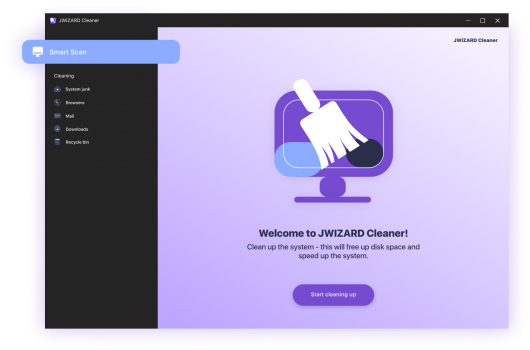
JWIZARD Cleaner 1.11.2.3

Description: There’s no secret behind it – keeping your PC and OS free of clutter, temporary files and accumulated junk can go a long way in terms of maintaining it running smoothly and in a performant manner. This is where apps such as JWIZARD Cleaner can prove to be useful.

Delete unnecessary system junk
System junk on Windows accumulates due to various processes: installing and uninstalling programs, temporary system files, updates, etc.
JWiZARD Cleaner scans your computer and detects all types of system junk.
The software allows you to delete unused files easily, clear the system cache, optimize the registry, and perform other actions to improve Windows performance.

Clear your browsing data. speed up the loading of web pages.
An excessive amount of saved data, such as cache, browsing history, and cookies, can slow down your browser, cause errors, and lead to crashes. Regularly clearing your browser data is an effective way to optimize its performance and enhance security while browsing the internet.

Organize your computer
No time for manual cleaning your computer? JWiZARD Cleaner will help you easily and quickly clean up your computer and get things in order. Delete downloaded files, email attachments, trash bin contents, and free up disk space.

Release Name: JWIZARD Cleaner 1.11.2.3
Size: 33.8 MB
Links: HOMEPAGE – NFO – Torrent Search

Download: RAPiDGATOR

5 Comments
June 30

Native Instruments Kontakt 8.11.1

Description: KONTAKT 8 is everything from instant inspiration for music makers to the industry’s leading instrument-building tool. For the eight generation of KONTAKT, we’re bringing its 20-year legacy into the future. Explore new musical ideas and find fresh inspiration with an overhauled Factory Library 2, newly added effects, and under-the-hood audio improvements.

KONTAKT is the Definitive Sampling Platform and Industry-Standard. KONTAKT powers the biggest selection of sampled instruments available. Included Factory Library 2 puts 55+ GB of detailed, creative, and expressive instruments at your fingertips. Drag and drop your own samples into an instrument’s interface to use your own sounds. Build your own instruments with powerful sample-editing and instrument-building.

The virtual instrument platform reinvented
Imagine any sound – Kontakt lets you find it, create it, and transform it. The latest edition of our revolutionary sampling platform combines a brand-new set of intelligent tools with countless sound design options, redefining how you generate ideas and make music.

A huge choice of sound
Kontakt hosts the world’s largest range of virtual instruments. With thousands of libraries, it's the gateway to quality sound from Native Instruments, our official partners, and scores of indie developers. Plus, everything is completely tweakable, so you can make any sound your own.

What's new in Kontakt 8?
The most feature-packed release yet is here to transform the way you generate, modulate, and playback sound. Plus, it's packed with performance updates so you can work faster than ever

Smash writer's block - Tools add a completely new layer of creative features to get the ideas flowing. And they work with any Kontakt instrument, old and new. For our first drop, we're launching MIDI content and randomization features with Chords and Phrases, designed to spark new ideas and get you in the zone fast.

Fast and fun loop control - Leap is an ultra-fast and playful way to play and manipulate loops. Spark fresh ideas, sprinkle in expressive performance effects, or just jam. Breathe new life into your sample collection or try something totally fresh with our new Leap Expansions series, starting with 12 curated packs for specific genres and styles.

Sound like nothing else - Conflux is the first in a new breed of Kontakt instruments for experimental sound design. Layer organic and synthetic samples and add dynamic movement to static sounds in real time, with original PPG wavetables and techniques like FM, Phase Modulation, and Ring Modulation.

Get going with hundreds of included instruments
Kontakt's Factory Library comes packed with over hundreds of meticulously sampled instruments. Get started with a huge playable and tweakable selection of acoustic and electronic options, including the renowned collection from Orchestral Tools, plus Hybrid Keys.

Dream it, build it
All your favorite Kontakt instruments are built right here. The powerful feature set makes Kontakt the first choice for instrument developers worldwide, and it just got even bigger with enhanced synth capabilities, including real-time wavetable, frequency modulation, and ring modulation oscillators.

What's the difference between Kontakt and Kontakt Player?
Just looking to use Kontakt instruments? Kontakt Player is the free version that runs all NI Kontakt instruments and many more officially licensed options from third-party developers (make sure to check the compatibility before you buy).

The go-to for pros
You've heard Kontakt at the top of the charts, in Oscar-winning scores, and on the soundtracks of major TV shows. It's the favorite of so many composers, producers, and sound designers for its unmatched sound quality, deep manipulation feature set, and incredible attention to detail.

→ Features:

• Tools - Chords and Phrases Tools deliver MIDI content and randomization features for creating melodies and sequences, sparking new ideas fast. Works with any Kontakt instrument.
• Leap - An ultra-fast way to play and manipulate loops and samples. Includes 12 Leap Expansions – curated packs for specific genres and styles, including Afrobeats, Latin Trap, Platinum Pop, Progressive Trance, Soul Gold, and more.
• Conflux - A true hybrid instrument combining samples with wavetable, FM, and ring modulation oscillators for real-time sound manipulation.
• Kontakt 8 Factory Library 2 includes over 900 instruments.
• A platform for thousands of third-party sample-based instruments.
• Seamless hardware integration with Kontrol keyboards and Maschine.
• Deep NKS integration with hundreds of instruments to allow quick browsing, preview, and hands-on control for your virtual instruments.
• Improved tools for building your own instruments.

As well as our own KONTAKT instruments, there are currently around 900 licensed instruments from other manufacturers that run in KONTAKT, plus thousands more so-called ‘indie’ instruments. This diverse ecosystem means that KONTAKT 8 is your access point to the industry’s biggest collection of playable sampled sound.

Release Name: Native Instruments Kontakt 8.11.1
Size: 1.1 GB
Links: HOMEPAGE – NFO – Torrent Search

Download: RAPiDGATOR

5 Comments
June 30

Keka 1.6.6

Keka is a file archiver for OS X. It is available for free, but donations are requested to further the project. Similar to making a donation, you can also purchase Keka on the Mac App Store for $1.99 USD.

Supported compression formats:


  • 7z
  • Zip
  • Tar
  • Gzip
  • Bzip2

Supported extraction formats:


  • RAR
  • 7z
  • Lzma
  • Zip
  • Tar
  • Gzip
  • Bzip2
  • ISO
  • EXE
  • CAB,
  • PAX
  • ACE
What’s New

Version 1.6.6:


  • Fixed possible crash when setting as the default uncompressor for macOS 26.4+
Compatibility

macOS 10.10 or later.
Apple Silicon or Intel Core processor

Release Name: Keka 1.6.6
Size: 34.2 MB
Links: HOMEPAGE – NFO – Torrent Search

Download: RAPiDGATOR

5 Comments
June 30

ArchiCAD 29.2.0 (Intel)

ARCHICAD enables architects to model faster and create accurate construction details and quantity estimations for reinforced concrete, complex steel, timber, and composite beams and columns. Complex columns, curved and haunched beams can now be modeled and documented to meet graphic and representation standards. Beams and columns can be displayed using various projected and symbolic views and cover fills.

Building Together

Archicad connects architects and engineers in a shared BIMcloud environment — powered by advanced collaboration and communication workflows — to deliver integrated design. Seamless and transparent information exchange builds trust among team members, eliminates model duplication, and redundant work between architects and engineers.

Model anything. Model everything.

Create the BIM model of the entire building with Archicad 24’s powerful toolkit. Integrate the structural model and the architectural model in one shared design hub, resulting in a powerful, collaborative environment. Archicad tools now integrate the Structural Analytical Model.

Built-in MEP modeler

Built-in MEP design tools further extend the integrated design approach of Archicad 24. As of this version, MEP Modeler is a core part of the software. Access intelligent MEP equipment inside the architectural model. Integrate MEP systems correctly in the BIM model without the need for a federated approach.

Share and explore your ideas

Explore ideas and design alternatives, leaving no stone unturned. Model and submit ideas for review by your team. When accepted, they’ll immediately become part of the project.

Object creation made easy

Create your own objects with the node-based visual PARAM-O tool without the need for GDL programming knowledge. Model anything from interior details to urban landscapes with parametric capabilities. Create parametric BIM elements with ease — the possibilities are endless!

Build better buildings

Archicad puts architects and structural engineers on the same page with an integrated structural analytical model in the BIM model. Keep architects and engineers in sync, save time and costs with a collision-free, one model strategy and a bi-directional workflow.

Built-in physical and analytical model checking

Increase the reliability and accuracy of your model with the help of built-in physical and analytical model checking and a seamless, bi-directional workflow between Archicad 24 and the analysis application — saving you time and money on the job site.

One shared model

Save time, avoid mistakes, and minimize the risk of data loss thanks to efficient project management between architects and engineers based on a shared model and design hub — built to OPEN BIM standards. Strengthen team performance and design better buildings through solutions powered by streamlined data management processes.

Stay in the loop

Detect and visualize the changes between models and revisions in a more intuitive way thanks to smart change monitoring and real-time notifications.

Change management made easy

With multiple stakeholders on each project, the job of following, understanding, and adapting ongoing design changes is a significant task. Archicad introduces Model Compare. Compare two 3D models or versions, and visualize and filter the differences between them. Keep track of design changes accurately and even evaluate design variants to get to the best possible design.

Track and change

Resolve issues faster and reduce the risk of unsolved issues thanks to clear organization and real-time notifications of BIM model changes. Integrate issues from third parties based on compatibility with industry standard issue management solutions.

Always in sync

Upload and refresh content in the model regardless of each team members’ location thanks to our fast and simple publishing workflow and BIMcloud. Save time, avoid mistakes and share files with confidence, knowing everything’s up-to-date. Real-time access to the shared model throughout the design process means all team members are in sync at all times.

Direct information exchange with Revit

Exchange information with Revit directly “out-of-the-box.” Import and export elements with their precise geometry and parameters (as non-editable content) from Revit (RVT) files for coordination and model referencing purposes. Access RVT files locally or via BIMcloud, using Hotlink or Publish functions.

Simple project submission

Publish projects from Archicad to shared online locations with ease thanks to a streamlined submission process. There’s no need to stay glued to the screen to watch for the publishing to finish, or additional manual uploads. Archicad takes care of it all.

Connect to industry-leading CDE solutions such as Aconex via buildingSMART-defined “open” protocols.

Automate your workflows

Using higher-level programming languages like Python, create automation scripts in Archicad, and complete command chains from outside. Access general element, property information and element listing information, and modify these and other Archicad element classifications as necessary.

Smarter information exchange

Exchange data with consultants outside of the model environment in a smart, efficient way: option set properties are now exported to Excel, guaranteeing accurate and high-quality information input into your BIM model.

New and updated surface materials

Is it real or is it rendered? Create high-end visualizations quickly and easily with new and updated surfaces in the Additional Surface Catalog. 500+ surface materials, including new wallpaper and realistic metal surfaces, result in stunning photo-realistic renderings.

Bring your interiors to life

Add life to your 2D and 3D views for a more contemporary look and feel. Furnish your scenes with brand-new objects from the updated library quickly and easily, thanks to an improved design workflow.

What’s New

Version 29.2.0:


  • Release notes were unavailable when this listing was updated.
Compatibility

macOS 10.14 or later


Release Name: ArchiCAD 29.2.0 (Intel )
Size: 3.2 GB
Links: HOMEPAGE – NFO – Torrent Search

Download: RAPiDGATOR
3 Comments