Please REGISTER or RENEW your account on RAPiDGATOR.net and support us by doing through all RAPiDGATOR working download links on main posts...
June 26

Carifred Ultra Virus Killer Pro 11.10.26

Description: UVK is a powerful virus removal and Windows repair tool. With simple and intuitive interface, UVK allows users to detect and delete all types of malware and spyware from infected systems. It also includes lots of tools to repair windows after the disinfection.
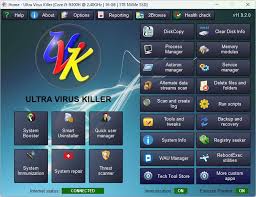
Process manager
Filter all the running processes by their executable path.
Select and manage several processes at once.
Kill processes.
Kill several processes with the same path at once.
Kill processes and delete the parent files simultaneously.
Kill all the listed processes.
Kill all the listed processes except the system processes.
Kill all non trusted processes.
Pause and resume processes.
Verify the processes files signatures.
Search information about a process over the internet.
Submit one or more processes MD5 to VirusTotal using the VT API.
Open the processes files locations.
View the processes executable files properties.

Startup entries and scheduled tasks
Delete startup entries, scheduled tasks and corresponding files simultaneously.
Select and manage several entries at once.
Verify the startup entries files signatures.
Hide Microsoft signed files from the list.
Search information about a startup entry file over the internet.
Submit one or more startup entries files MD5 to VirusTotal using the VT API.
Jump to the registry key where the startup entry is located.
Open the startup entries files locations.
View the startup entries files properties.
Maximizable window in this section for a more comfortable view.

Windows services and drivers
Delete services or drivers, and the corresponding files simultaneously.
Perform all common service management tasks: Stop, start, pause, resume services, and set their startup type.
Select and manage several services or drivers at once.
Stop all non Microsoft services.
Choose the services and drivers to be displayed: Show all services and drivers. Hide inactive services and drivers, Hide Microsoft services and drivers, Hide inactive and Microsoft services and drivers.
Verify the services/drivers files signatures.
Search information about a service/driver file over the internet.
Submit one or more services/drivers files MD5 to VirusTotal using the VT API.
Jump to the registry key where the service/driver is located.
Open the service/driver file location.
View the service file properties.
Maximizable window in this section for a more comfortable view.

Delete or replace file or folder
Delete files and folders even if they're being used by applications.
Delete running executable files.
Delete files and folders you can't normally delete using the Windows explorer.
Choose to whether delete the files definitely or move them to the recycle bin.
Replace or copy files.
Expand compressed files.
Replace files even if they are loaded in the memory.

Scan & create log
Perform a full analysis of your system and save it to a text file that you can send to a friend or professional, post in a forum, or analyze it yourself.
Choose the areas you want to scan and show in the log.
Choose whether to show Microsoft signed files in the log.
Choose where to save the log.
Choose whether to verify the scanned files digital signatures.
Search for recently created files, and write them to the log.
Perform other custom scans, live retrieving specific information on files, folders, registry entries, or automatically get the VirusTotal analysis result for a file.

Run UVK Scripts
Disinfect your computer by pasting lines from the UVK log to delete corresponding registry entries and files.
Use custom commands to download files, execute programs, delete or add registry entries, terminate processes, delete files and folders, run cmd batch scripts, register system files or run the UVK Fixes.
Create system restore points, empty the recycle bin and all users temporary folders.
Create and run scripts that perform complete system repair and maintenance.
Automatically run any of the UVK fixes or scans.

UVK tools
Retrieve al sorts of information on any file.
Generate VirusTotal MD5 reports, deny or grant access or perform an sfc scan for any file.
Search information on files and registry entries over the internet.
Grant access or prevent changes to registry keys.
Enumerate all the restore points.
Select and delete one or several restore points.
Create system restore points.
Enable or disable the system restore.

UVK System repair
Fix your computer with more than fifty exclusive fixes: Fix file extensions, register system dlls, enable and repair Windows update, clear dns cache and the hosts file, reset user default registry settings, fix installation problems, empty all browsers cache, reset security settings, defragment and optimize the hard drives, install Java, Flash, DirectX, .Net Framework, Fix the WMI and the system restore, delete all restore points, fix the windows shell, reset the user shell folders and much more.

System Info
Show information that can be very useful specially if you're going to reinstall windows or if you need to diagnose a performance or hardware problem. This includes the processor, memory and page file usage, OS and office product keys, and hardware and users info.
Export this info to a comprehensive html file.

UVK immunization
Prevent the most vulnerable registry and file system areas from being infected.
Prevent adding programs to the windows startup and logon.
Prevent creating/deleting browser helper objects, Internet explorer toolbars and search providers.
Prevent modifying the internet settings and the Internet explorer startup pages.
Backup and restore the Windows registry.

Release Name: Carifred Ultra Virus Killer Pro 11.10.26
Size: 27.9 MB
Links: HOMEPAGE – NFO – Torrent Search

Download: RAPiDGATOR

4 Comments
June 26

QueueExplorer Professional 5.0.84

Description: Explorer-like management for queues. Works with multiple queuing systems. QueueExplorer supports multiple systems from the same installation, without need for additional licensing: MSMQ, Azure Service Bus, RabbitMQ, and ActiveMQ. With QueueExplorer you can do much more than with built-in management console - copy, move or delete messages, save and load, stress test, view and edit full message bodies (with support for XML, JSON, .Net objects...), and much more. QueueExplorer is a fast, native Windows application.

The indispensable tool for working with queues and messages:
understand and manage your system
figure out what went wrong
fix it

Find out all about your messages
With QueueExplorer you can dig into your queues and see which message went where, whether they were correctly formatted, with correct headers and settings, etc. Multiple viewers are at your disposal: JSON, XML, WCF, Hex, text with different encodings...

Develop and test producers and consumers separately
With QueueExplorer you can test individual pieces of your solution, or even simulate third party messages going in or out. You can create and edit test messages, send one by one or bunch of them together.

Test performance and load handling of your app
Send thousands of messages for performance testing to see how system handles that load.

Troubleshoot, fix, and resend problematic messages
If something is wrong, QueueExplorer is the fastest and easiest way to investigate and fix incorrect, poison, or failed/deadletter messages.

See status of your system at glance
Check if some of queues are growing too large, if there are messages in deadletter queues, etc. With autorefresh functionality see how entire system works in near real time.

Filter and sort messages to quickly find important data
QueueExplorer allows you to quickly find messages you're interested in. Professional edition allows you to even extract your business data from within messages using XPath, JSON, or Regex, and to immediately see e.g. invoice totals, etc.

Backup and restore messages
Backup messages to files, or move/copy them to another queue.

Copy, compare and sync queues, topics and other schema (metadata) objects
This can be used to migrate queues (and other objects) to another server, e.g. to propagate from development to production. Or just to compare and see which changes were made. Or to backup schema before changes are made. You can also duplicate queues with all their settings on the same server (Professional).

Release Name: QueueExplorer Professional 5.0.84
Size: 36 MB
Links: HOMEPAGE – NFO – Torrent Search

Download: RAPiDGATOR

0 Comments
June 26

DreamForge AI 1.0.6

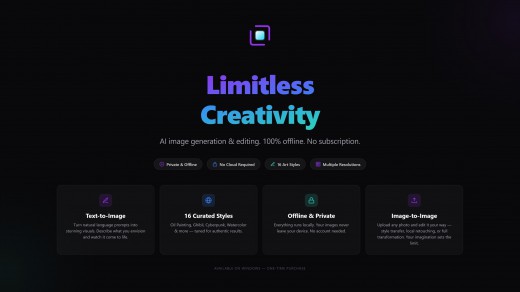
Description: DreamForge is a powerful AI image creation and editing tool that runs entirely on your device — no cloud, no subscription, just a one-time purchase. Powered by a compact, cutting-edge generative model, it transforms text prompts into high-quality images and applies stunning artistic styles to your photos with precision and ease.

Perfect for: digital artists, concept designers, photographers, content creators, and anyone who wants to explore AI-powered creativity without technical complexity.

Create from Imagination Describe what you envision, and DreamForge renders it. From photorealistic portraits to surreal landscapes, the AI understands natural language and produces detailed images at resolutions up to 2048×2048. Choose from three quality presets — draft quick concepts or refine final pieces with full compute power.

16 Curated Art Styles Transform any photo into art with a single click. Choose from Oil Painting, Sketch, Cartoon, Studio Ghibli, Watercolor, Cyberpunk, 3D Animation, Claymation, Chinese Ink, Ukiyo-e, Pixel Art, Pop Art, Vector Illustration, Cinematic, Vintage Film, Neon Glow, and Papercraft. Every style is precisely tuned with optimized parameters for authentic, striking results.

Fine-Grained Control The Image Guidance slider (0.0–5.0) lets you control exactly how much of the original image to preserve — from complete style transformation through subtle local edits to delicate color grading. Negative prompts allow you to exclude unwanted elements with surgical precision.

Private by Design Every generation and edit happens locally on your computer. Your images never leave your device. No cloud processing, no data collection, no account required. No internet connection required.

Professional Dark Interface A refined, distraction-free dark workspace with a frameless window design. Real-time CPU and memory monitoring keeps you informed without clutter. Available in 11 languages.

Key Features
- Text-to-image generation from natural language prompts
- Image-to-image style transfer with 16 curated presets
- Negative prompt support for generation and editing
- Three quality presets (Low / Medium / High)
- Real-time system resource monitoring
- Export to PNG, JPEG, BMP, WebP, and PDF

System Requirements
- OS: Windows 10 version 17763.0 or higher
- DirectX: DirectX 12 API, Hardware Feature Level 12
- Memory: 8 GB (Minimum), 16 GB (Recommended)
- Video Memory: 6 GB
- Processor: 8 cores, 2.5 GHz+ (Minimum), 12 cores, 4.0 GHz+ (Recommended)
- Graphics Processor: NVIDIA GeForce RTX 2060 or better (Minimum), NVIDIA GeForce RTX 3060 12 GB+ (Recommended)
- Acceleration: NVIDIA graphics cards only.
- Recommendation: NVIDIA graphics card with 12GB+, NVIDIA driver version 572.x or higher.

Release Name: DreamForge AI 1.0.6
Size: 5.3 GB
Links: HOMEPAGE – NFO – Torrent Search

Download: RAPiDGATOR
2 Comments
June 26

Avast Premium Security 26.6.11050

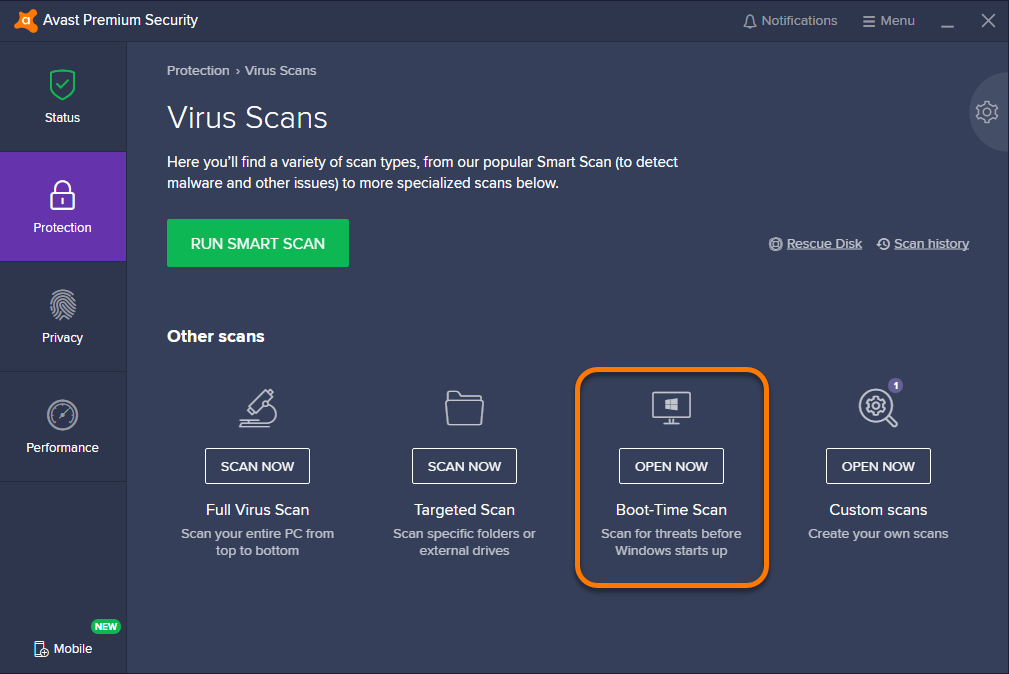
Description: Avast Premium Security is an Avast product that offers antivirus protection and advanced security for your PC against online threats. It allows users to safely shop and bank online, avoid fake websites and phishing scams, block web spies, and more. Avast Premium Security also includes key features from Avast Internet Security and Avast Premier products, both of which no longer exist.

Avast Premium Security protects against all online threats, including spoofed websites and ransomware. Complemented by SafeZone technology, it creates an isolated virtual desktop, invisible to any possible attacker, where you can do your online shopping and banking securely.

The Avast award-winning and certified antivirus engine and shields stop even previously unknown threats – for peace of mind when you chat or spend time on Facebook, Twitter, or other websites.

The silent firewall stops hackers and other unauthorized entry attempts to your PC, to keep your data where it belongs – safe and sound. The antispam feature blocks both spam and sophisticated “phishing” attempts, to keep you from clicking “harmless” links that really can cause damage.

Safely shop and bank online
Spoofed (fake) websites are one of the oldest hacking tricks in the book. Avast Premium Security scans websites for security risks on both your computer and mobile phone, so you can finally shop and bank online safely on any device.

Avoid becoming the victim of digital extortion
Ransomware is quickly becoming one of the most common – and dangerous – types of malware out there. Avast Premium Security protects your devices against havoc-wreaking ransomware so you don’t become the victim of digital extortion.

Features
- Blocks viruses, spyware, and other threats in real-time
- Enjoy peace of mind with advanced ransomware protection
- Avoid fake websites for safer online shopping and banking
- Keep hackers off your computer with our advanced firewall
- Prevent strangers from watching you via your webcam

With Avast Premium Security for Windows, you also get
- Advanced antivirus. Blocks viruses, spyware, and other malware in real-time.
- Web Shield. Blocks dangerous downloads and websites.
- Wi-Fi Inspector. Detects weaknesses in both your home Wi-Fi network and public networks.
- Real Site. Prevents you from visiting fake sites designed to steal passwords and money.
- Sandbox. Lets you open suspicious files in a safe environment to protect your PC.
- Advanced Firewall. Monitors and controls what goes in and out of your computer.
- Ransomware Shield. Prevents ransomware from harming any files in your protected folders.
- Sensitive Data Shield. Stops spyware from accessing sensitive documents on your computer.
- Webcam Shield. Blocks untrusted apps from accessing your webcam.
- Data Shredder. Helps you permanently delete sensitive files so they can’t be recovered.
- Automatic Software Updater. Updates the most popular apps on your PC to help plug security holes.
- Passive Mode. Lets you safely use another antivirus on your PC alongside Avast Premium Security.
- Do Not Disturb Mode. Silences notifications from Windows, other apps, and even our own Avast apps.
- Real-time updates. Pushes security updates to you so you always have our best protection

Release Name: Avast Premium Security 26.6.11050
Size: 852.6 MB
Links: HOMEPAGE – NFO – Torrent Search

Download: RAPiDGATOR

7 Comments
June 26

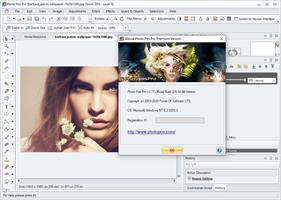
Photo Pos Pro 4.21 Build 51 Premium

Description: Edit, Enhance, Enjoy. Unlock your creativity with our free photo editor Photo Pos Pro, trusted by over 10 million users worldwide.

Create & Design
Effortlessly transform your photos into stunning artworks with powerful tools at your fingertips

Photo Pos Pro - Complete photo editing suite support everything you'll need to enhance photos and create stunning artworks. Manipulate Photos Smoothly & Easily - Convert Any image into stunning artwork, easily create, edit, enhance, print, and manipulate your digital photos and computer graphics and easily create eye-catching graphics

Intuitive Tools
Edit like a pro with a wide range of brushes, filters, and effects that are easy to use.

Join Our Creative Community
Join us today and start your creative journey! Dive deeper into the world of photo editing with our free photo editing tools! By joining our vibrant community, you’ll gain exclusive access to a treasure trove of advanced editing tools, tutorials, and inspiration from fellow enthusiasts.

Key Features
Support all standards professional features as Filters, Layers, Masks, Curves, Scripts, Effects and etc

Powerful Tools
Fix poor photos, remove unwanted objects, remove/erase/replace backgrounds

Popular Features
Greeting Cards, Frames and Collages, Advanced Photo Effects, Stunning Text Effects, RAW Files support

How It Works?
Whether you're performing basic edits or tackling complex projects, our editor empowers you to:
Edit: Edit existing images with ease
Create: Create stunning new works from existing photos
Design: Design original pieces from scratch
Though the Photo Pos Pro free photo editor is a powerful program, it contains an extremely user-friendly interface enabling you to work intuitively.

Photo Pos Pro features a step-by-step Help system, guiding beginners to become into skilled professionals.
If you are a beginner you can easily begin to use the program in an intuitive fashion. The program offers beginning users a Help system which they can follow step by step into the wonderful world of Digital Picture Enhancement. With the Help system, you can turn from a beginner to a professional user.
Support of many picture file types including RAW FILES, Support of scanners and digital cameras
dvanced Image Enhancing and editing tools and functions, Tools for creating Computer Graphics
Design, Rich Text Tools, Special Effects, Selection Tools, Layers & Masks, Gradients, Patterns and Texture, Script Tools
Batch Operations and also ability to expand the software yourselves!

Release Name: Photo Pos Pro 4.21 Build 51 Premium
Size: 70.3 MB
Links: HOMEPAGE – NFO – Torrent Search

Download: RAPiDGATOR
5 Comments
June 26

Offline Subtitle Studio AI 1.0.3

Description: Offline Subtitle Studio AI - 100% offline AI subtitles for any video or audio — generate, edit, style, export to SRT/VTT/TXT/ASS, or burn in. Your media never leaves your PC. Offline Subtitle Studio AI turns your videos and audio into clean, editable subtitles using on-device AI speech recognition powered by faster-whisper. Everything runs locally on your PC, so your files stay private.

Drag in a file, generate captions, fine-tune timing and text in an editable cue table, apply ASS style presets, then export to SRT, VTT, TXT, or styled ASS — save a sidecar file that loads automatically in players like VLC, embed a subtitle track, or burn styled subtitles into a new video (your original is never modified). A compact model is bundled for fully offline first use; optional larger models (Base, Small, Medium, Large-v2) download once from Hugging Face, then run offline. CPU by default with optional NVIDIA GPU (CUDA) acceleration. One-time purchase — no subscription, no ads, no account.

- Offline AI transcription via faster-whisper (CTranslate2) — media never leaves your PC
- Bundled compact model works offline on first launch; larger models optional, one-time download
- CPU by default with optional NVIDIA GPU (CUDA) acceleration
- Word-level “Precise” timing for tight, natural cue breaks
- Editable cue table plus batch queue for multiple files
- ASS styling presets — font, size, color, outline, position via Style Manager
- Export to SRT, VTT, TXT, ASS — sidecar, embedded track, or burn-in to a new video
- One-time purchase — no subscription, no ads, no account, no telemetry

Offline AI Subtitle Generation
Create subtitles from video or audio files using local speech recognition on your Windows PC.

Private Local Processing
Your videos, audio files, transcripts, and subtitles stay on your computer.

Editable Subtitle Timeline
Review generated cues, adjust start and end times, edit text, and clean up captions before export.

Export to Popular Subtitle Formats
Save subtitles as SRT, VTT, TXT, or ASS for editing, sharing, archiving, or use in video players and editors.

Styled Subtitles with ASS
Create subtitle styles with font, size, color, outline, position, and formatting presets.

Burn Subtitles Into Video
Render styled subtitles permanently into a new video file while keeping the original file unchanged.

Embed Subtitle Tracks
Add selectable subtitle tracks to compatible video files for a cleaner viewing workflow.

Batch Processing
Queue multiple audio or video files and generate subtitles in sequence.

Works with Common Media Files
Supports popular video and audio formats such as MP4, MKV, MOV, AVI, MP3, WAV, and M4A.

One-Time Purchase
No subscription, no ads, no account, and no recurring fees.

Perfect for
- YouTube creators
- Video editors
- Podcasters
- Course creators
- Agencies and freelancers
- Accessibility captioning
- Social media creators
- Privacy-conscious professionals
- Anyone who needs offline subtitles on Windows

System Requirements
Windows 10/11 (build 17763+)

Release Name: Offline Subtitle Studio AI 1.0.3
Size: 1.3 GB
Links: HOMEPAGE – NFO – Torrent Search

Download: RAPiDGATOR
3 Comments
June 26

DockDoor Pro 0.0.138

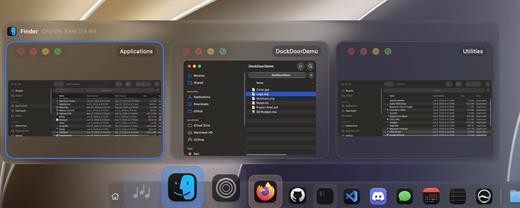
DockDoor Pro is a complete, native dock replacement for macOS built entirely with SwiftUI and AppKit. Designed to deliver a fluid, lightning-fast “Liquid Glass” experience, it breaks past the limitations of the default Mac dock. It introduces live window previews, built-in widgets, multi-display profiles, and advanced window staging—all while maintaining a microscopic memory footprint.

Key Features


  • Live Window Previews: Hover over any running app to instantly see live thumbnails of its open windows. You can act on them right from the preview—close, minimize, tile to quarters/halves, or force quit—without ever bringing the app to the foreground.
  • Fluid Magnification & ProMotion Smoothness: Icons swell under your pointer on a real, spring-driven wave. It runs at the full refresh rate of your display, offering a level of tactile responsiveness that feels entirely native to the OS.
  • Smart Folder Fan-Out & File Tray: Tap pinned folders to watch them bloom into a clean, customizable list or grid panel. Need to juggle files? Scroll up on the dock to reveal a staging shelf where you can temporarily drop files, pin frequent folders, or access an instant AirDrop zone.
  • Per-Display Docks & AppSense Profiles: Perfect for power users with multi-monitor setups. You can assign entirely different docks, layouts, and app profiles to different screens, or have the dock automatically morph based on the application you are currently focusing on.
  • Rich Widgets & Media Integration: Embed widget stacks (clock, weather, battery) directly into the dock. It also features a “Now Playing” bar complete with album artwork, scrubbing controls, and time-synced lyrics from Apple Music or Spotify.
What’s New

Version 0.0.138:


  • Release notes were unavailable when this listing was updated.
Compatibility

macOS 14.0 or later


Release Name: DockDoor Pro 0.0.138
Size: 16.7 MB
Links: HOMEPAGE – NFO – Torrent Search

Download: RAPiDGATOR
4 Comments
June 26

djay Pro AI 5.6.6

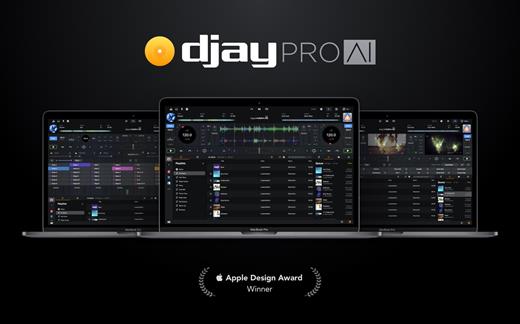
Welcome to djay Pro AI! Algoriddim’s acclaimed DJ software and winner of multiple Apple Design Awards has been rebuilt from the ground up using groundbreaking AI technology – NEURAL MIX™.

NEURAL MIX™ allows you to isolate instrumentals and acappellas of your favorite tracks in real-time and redefines the boundaries of creative mixing. You can crossfade drums, bass lines, and melodies of two songs independently, apply audio effects to individual components of music, and even loop the beat while the melody of the same track continues playing.

djay Pro’s all-new, modern interface is built around a sophisticated integration with your music library, giving you instant access to millions of tracks. Pristine sound quality and a powerful set of features including live production tools, four decks, high-definition waveforms, video mixing and hardware integration give you endless creative flexibility to reinvent your DJ sets.

NEURAL MIX™

  • Isolate vocals, drums, bass lines, and instrumentals in real-time
  • FX routing: apply audio effects to individual components of music (Vocal Echo, Harmonic Filter, Drum Reverb, and more)
  • Loop routing: Loop the beat while the melody of the same song continues playing, and vice versa
  • AI crossfades: seamlessly blend and swap drums, bass lines, or vocals of two tracks
  • AI waveforms: see vocals, drums, and harmonic waveforms per track side by side
MUSIC PRODUCTION TOOLS

  • Sequencer: create instant beats on top of music
  • Looper: remix music with up to 48 loops per track
  • Beat-matched sequencing of drums and samples
  • Extensive content library with 1000+ loops and samples
STREAMING INTEGRATIONS

  • TIDAL: Millions of tracks, music videos, high quality sound /TIDAL Premium or HiFi)
  • SoundCloud: Millions of underground and premium tracks SoundCloud Go+)
  • Beatport: Millions of electronic music tracks (Beatport LINK)
  • Beatsource: Millions of open-format music tracks (Beatport LINK)
AWARD-WINNING USER INTERFACE

  • 2- and 4-Deck views
  • Single Deck preparation view
  • Video and Automix views
ADVANCED LIBRARY MANAGEMENT

  • Create your own custom and smart playlists
  • Powerful track filtering
  • Finder Integration
AUTOMIX

  • Automatic, beat-matched mixes based on artificial intelligence
  • Queue and Playlist automation
VIDEOS, VISUALS, and PHOTOS

  • Mix videos, visuals, and photos
  • Music video streaming through TIDAL
  • Beat-matched photo slideshows
POWERFUL AUDIO ENGINE

  • Revolutionary AI audio engine
  • Real-time music source separation
  • High-quality mixer, filter, EQ, isolator, and limiter
  • Advanced time-stretching and pitch shifting
  • Over 40 built-in audio effects
  • Master output effects through Audio Unit plug-ins
  • Live recording
  • Ableton Link integration
ADVANCED AUDIO ANALYSIS

  • BPM and beat detection
  • Key detection
  • Multi color waveformsBPM
  • Auto-Gain
HARDWARE INTEGRATION

  • Native support for over 100 MIDI controllers
  • Pioneer DJ CDJ Integration
  • RANE Twelve integration
  • Advanced MIDI Learn
  • External Mixer Mode
  • Support for multi-channel USB audio interfaces
  • Support for external audio input and microphones

*** You need to disable the System Integrity Protection (SIP) to perform the selected Application.

What’s New

Version 5.6.6:


  • Release notes were unavailable when this listing was updated.
Compatibility

macOS 10.14 or later, 64-bit processor


Release Name: djay Pro AI 5.6.6
Size: 290.5 MB
Links: HOMEPAGE – NFO – Torrent Search

Download: RAPiDGATOR

5 Comments
June 26

NanoClip 1.4.2

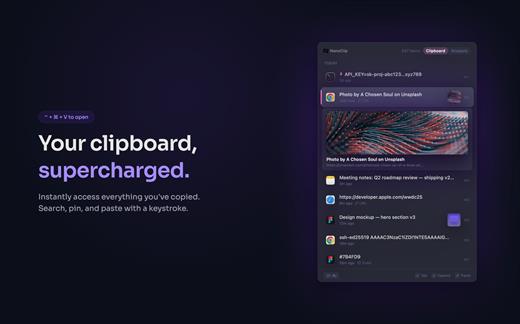
NanoClip is a lightweight macOS menu bar clipboard manager that saves every copy and keeps snippets instantly accessible with a global shortcut. It supports clipboard history, smart text snippets, iCloud sync across Macs, inline previews for images, GIFs, files, colors, and code, plus multiple themes in a fast, privacy-focused design.

What’s New

Version 1.4.2:


  • Release notes were unavailable when this listing was updated.
Compatibility

macOS 15 or later

Release Name: NanoClip 1.4.2
Size: 10.6 MB
Links: HOMEPAGE – NFO – Torrent Search

Download: RAPiDGATOR

3 Comments
June 26

RAR Extractor – The Unarchiver Pro 6.6.1

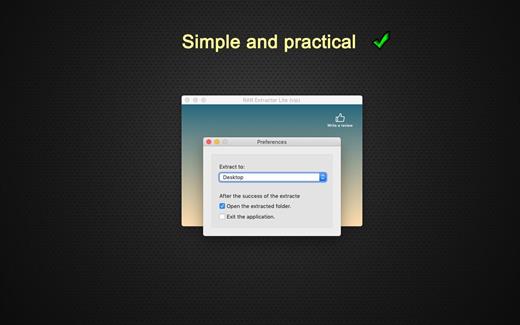
WinRAR & Unzip & Open any file. RAR Extractor – The Unarchiver is a specialized application program which aims at Rar,Zip,Tar,7-zip,Gzip,Bzip2,XZ,Tar.gz,bz2,iso,pkg,swf,exe,jar,xip,dms… and dozens of other compressed files, you can use it to extract archive files conveniently, double click to decompress, fast and safely.

Key Features:


  • Rar,Zip,Tar,7-zip,Gzip,Bzip2,XZ,Tar.gz,bz2,iso,pkg,swf,exe,jar,xip,dms… and dozens of other compressed files.
  • Support extracting password-protected archive files,but you must know the password.
  • Batch extracting.
  • Double click to extract archive files to extract archive.
  • Drag and drop archive files to the dock icon to extract archive.
What’s New

Version 6.6.1:


  • Release notes were unavailable when this listing was updated.
Compatibility

macOS 10.12 or later 64-bit


Release Name: RAR Extractor – The Unarchiver Pro 6.6.1
Size: 10.2 MB
Links: HOMEPAGE – NFO – Torrent Search

Download: RAPiDGATOR

4 Comments