Please REGISTER or RENEW your account on RAPiDGATOR.net and support us by doing through all RAPiDGATOR working download links on main posts...
July 5

Adobe Acrobat Pro DC 2026.001.21691

REPACK by monkrus

Description: Adobe Acrobat Pro DC is the leading PDF converter and much more. Adobe Acrobat Pro DC software lets you deliver professional PDF communications. It's packed with smart tools that give you even more power to communicate. Create and edit PDF files with rich media included, share information more securely, and gather feedback more efficiently.
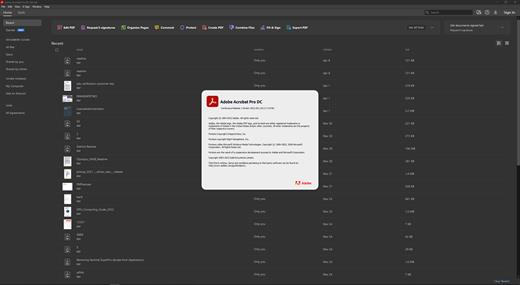
Adobe Acrobat Pro DC software is the advanced way for business professionals to create, combine, control, and deliver more secure, high-quality Adobe PDF documents for easy, more secure distribution, collaboration, and data collection.

Assemble electronic or paper files into reliable PDF documents that are easy to share with others using free Adobe Reader. You can assemble even Web sites, engineering drawings, and e-mail.

With Adobe Acrobat Pro DC you can manage document reviews, synthesizing feedback from multiple reviewers while preserving document format and integrity. Extend commenting capabilities to anyone using Adobe Reader. Windows users can design intelligent Adobe PDF forms that include business logic, such as calculations and data validations, to help increase the accuracy of data collection while reducing the costs of manual data entry.

Use Adobe Acrobat Pro DC to create high-impact PDF communications, collaborate more easily, and streamline reviews. Adobe Acrobat Dynamic PDF helps you get more done - easier, faster, better.

Edit PDF files
With Adobe Acrobat Pro DC, you can make minor edits to text and images right in your PDF file without requiring the original document or graphic. Edit text in a PDF. Fix a typo, change a font, or add a paragraph to your PDF as easily as you do in other applications using a new point-and-click interface. Edit images in a PDF. Resize, replace, and adjust images in your PDF with no need to track down the original file or graphic.

Export from PDF files
Reduce the time you spend retyping information stuck in PDF files. Convert PDF files to editable Microsoft Office documents. And save fonts, formatting, and effort.
Convert PDF files to Word. Save your PDF as a Microsoft Word document and take your fonts, formatting, and layouts with you. Convert PDF files to Excel. Turn your PDF or just part of it into an editable Excel spreadsheet you can use for data analysis right away. Convert PDF files to PowerPoint. Get a head start on new projects by saving a PDF file as a fully editable PowerPoint presentation.

Create PDF files
Stop worrying about whether the files you send will look right on other people's screens. Turn documents into PDF files anyone can reliably view with free Adobe Reader.
Convert Word, Excel, or PowerPoint to PDF. Right from your Office application in Windows, you can create PDFs, start a shared review, restrict PDF edits, and more. Print to PDF. Convert files to PDF from virtually any application that prints simply by selecting Adobe PDF as your printer. Scan to PDF. When you need to turn a paper document or form into a digital file, just scan it to create a searchable PDF file you can edit. Convert HTML pages to PDF. Save web pages as PDF files to archive web content, review the pages offline, or print them more reliably.

Create and analyze forms
Cut the time you spend creating forms, rekeying data, and correcting errors. Distribute forms online, and then collect responses and analyze results in real time.
Create new PDF and web forms. Customize professional templates or design from scratch with the Adobe FormsCentral desktop app included in Adobe Acrobat Pro DC. Collect form responses with FormsCentral. Easily collect responses by moving your PDF or web forms online with the Adobe FormsCentral online service. Convert existing forms to fillable PDFs. Type less, gather more. Quickly convert your paper, Word, or Excel forms to fillable PDF forms. Collect form responses using Adobe Acrobat tools. Compile returned forms into one PDF, or host forms using a network folder or Microsoft SharePoint server.

System Requirements:
Intel® or AMD processor; 1.5GHz or faster processor
Windows 11 (64 bit), Windows 10 (64 bit) version 1809 or later, Windows Server 2016 (64 bit), or Windows Server 2019 (64 bit)
2GB of RAM
4.5GB of available hard-disk space.
1024x768 screen resolution
Video hardware acceleration (optional)

Release Name: Adobe Acrobat Pro DC 2026.001.21691
Size: 3.1 GB
Links: HOMEPAGE – NFO – Torrent Search

Download: RAPiDGATOR
4 Comments
July 5

Adobe Bridge 2026 v16.0.4

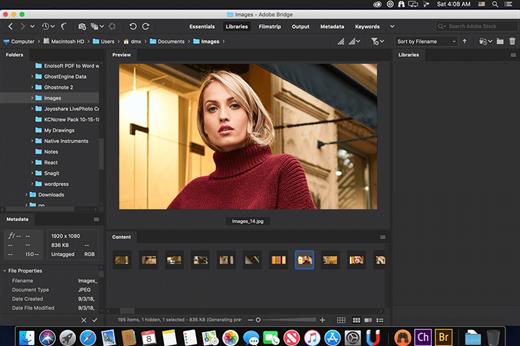
Description: Bridge gives you centralized access to all the files and assets you need for your creative projects. Organize personal and team assets, batch edit with ease, add watermarks, set centralized color preferences, and even upload your photos to Adobe Stock. Bridge simplifies your workflow and keeps you organized and now with CC Libraries.

Features
- Bulk import, export and preview CC Libraries assets
- Edit photo capture time
- Export/ Import network cache
- Native PDF Output Module
- Easy upload of images to Adobe Stock so you can get royalties for your work
- Support for Retina and HiDPI displays with the ability to scale
- Automated cache management
- Publishing to Adobe Portfolio to build your personalized website
- Quick organization and stacking of panoramic and HDR images
- On-demand thumbnail and metadata generation
- Option to import photos and videos from your mobile device or digital camera on macOS
- Support for CEP HTML5
- Flexible batch processing
- Drag-and-drop file flexibility
- Centralized color settings

Consistent user experience
Adobe Bridge now has an enhanced user interface to provide you a similar experience like other Creative Cloud applications. You can also change the default user interface appearance, text size, and scaling by setting the User Interface preferences in the Edit > Preferences > Interface dialog.

Enhanced Creative Cloud Libraries
The Libraries workspace in Bridge now displays a high-quality preview of library items. You can select multiple items to see their previews together.

Centralized cache management
You can now share a cache with other Bridge users and let them use the shared cache instead of creating a cache. Any Adobe Bridge user can export a cache to a shared folder, and other users can import a copy of the shared cache to their local systems. Given that the systems are in synchronization, managing the cache at a centralized location lets you reuse the exported cache, without the need to rebuild the cache on different user machines. You can create and manage the shared cache by using the Manage Cache dialog (Tools > Manage Cache), which has now been enhanced to provide options for building, importing, and purging cache. In addition, the cache preferences have been enhanced (Edit > Preferences > Cache and Edit > Preferences > Cache Management).

Edit capture time
Adobe Bridge now lets you change the capture time of the JPEG and RAW image files, just like the way it is done in Adobe Lightroom. This feature is helpful if you travel to a different time zone and do not change the date or time setting of your camera before you start photographing. With this feature, you can edit the capture time after capturing the image.

Support for XD file formats
Bridge now supports preview, thumbnail generation, metadata tagging, and keyword generation for Adobe XD files.

Media cache preferences
Bridge now processes and maintains a cache of all audio and video playback files. This capability improves the performance of playback files because the files are available for ready access whenever you want to view them later. It is recommended that you regularly clean the old and unused media cache files to optimize the performance. The preferences for media cache can be set by choosing Edit > Preferences > Media Cache.

Cut, copy, or move files and folders across Bridge and File Explorer or Finder

Bridge now lets you perform the following operations
- Cut, copy, or move files and folders from File Explorer (Windows) or Finder (macOS) and paste them in Bridge
- Cut, copy, or move files and folders from the Bridge workspace and paste them in File Explorer (Windows) or Finder (macOS)

Release Name: Adobe Bridge 2026 v16.0.4
Size: 2.8 GB
Links: HOMEPAGE – NFO – Torrent Search

Download: RAPiDGATOR
3 Comments
July 5

Adobe InDesign 2026 v21.4.1

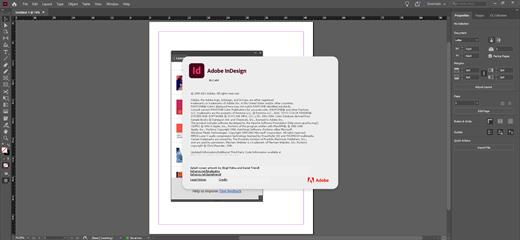
Description: Standout layouts. Only with InDesign. InDesign is the industry-leading layout and page design software for print and digital media. Create beautiful graphic designs with typography from the world's top foundries and imagery from Adobe Stock.

Quickly share content and feedback in PDF. Easily manage production with Adobe Experience Manager. InDesign has everything you need to create and publish books, digital magazines, eBooks, posters, interactive PDFs, and more.

Make an impression in print.
Design everything from stationery, flyers, and posters to brochures, annual reports, magazines, and books. With professional layout and typesetting tools, you can create multicolumn pages that feature stylish typography and rich graphics, images, and tables.

Digital publications. Dazzling interactions.
Create digital magazines, eBooks, and interactive online documents that draw people in with audio, video, slideshows, and animations. InDesign makes it easy to manage your design elements and quickly deliver immersive experiences in any format.

Keep your team on the same page.
Design faster and smarter with tools built for collaboration. Make changes quickly with Paragraph, Character, or Object Styles. Share feedback and edits from PDFs. InDesign integrates with Creative Cloud and Adobe Experience Manager, so you can share content, fonts, and graphics across all your projects.

See what new can do.
InDesign is always getting better, with new features rolling out regularly. And with your Creative Cloud membership, you get them as soon as we release them. Here are some of the latest updates.

Peak performance
Our latest upgrades include faster launch times and performance improvements.

Adobe Experience Manager integration
Keep your content up to date and share assets across all your projects using Adobe Experience Manager.

SVG import
Import SVG files into your InDesign projects to create interactive graphics and animations.

Variable fonts
Design with variable fonts — customizable typefaces that compact multiple fonts into a single file.

Release Name: Adobe InDesign 2026 v21.4.1
Size: 1.5 GB
Links: HOMEPAGE – NFO – Torrent Search

Download: RAPiDGATOR

4 Comments
July 5

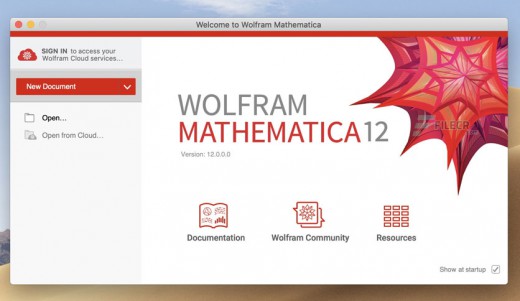
Wolfram Mathematica 15.0

Description: For over three decades, Mathematica has defined the state of the art in technical computing—and provided the principal computation environment for millions of innovators, educators, students and others around the world.

Widely admired for both its technical prowess and elegant ease of use, Mathematica provides a single integrated, continually expanding system that covers the breadth and depth of technical computing—and is seamlessly available in the cloud through any web browser, as well as natively on all modern desktop systems.

For Modern Technical Computing, There's No Other Choice
With energetic development and consistent vision for three decades, Mathematica stands alone in a huge range of dimensions, unique in its support for today's technical computing environments and workflows.

A Vast System, All Integrated
Mathematica has over 6,000 built-in functions covering all areas of technical computing—all carefully integrated so they work perfectly together, and all included in the fully integrated Mathematica system.

Not Just Numbers, Not Just Math—But Everything
Building on three decades of development, Mathematica excels across all areas of technical computing—including neural networks, machine learning, image processing, geometry, data science, visualizations and much more.

Unimaginable Algorithm Power
Mathematica builds in unprecedentedly powerful algorithms across all areas—many of them created at Wolfram using unique development methodologies and the unique capabilities of Wolfram Language.

Higher Level Than Ever Before
Superfunctions, meta-algorithms... Mathematica provides a progressively higher-level environment in which as much as possible is automated—so you can work as efficiently as possible.

Everything Is Industrial Strength
Mathematica is built to provide industrial-strength capabilities—with robust, efficient algorithms across all areas, capable of handling large-scale problems, with parallelism, GPU computing and more.

Powerful Ease of Use
Mathematica draws on its algorithmic power—as well as the careful design of Wolfram Language—to create a system that's uniquely easy to use, with predictive suggestions, natural language input and more.

Documents as well as Code
Mathematica uses the Wolfram Notebook Interface, which allows you to organize everything you do in rich documents that include text, runnable code, dynamic graphics, user interfaces and more.

The Code Makes Sense
With its intuitive English-like function names and coherent design, Wolfram Language is uniquely easy to read, write and learn.

Make Your Results Look Their Best
With sophisticated computational aesthetics and award-winning design, Mathematica presents your results beautifully—instantly creating top-of-the-line interactive visualizations and publication-quality documents.

Instant Real-World Data
Mathematica has access to the vast Wolfram Knowledgebase, which includes up-to-the-minute real-world data across thousands of domains.

Seamless Cloud Integration
Mathematica is now seamlessly integrated with the cloud—allowing sharing, cloud computing and more in a unique and powerful hybrid cloud/desktop environment.

Connected to Everything
Mathematica is built to be connected to everything: file formats (250+), other languages, Wolfram Data Drop, APIs, databases, programs, the Internet of Things, devices—and even distributed instances of itself.

150,000+ Examples
Get started with almost any project with help from 150,000+ examples in the Documentation Center, over 13,000 open-code Demonstrations in the Wolfram Demonstrations Project—and a host of other resources.

Release Name: Wolfram Mathematica 15.0
Size: 9.3 GB
Links: HOMEPAGE – NFO – Torrent Search

Download: RAPiDGATOR
1 Comments
July 5

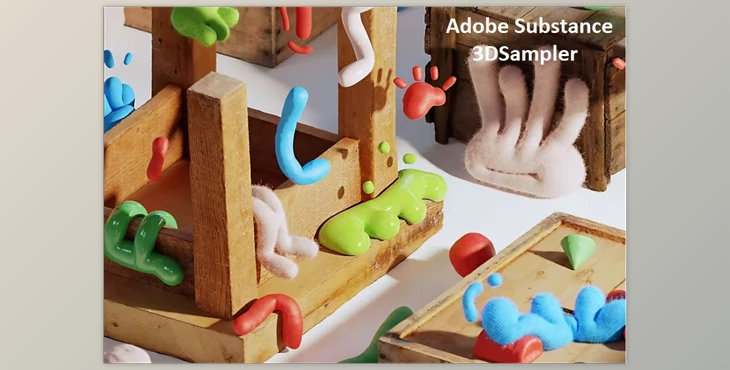
Adobe Substance 3D Sampler 6.0.2

Description: Substance 3D Sampler allows you to create and iterate on material collections by tweaking and mixing existing materials, or by extracting new materials from scans (single or multiple images).

A new set of powerful tools combining different technologies and creation methods (procedural-based, capture-based, AI-based and manual) will help you manage entire material libraries, and export them to other applications.

Digitize and enrich assets for 3D.
Substance 3D Sampler is at the heart of your 3D workflow. Easily transform a real-life picture into a photorealistic surface or HDR environment.

Transform real-world pictures into 3D materials.
Easily import a reference photo and transform it into a high-quality 3D material with features powered by Adobe Sensei. Closely match the original real-life surface and create seamless tileable materials from your captures.

Combine and mix materials.
Combine multiple materials and parametric filters to create more advanced surfaces. Access thousands of materials on Substance 3D Assets and Substance 3D Community Assets. The possibilities are endless.

An extensive content library to get you started.
Drag and drop your image, add a couple of prebuilt filters, and voila — a library of one-click generators, filters, and effects lets you quickly experiment and get results in just a few clicks. Send your assets directly to Substance 3D Painter and Stager.

The heart of your 3D workflow.
Use generators and filters from Designer, composite light environments for Stager, or send materials and lights to Painter. You can even edit your 2D inputs directly in Adobe Photoshop. Choose from a variety of export presets for all major 3D apps.

The features in Substance 3D Sampler give you a complete material digitizer toolbox.

AI-powered scan processing
The Image to Material feature removes shadows and generates albedo, roughness, normal, and displacement maps with unparalleled accuracy.

open ecosystem
Use your content anywhere. Send your assets directly to Painter and Stager, or use them in your favorite 3D applications.

IBL creation
Create HDR environment lights in real time from 360° images. Enrich and edit them with parametric effects or even other lights.

Edit in Photoshop
Send any input image to Photoshop and take advantage of its extensive image editing toolset, with direct feedback in Sampler.

Atlas Splatter
Scatter leaves, pebbles, and more on your material. Choose from a vast library of atlases made by our team of 3D experts or use your own scanned content.

Parametric effects
Add filters. Combine weathering and natural effects such as moss, snow, water, or dirt with any existing material.

Release Name: Adobe Substance 3D Sampler 6.0.2
Size: 1.1 GB
Links: HOMEPAGE – NFO – Torrent Search

Download: RAPiDGATOR

6 Comments
July 5

Adobe InCopy 2026 v21.4.0

Description: Collaborate with copywriters and editors. InCopy lets copywriters and editors style text, track changes, and make simple layout modifications to a document while designers work on the same document simultaneously in Adobe InDesign - all without overwriting each other’s contributions.

Features:
- Endnote support
- Add paragraph borders
- Find similar fonts
- Advanced font filtering
- Footnotes that span columns
- Open Type enhancements
- Modern user interface
- Work with glyphs easily
- Place images into tables
- Simple application of shading to text; includes controls for offsets and more
- Place Gun for adding borders to tables
- New Find Previous command
- Shortcuts and preferences memory
- Footnote enhancements that respect text wrap
- Color swatch folders for swatch management
- Drag-and-drop table editing
- HiDPI and Retina display support in Windows
- Adobe Typekit integration
- Typekit font syncing
- Quick font searching
- Convenient hyperlink creation
- Different page views when editing
- Enhanced copyfitting
- Save to Cloud command lets you access files on any device
- View recently used fonts
- Middle Eastern language support

Release Name: Adobe InCopy 2026 v21.4.0
Size: 1.2 GB
Links: HOMEPAGE – NFO – Torrent Search

Download: RAPiDGATOR
4 Comments
July 5

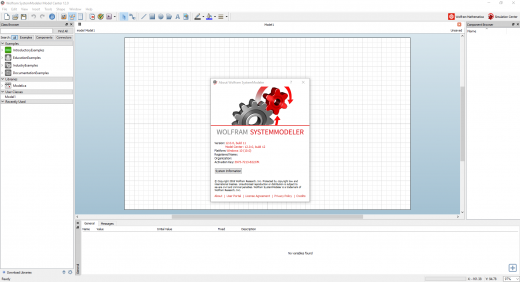
Wolfram SystemModeler 15.0

Description: Wolfram System Modeler is an easy-to-use, next-generation modeling and simulation environment for cyber-physical systems.

Multidomain Modeling
Real-world machines and systems are rarely confined to a single physical domain. Models can contain any combination of interconnected components from any number of domains mimicking real-world topology.

One-Click Simulation
Exploration is immediate; at the click of a button, you have access to all values from every component in your model. Zoom into a region of interest and choose from built-in plot styles with a point-and-click interface.

Unlimited Analysis
Perform your own symbolic and numerical computations by accessing the full model equations and simulation results of your models. Bring the full power of Wolfram Language to your model analysis.

Included & Add-on Libraries
Seamlessly expand your models by adding components from a wide and expanding range of different domains.

Hardware & Software Connectivity
Put your models in the loop by directly connecting your own hardware devices and software sources, and run them together with the simulation.

How System Modeler Compares
Learn how System Modeler compares with our competitors feature by feature.
Wolfram System Modeler is the most complete physical modeling and simulation tool. Unlike other systems, System Modeler requires no add-ons and fully supports the standard Modelica model language. And System Modeler is designed to connect perfectly with Wolfram Language, for the ultimate integrated modeling, simulation and analysis workflow.

What Is Wolfram Language?
Wolfram Language is a programming language for expressing things in a computational way—and for capturing computational ways of thinking about things.

What Is FMI?
FMI is an open standard for model exchange and co-simulation—a collaboration between industry and academia for exchange of models of dynamic systems between tools.

Release Name: Wolfram SystemModeler 15.0
Size: 366.6 MB
Links: HOMEPAGE – NFO – Torrent Search

Download: RAPiDGATOR

4 Comments
July 5

Adobe Photoshop 2026 v27.8.0

Description: Reimagine reality with Photoshop. Millions of designers, photographers, and artists around the world use Photoshop to make the impossible possible. From posters to packaging, basic banners to beautiful websites, unforgettable logos to eye-catching icons, Photoshop keeps the creative world moving. With intuitive tools and easy-to-use templates, even beginners can make something amazing.

The creative world runs on Photoshop.
Millions of designers, photographers, and artists around the world use Photoshop to make the impossible possible.

Designed for anyone to design anything.
From posters to packaging, basic banners to beautiful websites, unforgettable logos to eye-catching icons, Photoshop keeps the creative world moving. With intuitive tools and easy-to-use templates, even beginners can make something amazing.

Not just photo taking. Breathtaking.
Whether you are looking for everyday edits or total transformations, our graphic design software offers a complete set of professional photography tools to turn your snapshots into works of art. Adjust, crop, remove objects, retouch, and repair old photos. Play with color, effects, and more to turn the ordinary into something extraordinary.

Power to the paintbrush.
Draw and paint whatever you dream up with tools designed especially for illustrators. Paint in perfectly symmetrical patterns. Get polished looks with stroke smoothing. And create with pencils, pens, markers, and brushes that feel real including more than 1,000 from celebrated illustrator Kyle T. Webster.

Symmetry mode
Paint in perfect symmetry with a new mode that lets you define your axes and choose from preset patterns like circular, radial, spiral, and mandala.

New Content-Aware Fill experience
A dedicated workspace lets you select the exact pixels to use for fills, and Adobe Sensei makes it easy to rotate, scale, and mirror them.

Frame tool
Create shape or text frames to use as placeholders on your canvas. Drag and drop images to fill the frames and they all scale to fit.

Release Name: Adobe Photoshop 2026 v27.8.0
Size: 5.7 GB
Links: HOMEPAGE – NFO – Torrent Search

Download: RAPiDGATOR
4 Comments
July 5

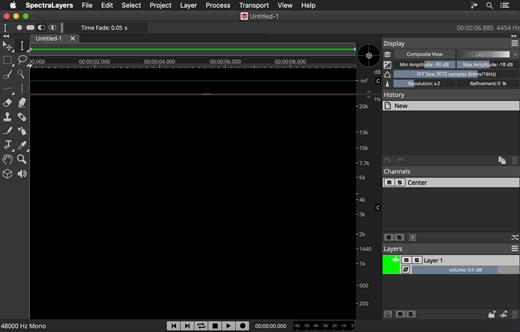
SpectraLayers Pro 13.0.0

SpectraLayers is a new approach to audio editing, with new concepts to transform the way you work. For the first time you can directly edit spectral data, opening advanced sonic worlds, and use innovative enhancements to traditional techniques. Visualize audio in astonishing new ways, including 3D. Work with mixes like they were tracks. Integrate these abilities into your DAW and other tools. And all in a familiar interface that you didn’t realize you already knew.

The Advanced Tool You Already Know

SpectraLayers is the first completely visual editing system for audio. It extends the traditional visualization of spectral editors to every aspect of editing sounds, including how they mix together. To make this approach intuitive, SpectraLayers employs the model of high-end image editors – not just the interface, but what you can do with sound and how you do it. So, despite its advanced technology, SpectraLayers is immediately familiar and instantly powerful.

Features

Retouch Audio

The most natural, powerful and precise editing is made directly in the medium. Paint and brushes, retouching and photographs, video and frames. SpectraLayers introduces this way of editing to audio. Start with the spectral domain, where time, frequency and amplitude are all visible. Use the power of 22 advanced tools – modification, drawing, selection, measurement, marking and listening with your mouse, or a pressure-sensitive stylus.

Advanced Selection Engine

Transcend traditional audio editing with the industry’s most advanced selection engine. Create any selection shape – drawn freehand, with geometry-based tools or automatically based on audio features. Add fully visualized crossfade masks and real-time previews. Use selections for spectral playback, selection-based effects, and our Visual Transformation Engine. Alternatively, use selections to protect audio from modification, extract selections to other Layers, and compose 2D soundscapes. Even save and recall them.

Selection-Based Effects: Re-Imagined

SpectraLayers re-imagines selection-based processing, the editing technique most common in other spectral tools. It starts with our Advanced Selection Engine (ASE). Apply SpectraLayers’ industry-standard restoration effects, such as spectral noise reduction and audio healing. In another industry first, you can also use External Editor Processing to use the effects in your other audio tools, such as WaveLab, iZotope RX® and Melodyne® with full ASE compatibility. Undo and redo these edits like any other – instantly.

Transpose the Way You Transform

SpectraLayers employs the industry’s only visual transformation system for sound. And it’s real-time, with full-resolution previewing. Move, scale and stretch audio as you drag your mouse (or stylus) to align musical features while you transform, and measure your changes with markers and timelines. Of course, you can also do it how everyone else does, using numbers. Either way, all transformations are powered by the Advanced Selection Engine.

Tracks and Regions, Evolved

Layers are at the heart of SpectraLayers. They’re compatible with regions and tracks, but more powerful. Seeing them shows you how they sound – both individually and mixed with other Layers. You can edit them while seeing how your changes affect other tracks – in real-time. Using any editing method, instantly previewed with every tool.

What’s New

Version 13.0.0:


  • Release notes were unavailable when this listing was updated.
Compatibility

macOS 10.12 or later, 64-bit processor


Release Name: SpectraLayers Pro 13.0.0
Size: 4 GB
Links: HOMEPAGE – NFO – Torrent Search

Download: RAPiDGATOR

1 Comments
July 5

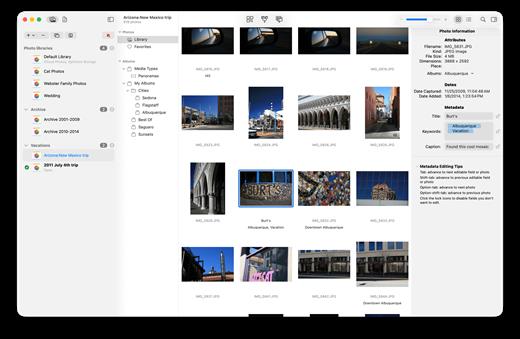
PowerPhotos 3.4.1

PowerPhotos allows you to break up your Photos.app images among multiple Photos libraries, rather than having to store all of them in one giant library. You can easily switch between libraries, or just browse the photos in your libraries directly from PowerPhotos, without having to open each library in Photos.

PowerPhotos also supports searching across all your libraries at once to help track down a particular photo. If you use iCloud Photo Library to sync photos with your other devices, splitting up your library can help save on iCloud storage costs. Use a single library to hold a smaller collection that you sync with iCloud, while keeping the bulk of your photos in separate libraries so they don’t take up space on iCloud. PowerPhotos can analyze your libraries for duplicate photos, showing them to you side-by-side and letting you get rid of extra copies of photos that you no longer need.

What’s New

Version 3.4.1:


  • Release notes were unavailable when this listing was updated.
Compatibility

macOS 11.0 or later


Release Name: PowerPhotos 3.4.1
Size: 41.1 MB
Links: HOMEPAGE – NFO – Torrent Search

Download: RAPiDGATOR
4 Comments