Please REGISTER or RENEW your account on RAPiDGATOR.net and support us by doing through all RAPiDGATOR working download links on main posts...
July 1

Scrutiny 12.12.4

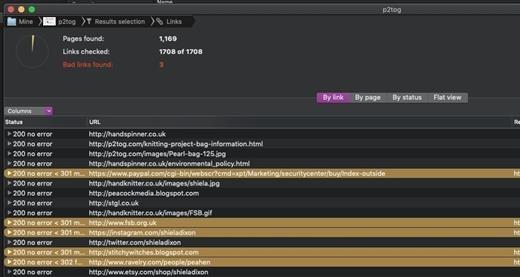
Scrutiny is a suite of web optimization tools. Native cocoa app (i.e., not Java) fast and efficient. 30-days free trial. This is a major update from v5. This is a completely free upgrade for v5 users and there is an upgrade path from v4.

Features


  • Link checker
  • SEO analysis
  • XML Sitemap generation, optionally include images / pdf pages
  • Page load speed test
  • Spelling and grammar checking
  • Scans sites requiring authentication
  • Search your site (source or visible text) obtain a list of pages containing a search term or not containing a search term
  • Website monitoring of as many URL’s as you like with a choice of alerts and logging
  • Scheduling made easy with a few easy clicks (the old method using iCal will still work)
  • On finish, send an email, save a report, open a file or applescript, FTP the sitemap XML, and other actions
  • Opens and scans a list of links in HTML, CSV, plain text format, or XML sitemap
What’s New

Version 12.12.4:


  • Release notes were unavailable when this listing was updated.
Compatibility

macOS 10.14 or later


Release Name: Scrutiny 12.12.4
Size: 6.2 MB
Links: HOMEPAGE – NFO – Torrent Search

Download: RAPiDGATOR

4 Comments
July 1

ForkLift 4.7.1

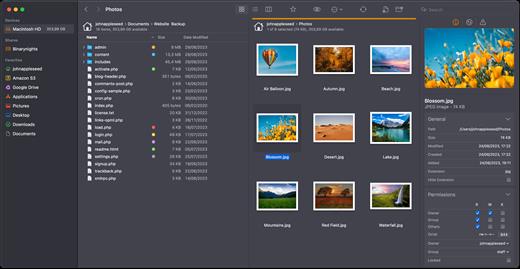
ForkLift is a powerful file manager and ferociously fast FTP client clothed in a clean and versatile UI that offers the combination of absolute simplicity and raw power expected from a well-executed Mac software.

ForkLift will connect to any remote server SFTP, FTP, WebDAV, Amazon S3, Backblaze B2, Google Drive, Rackspace CloudFiles, SMB, AFP and NFS shares on your local network,- pretty much anything you can plug into or hook up to a Mac. ForkLift also carries a complete toolbox for managing your files, including Folder Synchronization, Multi-Rename, Archive handling, Application deleter, editing files over remote connections and many more. All these power features are packaged into a Finder-like, dual-pane interface that delivers superior workflow while remaining absolutely familiar to use, along with Quick Look, Spotlight search and all.

Features

  • Completely rewritten entirely in Swift
  • ForkLift Mini
  • Two-way Sync
  • Preview
  • Quick Open
  • Multi Rename
  • Dark Mode
  • Dual Pane split vertically or horizontally
  • Favorite Sync via Dropbox
  • Dropbox Support
  • Transfer bandwidth throttling
  • Tags Support
  • Disklet
  • Sync Browsing
  • Tabs
  • Search by name, extention, kind, tags, or content
  • Quick Select
  • App Deleter
  • Remote Editing
  • Archive Management
  • Keyboard Control
  • Workspaces
  • FXP Copy
  • Tools
  • Git Support
  • Open in Terminal, iTerm, or Hyper
  • Hidden Files
  • Share
  • Possible to set as default file viewer
  • File Compare with FileMerge, Kaleidoscope, Beyond Compare, and Araxis Merge support
  • Multilingual: English, Chinese Simplified, Czech, French, German, Hungarian, Italian, Polish, Russian, Spanish and Ukrainian
What’s New

Version 4.7.1:


  • Release notes were unavailable when this listing was updated.
Compatibility

macOS 14.6 or later


Release Name: ForkLift 4.7.1
Size: 20.9 MB
Links: HOMEPAGE – NFO – Torrent Search

Download: RAPiDGATOR

4 Comments
July 1

QueueExplorer Professional 5.0.85

Description: Explorer-like management for queues. Works with multiple queuing systems. QueueExplorer supports multiple systems from the same installation, without need for additional licensing: MSMQ, Azure Service Bus, RabbitMQ, and ActiveMQ. With QueueExplorer you can do much more than with built-in management console - copy, move or delete messages, save and load, stress test, view and edit full message bodies (with support for XML, JSON, .Net objects...), and much more. QueueExplorer is a fast, native Windows application.

The indispensable tool for working with queues and messages:
understand and manage your system
figure out what went wrong
fix it

Find out all about your messages
With QueueExplorer you can dig into your queues and see which message went where, whether they were correctly formatted, with correct headers and settings, etc. Multiple viewers are at your disposal: JSON, XML, WCF, Hex, text with different encodings...

Develop and test producers and consumers separately
With QueueExplorer you can test individual pieces of your solution, or even simulate third party messages going in or out. You can create and edit test messages, send one by one or bunch of them together.

Test performance and load handling of your app
Send thousands of messages for performance testing to see how system handles that load.

Troubleshoot, fix, and resend problematic messages
If something is wrong, QueueExplorer is the fastest and easiest way to investigate and fix incorrect, poison, or failed/deadletter messages.

See status of your system at glance
Check if some of queues are growing too large, if there are messages in deadletter queues, etc. With autorefresh functionality see how entire system works in near real time.

Filter and sort messages to quickly find important data
QueueExplorer allows you to quickly find messages you're interested in. Professional edition allows you to even extract your business data from within messages using XPath, JSON, or Regex, and to immediately see e.g. invoice totals, etc.

Backup and restore messages
Backup messages to files, or move/copy them to another queue.

Copy, compare and sync queues, topics and other schema (metadata) objects
This can be used to migrate queues (and other objects) to another server, e.g. to propagate from development to production. Or just to compare and see which changes were made. Or to backup schema before changes are made. You can also duplicate queues with all their settings on the same server (Professional).

Release Name: QueueExplorer Professional 5.0.85
Size: 36 MB
Links: HOMEPAGE – NFO – Torrent Search

Download: RAPiDGATOR

4 Comments
July 1

DBF Viewer 2000 v9.24

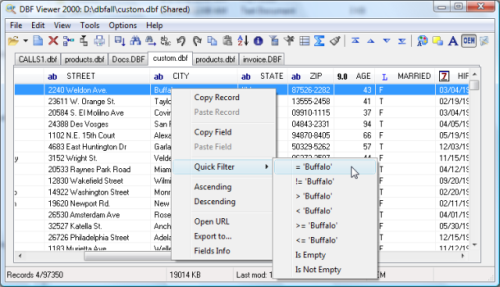
Description: If you're seeking a fast, effective solution for viewing and editing all sorts of DBF files, DBF Viewer 2000® is the answer. This feature-rich program can handle files from dBase, Visual dBase, Foxpro, Visual FoxPro and Clipper, to name just a few, with a performance that easily rivals costly professional database utilities.

Its optimised proprietary engine means that no matter what your file size, DBF Viewer 2000 is incredibly fast, performing any task you set it - from a simple query and duplicate clean-up to data export - at lightning speed.

With DBF Editor's simple, dynamically generated visual dialogues, you can easily see the structure of your DBF files and edit them exactly as you would with native database management tools. In addition to being able to view the contents and structure of DBF files, you can also view and edit dBase III, dBase IV, dBase Level 7, FoxPro and Visual FoxPro format memo fields.

Command line automation is fully supported, making it simple to repeat activities including data import, replacement and export and clean-up of duplicate records. Because DBF Viewer 2000 is completely independent of database engines, drivers and database management systems, you can simply install the program and start viewing and editing DBF files immediately.

Operating System: Windows from 2000 through XP, Windows 11, 10, 8, 7 and Server Editions

Release Name: DBF Viewer 2000 v9.24
Size: 4.8 MB
Links: HOMEPAGE – NFO – Torrent Search

Download: RAPiDGATOR

5 Comments
July 1

CyberLink PhotoDirector Ultra 2026 v17.6.1826

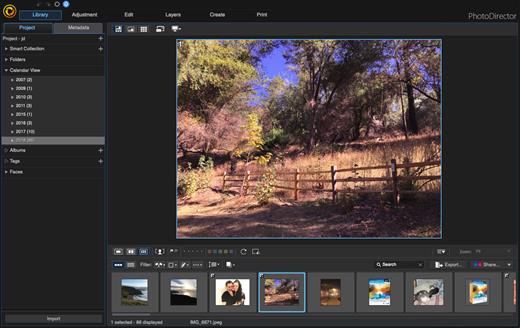
Description: Premium photo editing software for creative professionals. Create your masterpiece today. Capture. Edit. Retouch. Photo Editing, Now With AI. Split and combine color layers and reveal infinite variations around one theme. Enhance or totally replace the sky. Animate, blend, position, relight, and re-align.

Glitch Effect
Split and combine color layers and reveal infinite variations around one theme.

AI Sky Replacement
Enhance or totally replace the sky. Animate, blend, position, relight, and re-align.

Show Your True Colors
Customize colors with precision tools to edit the world the way you imagined.

Illuminate Photos
Create dreamy effects with Bokeh. Add natural glows, sparkles, or intense bursts of light.

Photo Editing Made Easier With AI
Automatically remove unwanted objects or people for a perfect shot, every time.

Precision Layer Editing
Layer, shape, and blend to create artistic scenes.

Immaculate Photo Retouching
From touch-ups to a complete overhaul, look flawless in every snap.

RAW Power
Support for all professional file formats, and the most popular cameras.

System Requirements
- Microsoft Windows 11, 10, 8/8.1, 7 (64 bit OS only)
- Intel Core™ i-series or AMD Phenom® II and above
- 128 MB VGA VRAM or higher
- 4GB memory required (For AI style transfer, 8GB or above recommended)
- 2GB space required
- 1024 x 768, 16-bit color or above

Supported Languages
- English
- French
- German
- Italian
- Spanish (European)
- Chinese Simplified
- Chinese Traditional
- Japanese
- Korean
- Dutch

Release Name: CyberLink PhotoDirector Ultra 2026 v17.6.1826
Size: 2 GB
Links: HOMEPAGE – NFO – Torrent Search

Download: RAPiDGATOR

2 Comments
July 1

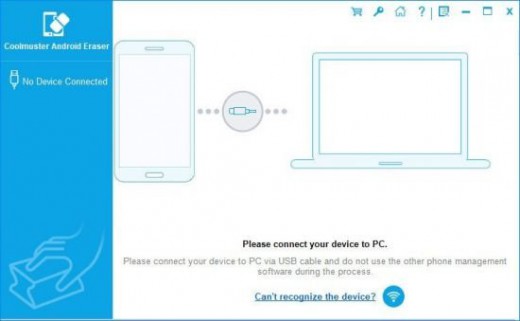
Coolmuster Android Eraser 4.0.25

Description: The Android Eraser is the most ideal privacy protector, which is designed to erase all personal information from your Android devices without any recovery possibility. And totally it returns your Android device to a "Clean Slate" state so that you can resell or donate it trustingly.

Why Do We Need An Android Data Eraser?
When you do not want to share your private information or secret with others, you will choose to erase history on Android phone. And before you resell, donate or trade in your old Android phone, you need to wipe out all your personal data beforehand so as to prevent a data leaking problem.
Compared with general deletion, Coolmuster Android Eraser offers you with a deep scan and the most efficient data protection solution to wipe everything from Android permanently. Make sure your deleted Android files won't be recovered by any means.
One click to permanently wipe all data on Android phone, including existing files and deleted files, and also restore Android's system to factory settings.

Erase All File Types on Android with 1 Click
Any Android device can be got bogged down when it is used for a long time. What you can do is to clean its cache data, junks, as well as useless files in order to speed up your device and protect your privacy. However, this Android Data Eraser can do more for you:
As a history eraser for Android, it can delete everything on your Android phone or tablet, including contacts, text messages, call logs, photos, videos, music, voicemail, user names, gmail account, passwords, apps, books, search history (Google history, Snapchat history, web history, etc.), keyboard history and other more personal info.
Being easy-to-use but professional, you can erase history on Android within 1 click. After the permanent deletion, no one can recover any personal data from the Android device, even using the professional Android data recovery tools.

3 Progressive Erasure Levels for Selection to Erase Data Safely
Coolmuster Android Eraser provides three progressive erasure levels to wipe your Android content securely according to your own needs:
Low Level (Quick Erasure): Erase data on your Android phone/tablet quickly and efficiently, making your Android data destroyed and unrecoverable.
Medium Level (1 Time, Recommended): Provide 1 pass of random data to overwrite your existing and deleted Android data, leaving no trace of erasing after the deletion to make sure the deleted data 100% unrecoverable.
High Level (3 Times): The longest and most secure data destruction option to write over the data three times, the security standard of which is based on the U.S. DoD 5220.22-M. It's highly recommended if you have stored any important private data on your Android phone, such as bank records, passwords, etc.

Straightforward & 100% Safe Android Cleanup Utility
Never forget that the files and information wiped by Coolmuster Android Eraser is unrecoverable. Therefore, keep in mind to back up the data before starting the erasing process if you don't want to lose them forever.
Being a small and easy-to-use application, it only requires a few clicks to wipe out everything your Android device. The habit of cleaning up files that take up space should be a part of any smartphone owner's routine.
It supports all Android devices ever created, such as Samsung, Huawei, Xiaomi, HTC, LG, Sony, Motorola, Google Nexus, ZTE, and so forth.

Release Name: Coolmuster Android Eraser 4.0.25
Size: 20.7 MB
Links: HOMEPAGE – NFO – Torrent Search

Download: RAPiDGATOR
4 Comments
July 1

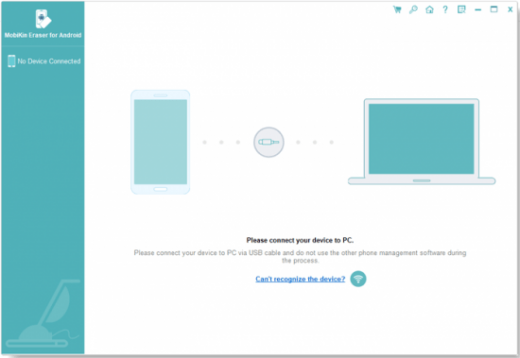
MobiKin Eraser for Android 5.0.24

Description: Permanently erase all data on Android Devices, covering photos, contacts, messages, call logs, and private information. Ensure 100% irrecoverability for maximum privacy security.

Why We Need to Erase Data on Android?
Our devices contain a wealth of privacy, including banking information, logins, personal photos, and contacts, etc. Many people are unaware that factory reset cannot permanently delete data on phones. Therefore, in situations like the following, to safeguard our privacy from potential misuse, it is essential to securely erase data using a professional Android data erasing tool:
Reselling or donating your Android device.
Discarding an old Android phone.
Safeguarding against identity theft.
Getting a second-hand device.

3 Erasing Level Options to Meet Your Personal Needs
To cater to diverse erasing requirements, this Android data eraser offers three levels – Low, Medium, and High. Choose the level that suits your specific needs.
Low Level: Swiftly erase and overwrite all data on your Android phone, rendering them unrecoverable.
Medium Level: Ensure 100% unrecoverability by erasing and overwriting data on your Android device.
High Level: Opt for the utmost security as this option overwrites data on your phone or tablet three times, eliminating any possibility of recovery.

Android Data Erasing is as Easy as 1-2-3
Eraser for Android offers a simple one-click erasure, making it user-friendly even for those less familiar with technology. Just follow these 3 steps to erase your Android device:
Connect Android device to PC: Connect your Android device to the PC via USB or Wi-Fi.
Select an erasing level: Choose your preferred erasing level: Low, Medium, or High.
Start to erase the device: Click "Erase" to initiate the erasure process.

Differences Between Factory Reset and Eraser for Android
A factory reset aims to restore a smartphone to factory settings, erasing user data, settings, and apps. However, it often fails to securely wipe all data, leaving information accessible on around 40% of phones sold secondhand.
Enter the professional Android data eraser – a powerful tool that permanently wipes everything on the phone. It overwrites privacy with random data, ensuring irrecoverability.

Release Name: MobiKin Eraser for Android 5.0.24
Size: 20.5 MB
Links: HOMEPAGE – NFO – Torrent Search

Download: RAPiDGATOR

4 Comments
July 1

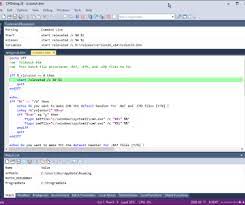
JP Software CMDebug 36.50.68

Description: CMDebug is a stand-alone version of the Take Command IDE and batch debugger. CMDebug is intended to help developers create a batch file to run in CMD (the Windows default command processor) or TCC-RT (the free runtime version of TCC). It provides a comprehensive set of batch debugging features specifically designed for batch file development.

CMDebug allows you to write and debug your CMD batch files with the integrated graphical IDE. CMDebug includes tabbed edit windows and a sophisticated debugger with single stepping, conditional breakpoints, syntax coloring tooltips, bookmarks, and tabbed breakpoint, call stack, variable, alias, and watch windows. Windows batch file programming has never been easier or more powerful!

You can use CMDebug to develop either CMD-compatible batch files (*.BAT or *.CMD), or faster (and far more capable) TCC-RT-compatible batch scripts (.BTM). If you select the "TCC Syntax" option, CMDebug supports the full TCC-RT command set. If you select the "CMD Syntax" option, CMDebug will disable TCC-only internal commands, variables, and functions, and use the limited Windows CMD batch file commands syntax. Some internal CMD / TCC commands will also behave slightly differently or modify their display output in order to match CMD's behavior (and bugs!) more closely.

Using CMDebug with the TCC-RT syntax option allows you to create and debug (and optionally encrypt) batch files using the TCC command language, and then distribute them with the free TCC-RT runtime on an unlimited number of target machines.

Release Name: JP Software CMDebug 36.50.68
Size: 44.4 MB
Links: HOMEPAGE – NFO – Torrent Search

Download: RAPiDGATOR
3 Comments
July 1

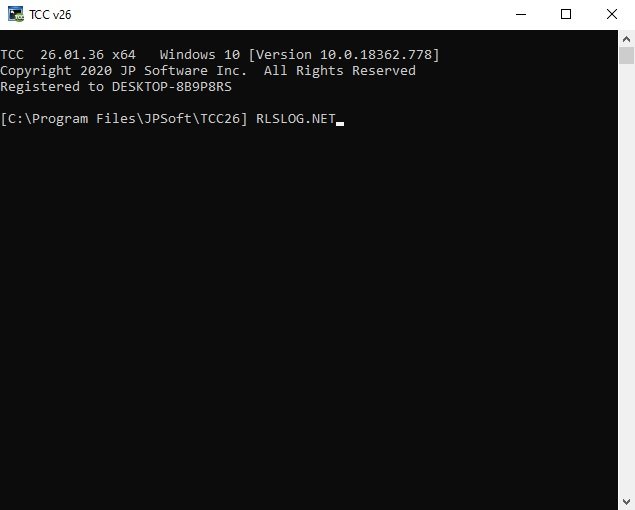
JP Software TCC 36.50.68

Description: TCC: Upgrading the Windows CMD Command Line Prompt. The command line is essential for developers, systems administrators and advanced users, offering many advantages to anyone wanting to save time, expand their control and/or to automate their tasks.

TCC is our console mode Windows command processor (formerly known as 4NT). TCC is a replacement for CMD.EXE, the default Windows command processor. TCC is compatible with your existing Windows console applications and batch files, but offers major improvements to the CMD prompt in command line editing, interactive file and system management, batch file programming and debugging.

TCC is a superset of CMD, with 275+ internal commands (CMD has about 42), 800+ internal variables and functions (CMD has 6), hundreds of additional options for existing CMD commands, and thousands of additional features.

Whether you're a seasoned CMD prompt user or just getting started, TCC is the tool that will take your command line prompt experience to the next level.

Why Switch From the CMD Shell to TCC?

Familiarity
TCC is a CMD replacement Windows command processor that is compatible with your existing CMD commands and batch files while adding hundreds of new commands, variables, and variable functions.

Productivity
TCC provides vastly improved line editing and tab file completion, and adds thousands of new features. You're immediately more productive, and you can learn TCC's new features at your own pace.

Batch Files
Create and debug your batch scripts in a fraction of the time with TCC's integrated editor and batch file debugger.

Comprehensive Help
The extensive help (including context-sensitive popup help for command and variable syntax) speeds your development time and reduces errors.

Syntax
TCC's internal commands share a consistent syntax, reducing your learning and development time.

Multilingual
The user interface is available in English, French, German, Italian, Russian, and Spanish. (Online help is available in English, French, German, and Spanish.)

Release Name: JP Software TCC 36.50.68
Size: 57.4 MB
Links: HOMEPAGE – NFO – Torrent Search

Download: RAPiDGATOR

4 Comments