Please REGISTER or RENEW your account on RAPiDGATOR.net and support us by doing through all RAPiDGATOR working download links on main posts...
June 26

PasteNow 2.30

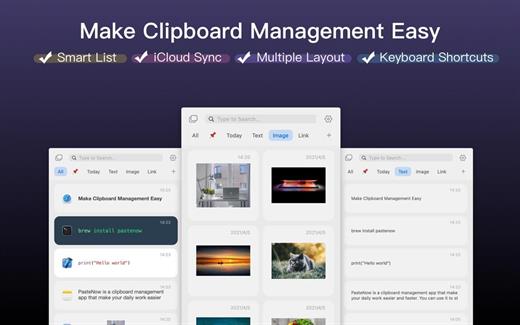
PasteNow is a clipboard management app that make your daily work easier and faster. You can use it to store every kinds of temporary dаta: text, link, image and even code.

It support the following features:


  • Sync data between multi-devices
  • Create smart lists to filter and search content easily
  • View different content in different styles of list view
  • Use shortcuts to paste near the cursor instantly
What’s New

Version 2.30:


  • Release notes were unavailable when this listing was updated.
Compatibility

macOS 10.15 or later.


Release Name: PasteNow 2.30
Size: 7.1 MB
Links: HOMEPAGE – NFO – Torrent Search

Download: RAPiDGATOR

4 Comments
June 26

System Dashboard Pro 3.1.6

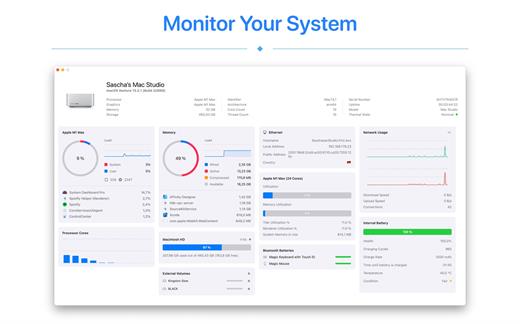
The System Dashboard Pro is a modern reinterpretation of the System Dashboard and offers more information than ever. The app has been completely redeveloped and optimized for the latest systems.

System Dashboard Pro offers the following features

• General System Information
Get an overview of the most important parameters of your system. This includes, for example, the macOS version used or details about your computer.

• Processor Usage
The processor panel shows important details about processor usage. The current load is displayed as well as that of the last few seconds. A list of processes that have the highest processor utilization is also displayed.

• Memory Usage
The Memory panel shows data related to memory. The current load is displayed as well as that of the last few seconds. A list of processes using the most memory is also displayed.

• Network Information
Basic network information such as the local and external IP address or the transfer rate of the WLAN connection is displayed on this panel.

• Network Usage
The network category shows the current download and upload speed and the number of open connections.

• Internal Battery
This panel is available if the app is running on a MacBook and displays basic battery parameters. Among others information, it displays the number of charging cycles and the health of the battery.

• Hard Disk
The computer’s hard drive can be kept under control with this panel. It shows how much space is used and how much is free. The current speed is also displayed.

• External Drives
SD cards and USB sticks are displayed here. The devices can also be ejected – either individually or all at once.

What’s New

Version 3.1.6:


  • Release notes were unavailable when this listing was updated.
Compatibility

macOS 13.0 or later


Release Name: System Dashboard Pro 3.1.6
Size: 7.7 MB
Links: HOMEPAGE – NFO – Torrent Search

Download: RAPiDGATOR

4 Comments
June 26

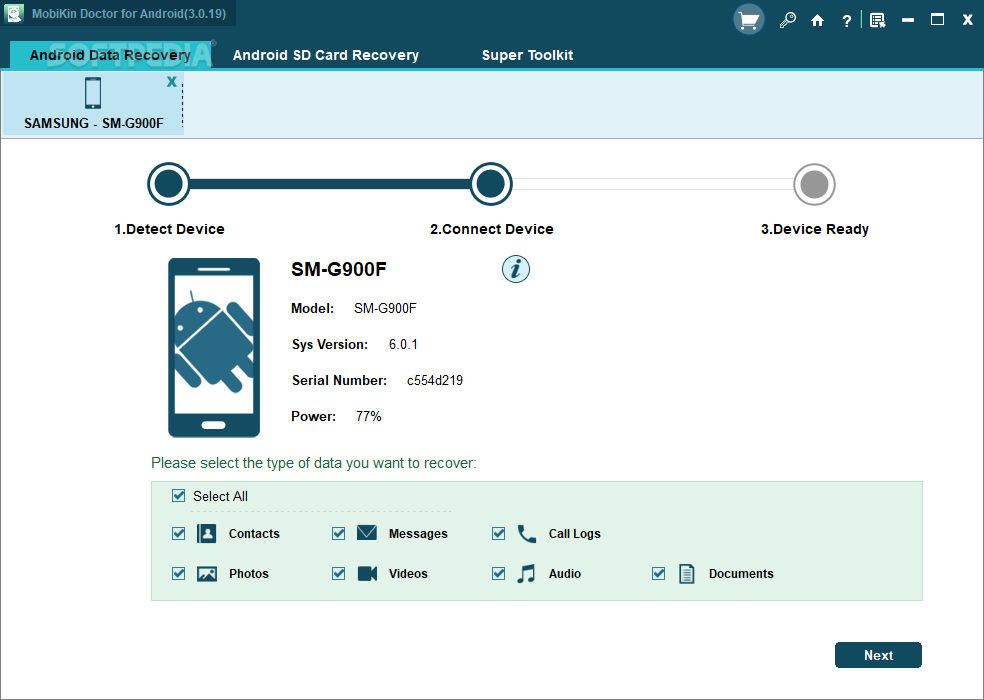
MobiKin Assistant for Android 5.1.47

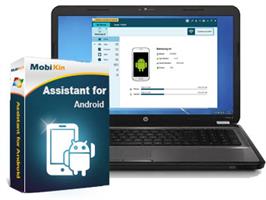
Description: One user friendly tool that simplifies Android device management, enabling efficient data transfer, backup, and restore, making it an essential tool for seamless and secure Android device operations.

Effortlessly Manage Various Media Files
With a burgeoning media library on your phone, MobiKin Assistant for Android stands out as the ideal iTunes substitute, offering flexible management options for your media collection.
Easily export songs and videos from your Android device to computer.
Seamlessly import file or folder of videos or music from computer.
Streamline your Android device by de-duplicating or deleting songs and videos to create more space.

Efficiently Arrange Photos or Photo Albums on Your Computer
Photos hold wonderful memories of our past lives, but an excess of photos can slow down your smartphone. Proper photo management becomes essential.
Transfer camera roll and photo library from Android devices to your computer.
Import pictures from your computer to Android devices.
Easily add, delete, or rearrange Android device albums on your computer, allowing you to move pictures freely between albums.

Securely Manage Android Contacts and SMS
Sending messages and making phone calls are fundamental functions of a mobile phone. Therefore, it's crucial to find a simple way to create, edit, delete, backup, and restore our personal information, including contacts, messages, and call history.
Back up contacts, messages, and call history in readable formats like CSV, HTML, XML, etc., and restore them to any phone whenever needed.
Import vCard and Outlook files to your Android phone.
Synchronize Android contacts with Outlook.
Create/edit contacts, delete unwanted personal information on your computer.
Receive and send SMS on your computer.

Expertly Handle Apps and All Files
MobiKin Assistant for Android effortlessly manages nearly all types of files on your phone. It allows you to swiftly batch install, uninstall, and back up multiple apps. Easily navigate through files by category and quickly locate desired items through keyword searches. Experience the most comprehensive and user-friendly content management ever.

Back Up & Restore Android Data with 1 Click
Tired of accidentally losing files from your Android phone? Put an end to this predicament with MobiKin Assistant for Android. This tool allows you to effortlessly back up all data from your Android device to your computer with just one click, and you can restore the backup files whenever needed.
Back up various data, including contacts, call history, SMS, photos, videos, music, apps, books, etc., from Android to computer. Restore them to Android effortlessly with a single click.
Media files are backed up with 100% quality preservation.
Conveniently save your Android backup files wherever you prefer on your computer or external storage.

Release Name: MobiKin Assistant for Android 5.1.47
Size: 24 MB
Links: HOMEPAGE – NFO – Torrent Search

Download: RAPiDGATOR

4 Comments
June 26

CyberLink PowerDirector Ultimate 2026 v24.6.1824.2

Description: Award-winning video editing software for professional creators. Create. Edit. Share. Video editing, made for everyone. No experience necessary. Do more, faster with customizable templates. Discover and create attention-grabbing video intros alongside our community of creatives.

Kickstart Your Projects
- No experience necessary.
- Do more, faster with customizable templates.

Save Time With Thousands of Shareable Video Intros
Discover and create attention-grabbing video intros alongside our community of creatives.

Mask Designer
Remove unwanted objects, or composite clips together.
- Custom Masks
- Image Masks
- Text Masks

Title Designer
Choose from drag-and-drop presets or get creative with an array of gradient, border, and shadow tools.
- Motion Graphics
- Sound Effects
- Blending Modes
- Special Effects

PiP Designer
Use animated stickers, shapes, and callouts to grab your viewers’ attention.
- In/Out Animations
- Animated Stickers and Graphics
- Custom Shapes and Callouts

AI Motion Tracking
Add text or graphics that automatically follow the motion of any object.

AI Sky Replacement
From blissful blue skies to dramatic sunsets, don’t let bad weather ruin your perfect shot.

AI Object Detection
Instantaneously create masks with automatic object selection for cars, people, pets, and more.

System Requirements
- Microsoft Windows 11, 10, 8/8.1, 7 (64 bit OS only).
* Microsoft Windows 11 or 10 required for AI features and NVIDIA Audio/Video Denoise and Room Echo Removal.
- Intel Core™ i-series and above.
- Haswell (4th generation) processor: Core i7-4770 (only Core and Xeon branded), and above required for AI features.
- AMD Phenom® II and above.
- AMD A8-7670K and above, AMD Ryzen™ 3 1200 and above required for AI features.
- Standard Video: 128 MB VGA VRAM or higher.
- 360-video: DirectX 11 compatible.
- AI Plugin: 2 GB VGA VRAM or higher.
- NVIDIA Audio/Video Denoise and Room Echo Removal: NVIDIA GeForce RTX 2060, NVIDIA Quadro RTX 3000, NVIDIA TITAN RTX, or higher.
- 4GB memory required (6GB or above recommended).
- 8GB memory or higher required for NVIDIA Audio/Video Denoise and Room Echo Removal.
- 7GB space required.
- Burning drive is required for disc burning purpose.
- Windows compatible sound card is required.
- 1024 x 768, 16-bit color or above.

Supported Languages
- English
- French
- German
- Italian
- Spanish (European)
- Chinese Simplified
- Chinese Traditional
- Japanese
- Korean
- Dutch

Release Name: CyberLink PowerDirector Ultimate 2026 v24.6.1824.2
Size: 719.9 MB
Links: HOMEPAGE – NFO – Torrent Search

Download: RAPiDGATOR

5 Comments
June 26

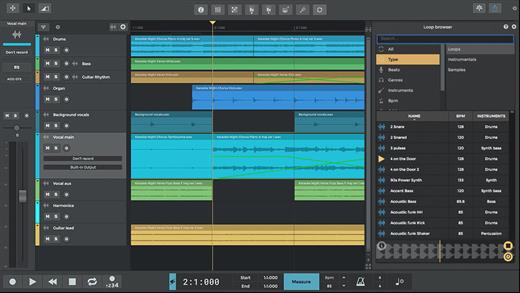
n-Track Studio 10.3.1.10913

Description: n-Track Studio turns your PC into an easy to use multitrack audio recording studio. It is the perfect tool for professional quality audio recording, encoding, mixing and editing. Record, edit, overdub your audio tracks, apply effects, process audio live input, mix and then burn audio CDs or create mp3 files.


Piano Roll
Write and edit MIDI data for controlling virtual instruments using the intuitive built-in piano roll editor.

Step Sequencer
Create beats, sequences or arpeggios and import your own sounds easily with the Step Sequencer.

VocalTune
Using VocalTune you can do anything from simple pitch correction to completely transform your vocal.

Guitar Amp
Make your guitar sound huge by choosing among great amp head simulators, and different modern and vintage cabinets inspired by classic models.

Bass Amp
Ever felt your bass recordings needed that extra drive, lowend or grit to sit nicely in your mix and surprise your listeners?
Well, you're going to like this!

Screen Drumkit
The new screen Drumkit controller lets you play drum sounds with the look and feel of a real kit.

Songtree Community
Find your next collab and share your songs with the Songtree music community - directly inside n-Track Studio.

Pure Data Support
You can now load your Pure Data patches inside n-Track and use your favorite sounds and effects in your song.

Built-in effects
From Reverb, Compression, Parametric & Graphic EQ to DEnoiser, VocalTune, Shimmer, AutoFilter & Pitch Shift

Audio Part Widgets
Audio parts now have fade and volume widgets for quick and precise editing.

n-Vocal effects processor
The included n-Vocals plugin offers useful and creative ways of tweaking and manipulating your vocal recordings.

Surround mixing
Supports surround mixing for creating audio projects using 5.1, 6.1 and 7.1 channels surround formats

Effects and Instrument Chains
Craft your sonic signature with custom presets

Release Name: n-Track Studio 10.3.1.10913
Size: 262.3 MB
Links: HOMEPAGE – NFO – Torrent Search

Download: RAPiDGATOR

5 Comments
June 26

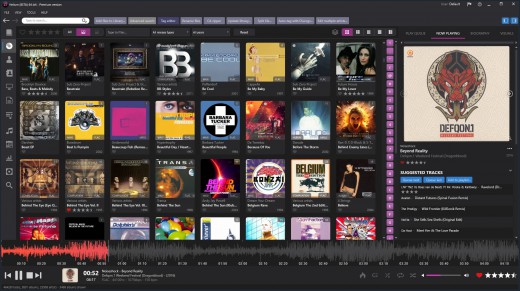
Helium Music Manager 18.1.777 Premium

Description: A music cataloger, tag editor, cd ripper, audio converter, mp3 and flac analyzer, duplicate finder, player and music scrobbler - all in one. Get more from your music collection.

Has everything you need
Why mess with a lot of different tool for cataloging, tagging, playing or renaming files when you only need one?
Getting started with Helium is very easy - simply install it and then import your digital audio files. After the initial import is done you can start to browse your collection using all various browse mode and work with all powerful tools that are included. Quickly use the powerful search capabilities to locate specific artists, albums or tracks. Adjust and correct data of your files and manage your album and artist pictures in a batch.
Helium offers many quick and simple operations to handle your music collection, but it does not stop there. You can also interact with Helium via its scripting API. The scripting API allows you to execute specific operations via C# scripts to tracks, artists and albums in your collection.

Big collections - no problems!
We have designed Helium to be useful with collections ranging from small collections to large collections with several hundred thousand tracks. Due to its scalable design, you can easily migrate from the default database engine to more powerful engines like SQL Server, MySQL, or PostgreSQL, stored either locally on the same machine as Helium or on a remote machine for optimal multi-user support.

Helium is designed to work with Windows 10 and Windows 11

Cataloging
Support for multiple database types for the ultimate scaling for small and large collections.

Tagging
Different tag editors with multiple capabilities. Support for quick editing whilst viewing.

Manage
Download pictures and information, convert files, automatically rename files and much more.

Modern user interface
Browse your collection in various ways to quick and easily find what you are looking for. Dark or light themes available.

Play
Play music through playlists and use visualization for the optimal experience.

Automate
Automate multiple tasks with Helium's script engine. Create your own tasks and run in batches.

Premium version
Unlimited separate user accounts
Advanced searches
Multiple database type support
Remote control app
Advanced dynamic statistics
Client/server multi user features

Release Name: Helium Music Manager 18.1.777 Premium
Size: 67.4 MB
Links: HOMEPAGE – NFO – Torrent Search

Download: RAPiDGATOR

5 Comments
June 26

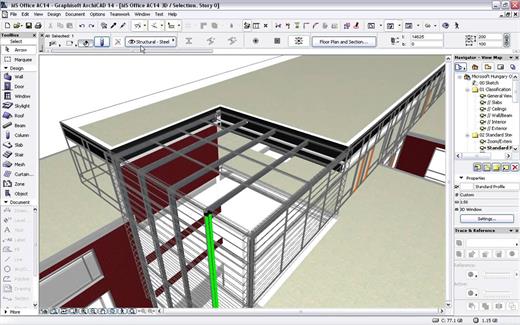
GRAPHISOFT ArchiCAD 29.2.0 Build 5003

Description: Design, visualize, document, and deliver projects of all sizes with Archicad’s powerful set of built-in tools and easy-to-use interface that make it the most efficient and intuitive BIM software on the market. With Archicad, you can focus on what you do best: design great buildings.

Collaborate
Work with your team and other disciplines around the corner or around the world on projects of any size and complexity. Open standards and workflows mean collaboration is guaranteed — regardless of what software team members are using.

Design
Unleash your creativity with the leading BIM software developed by architects like you. With algorithmic design tools and large model support, you can do what you do best: design great architecture.

Visualize
Archicad’s professional architectural visualization tools translate your conceptual designs into compelling imagery of future buildings. Bring your models to life, inspire the audience, and invite stakeholders to engage with your designs.

Document
Complete, out-of-the-box documentation tools combined with a powerful publishing workflow that complies with local BIM requirements means you can focus on your designs, not the paperwork.

1. Simply start modeling
In Archicad, your intuition comes first. Just start working and let your ideas flow. It’s easy thanks to features like the wall tool and the large, integrated libraries with predefined objects such as windows, doors, and furnishings. Define component properties at any time, and to a high level of detail.

2. Designs are just a click away
Archicad saves you valuable time. You only need to create a 3D model once – and simply press a button to generate the associated floor plans, sections, and elevations. Every change you make to your building model is automatically transferred to all plans. This happens in the background, in a matter of seconds. Archicad intelligently taps into unused processor resources ensuring a smooth, uninterrupted workflow.

3. Always up-to-date material list
Archicad automatically creates lists of all model elements such as walls, windows, doors, railings, beams, or façade elements. View the current component schedules at any time and adjust the list directly.

4. Easy data exchange
Export and share model data with colleagues thanks to the integrated publisher — with just one click. Archicad supports more than 40 export formats and, with its IFC interface, facilitates open collaboration and integrated workflows with engineers.

5. Work in a team
Edit your project on multiple workstations, even simultaneously and from multiple locations. The Teamwork function in BIMcloud helps you stay in sync with all members of the project.

6. Compelling visualizations
Bring your project to life for your clients – with an impressive presentation via desktop, notebook, tablet, or even smartphone. Simply export a BIMx file. With the BIMx mobile app, you always have your designs at hand and can present them in 2D, 3D, and via a virtual walk-through.

7. Archicad Keeps Getting Better
One of Archicad’s strenghts is that it is constantly evolving. Our regular updates gives you access to significant productivity and efficiency improvements – especially when working in a team or together with external partners.

Release Name: GRAPHISOFT ArchiCAD 29.2.0 Build 5003
Size: 5 GB
Links: HOMEPAGE – NFO – Torrent Search

Download: RAPiDGATOR

1 Comments
June 26

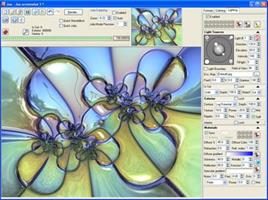
XenoDream Jux 4.900

Description: Jux is a fractal explorer for 2D Julia and Mandelbrot sets. It includes a variety of formulas. It has beautiful coloring and lighting effects. It is easy to use. There is no formula editor or scripting.

Features:
• Easy switching between Mandelbrot and Julia sets
• Julia explorer shows Julia set thumbnail corresponding to mouse position in preview
• A selection of formulas, mostly generic with parameters
• Fully multi-core for preview, explorer and rendering
• Render large pictures with full anti-aliasing (when registered)
• Batch rendering (when registered)
• Numeric controls can be dragged like sliders
• 12 steps of undo/redo
• Easily share parameters in social media, with copy/paste to the clipboard
• Memory spots for temporary storage of formulas, coloring or lighting
• Save your favorite settings as presets (formulas, coloring, lighting, gradients)
• Hundreds of system presets included
• One-click switching between 15 default color schemes
• Gradient editor that includes tools to capture linear or randomized gradients
• Coloring based on potential, distance estimate, mean z, basins, textures, fibers, field lines
• Adjust color and lighting controls with realtime preview
• Powerful heightfield lighting effects
• Materials that can include reflection, refraction, angular filtering and displacement mapping
• Use panoramic or ordinary images as environment maps for reflection and refraction

Release Name: XenoDream Jux 4.900
Size: 12.5 MB
Links: HOMEPAGE – NFO – Torrent Search

Download: RAPiDGATOR

4 Comments
June 26

Pano2VR Pro 8.0.4

Description: Pano2VR is a powerful virtual tour software that converts your panoramic or 360° photos and videos into interactive experiences.
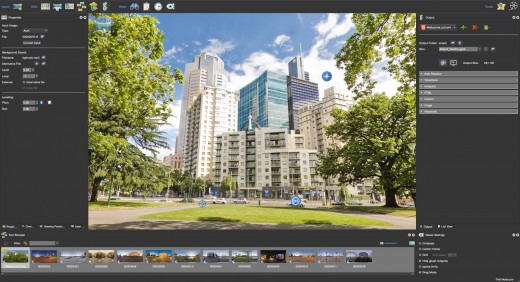
Whether you’re working on a single gigapixel panorama or a virtual tour with thousands of scenes, Pano2VR can help you create an immersive experience for any modern browser. Finished projects can be seamlessly integrated with existing websites and viewed on desktops and mobile or VR devices.

Build a Virtual Tour
From homes and real estate to museums and landmarks, virtual tours allow users to explore real places from around the world. In Pano2VR, link panoramic photo scenes, or nodes, using your choice of transitions and let the user navigate from scene to scene with just a click or tap. Provide greater location context to the scene by using our built-in Tour Map or by easily integrating floor plans or Google Maps.

Improve Your Images
Remove tripods and other image imperfections using Pano2VR’s Patch mode. With this invaluable tool, you can extract a defined patch area from the panorama without distortion, making it easier to retouch. Define and extract the image patch in Pano2VR. Then, edit it in your favorite editor. Once it’s saved, the modified patch will be automatically applied non-destructively to the panorama. Or never leave Pano2VR and instead use AI to correct the image for you.

Enhance the Experience
Add interactive elements like informational popups, photo hotspots, directional sound, and video to your panoramas. Use the included user interface overlays, called skins, or dive into the powerful Skin Editor to design custom buttons and controllers in your own unique interface design – all of which can be made responsive so that the design fits any screen. Create your skins or connect with the third-party designers here to help you achieve your goals.

Reveal the Highlights
Highlight significant scenes in your tours by creating animation paths that automatically navigate through each tour node. At any time, the viewer can choose to pause the animation to interact and explore further. You can even export this walk-through as a video file.

Zoom In
Pano2VR supports gigapixel images and multi-resolution so viewers can zoom deep in to the image to see amazing details. Load in the largest panorama you can find! Pano2VR can not only handle it but processing the panoramas is fast and the output is pixel perfect.

Show Your Work
Export panoramas in HTML5 format and upload to your web server. We even offer a handy plugin that lets you post your finished projects directly to your WordPress site.

Want to share your work in virtual reality? The program supports WebXR, which allows you to create a fully immersive VR experience directly from a web page so you can view projects on Apple Vision Pro and Meta Quest. Alternatively, use the  VRTourviewer  app integration for offline VR tours.

Google Street View
Pano2VR is a Street View ready application that gives you the ability to edit and publish tours to Google Street View.

Projections
Easily change projections during viewing or fly in from little planet view.

Directional Sound
Use Pano2VR's Sound Mode to add directional sound to your projects.

Droplets
If you need to create many projects on a regular basis, droplets let you do this with minimal effort.

Integrated Web Server
Pano2VR has a built-in web server so that once you create your tour, you can immediately see the results of an HTML5 output.

Video Panoramas
In addition to flat, cylindrical, and spherical panoramic images, Pano2VR also supports 360° videos.

Live Update
When Live Update is active, every change to the project is updated live in the browser after saving.

WordPress Plugin
Embed panoramas, VR tours, and object VRs in your WordPress site.

Release Name: Pano2VR Pro 8.0.4
Size: 266.2 MB
Links: HOMEPAGE – NFO – Torrent Search

Download: RAPiDGATOR

3 Comments
June 26

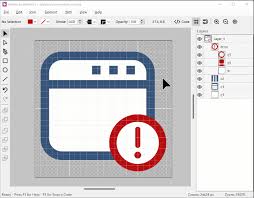
Axialis IconVectors Pro 1.70

Description: Axialis IconVectors is a lightweight and fast SVG icon editor built specifically for developers, offering precise control and quick editing of vector icons. It easily integrates into existing development workflows with real-time code previews (SVG, ReactTS, VueTS, XAML, C++), compatibility with Visual Studio, VS Code, and Adobe Illustrator. Its developer-centric features eliminate unnecessary complexity, making vector icon creation efficient and straightforward.

Key Features of Axialis IconVectors Pro


  • Lightweight Application: Very fast and responsive, it perfectly integrates into your development process to increase your productivity.
  • Easy SVG Vector Icon Editing: Create and edit SVG icons swiftly.
  • Developer-Oriented Design: Essential vector tools tailored specifically to developers.
  • Live Code Viewer: Real-time source code previews in SVG, XAML, ReactTS, VueTS, and C++.
  • Advanced Icon Tools: Add overlays, shadows, cutouts, and generate UI state color variants.
  • Make Dark-Theme Icons: Colorize icons for dark theme in a click.
  • Layer Management: Organize artwork through grouping, renaming, and visibility controls.
  • Path Editing: Accurately manipulate anchor points, Bezier curves, and path conversions.
  • Geometric Shapes: Create rectangles, ellipses, and polylines, convertible into editable paths.
  • Boolean Operations: Perform vector logic operations such as union, subtract, intersect.
  • Dark and Light UI Themes: Seamlessly integrates with your preferred OS theme.
  • User-Friendly Interface: Features adjustable zoom, grids, snap-to-grid, canvas center.
  • Multiple Instances Support: Open multiple windows simultaneously to streamline workflow.
  • Shell Extension: Display SVG icons in thumbnails and previews (Windows version).
  • Windows Version: Compatible with Windows 7, 8, 10, and 11.
  • 64-bit Version available for Windows.
Release Name: Axialis IconVectors Pro 1.70
Size: 10.5 MB
Links: HOMEPAGE – NFO – Torrent Search

Download: RAPiDGATOR

3 Comments